ENGLISH
Contents
22
Features ..................................................................................................................................................................................................................................... 11
Accessories Supplied with camcorder ...................................................................................................................................................................................... 12
Front & Left View ....................................................................................................................................................................................................................... 13
Left side View ............................................................................................................................................................................................................................. 14
Right & Top View ....................................................................................................................................................................................................................... 15
Rear & Bottom View .................................................................................................................................................................................................................. 16
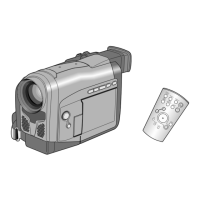
Remote control (VP-D103(i)/D105(i) only) ................................................................................................................................................................................ 17
OSD (On Screen Display in CAMERA and PLAYER modes) .................................................................................................................................................. 18
OSD (On Screen Display in M.REC and M.PLAY modes) (VP-D103(i)/D105(i) only) ............................................................................................................. 19
Turning the OSD on/off (On Screen Display) ...................................................................................................................................................................... 19
How to use the Remote Control (VP-D103(i)/D105(i) only) .................................................................................................................................................... 20
Battery Installation for the Remote Control ......................................................................................................................................................................... 20
Self Record using the Remote Control ............................................................................................................................................................................... 20
Lithium Battery Installation........................................................................................................................................................................................................... 21
Adjusting the Hand Strap ......................................................................................................................................................................................................... 22
Hand strap ........................................................................................................................................................................................................................... 22
Shoulder Strap ..................................................................................................................................................................................................................... 22
Attaching the Lens Cover .................................................................................................................................................................................................... 22
Connecting a Power Source ...................................................................................................................................................................................................... 23
To use the AC Power adapter and DC Cable .................................................................................................................................................................... 23
To select the CAMCORDER mode (VP-D103(i)/D105(i) only) .............................................................................................................................................23
Using the Lithium Ion Battery Pack .......................................................................................................................................................................................... 24
Charging the Lithium Ion Battery Pack ............................................................................................................................................................................... 24
Table of continuous recording time based on model and battery type ............................................................................................................................. 25
Battery level display ............................................................................................................................................................................................................. 26
Inserting and Ejecting a Cassette ............................................................................................................................................................................................ 27
Making your First Recording....................................................................................................................................................................................................... 28
Selecting the OSD LANGUAGE................................................................................................................................................................................................. 29
Record Search (REC SEARCH) ........................................................................................................................................................................................ 30
Hints for Stable Image Recording ............................................................................................................................................................................................. 31
Recording with the LCD monitor ......................................................................................................................................................................................... 31
Recording with the Viewfinder ............................................................................................................................................................................................ 31
Adjusting the LCD ..................................................................................................................................................................................................................... 32
Using the VIEWFINDER ........................................................................................................................................................................................................... 33
Adjusting the Focus ............................................................................................................................................................................................................. 33
Playing back a tape you have recorded on the LCD ................................................................................................................................................................ 34
Adjusting the LCD during PLAY .......................................................................................................................................................................................... 35
BASIC Recording ................................................................................................................................................. 28
Preparation .......................................................................................................................................................... 20
Notes and Safety Instructions ................................................................................................................................ 6
Getting to Know Your Camcorder ....................................................................................................................... 11
00743E VP-D103(i)-UK (01~27) 5/3/04 9:14 AM Page 2


 To Next Page
 Loading...