EasyManua.ls Logo

Samsung WAM1500 - User Manual

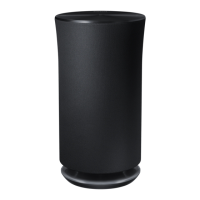
Samsung WAM1500
25 pages
Print Icon
To Next Page IconTo Next Page
Loading...
imagine the possibilities
Thank you for purchasing this Samsung product.
To receive more complete service,
please register your product at
www.samsung.com/register
Wireless Audio Radiant - 360
R5/R3/R1
WAM5500/WAM3500/WAM1500
User Manual

Other manuals for Samsung WAM1500

Questions and Answers

  • A
    Amber TaylorAug 19, 2025
    Why is there no sound from my Samsung Speaker System?
    • G
      Gary SkinnerAug 19, 2025
      If you are experiencing a lack of sound, ensure the volume isn't set to the minimum. Also, verify that the speaker is correctly connected and adjust the volume to an audible level.
  • Y
    Yolanda SmithAug 21, 2025
    How to fix Samsung Speakers that won't turn on?
    • N
      Nicole EvansAug 22, 2025
      If your Samsung Speakers won't turn on, ensure the power cord is securely connected to the outlet.
  • R
    Ryan MendezAug 25, 2025
    What to do if my Samsung WAM1500 are not working properly?
    • D
      David DavisAug 25, 2025
      If your Samsung Speakers aren't functioning correctly, try these steps: * Ensure the product is plugged in. * Unplug the product, plug it back in, and then reconnect it to the router. * If you're using a HUB, ensure the smart device and the HUB are connected to the same Wi-Fi network and that the HUB's indicator LEDs show it's working correctly. * Try relocating the product closer to the wireless router or HUB. If problems persist, consider resetting the HUB or the product, or unplugging and plugging in both the HUB and the product.
  • C
    Corey YoungAug 26, 2025
    What to do if my Samsung WAM1500 Speakers HUB doesn't work properly?
    • P
      Patrick MooreAug 26, 2025
      If your Samsung HUB isn't working properly, ensure it's plugged in. Connect a LAN cable to an ETHERNET SWITCH port on the back of the HUB and to your wireless router. You may also need to reset the HUB. Another solution is to try relocating the WAM speaker closer to the wireless router or HUB.
  • Y
    ygarnerAug 28, 2025
    What to do if my Samsung WAM1500 Speakers WAM speaker doesn't work properly?
    • A
      Adam NashAug 28, 2025
      If your Samsung WAM speaker isn't working properly, make sure it's plugged in. Try unplugging the speaker, plugging it back in, and then reconnecting it to the router. Ensure your smart device and the HUB are connected to the same Wi-Fi network. Also, verify that the HUB's indicator LEDs show it is working correctly. As another step, unplug and then plug in the HUB, and then unplug and plug in the WAM speaker. You can also try relocating the speaker closer to the wireless router or HUB.
  • B
    Brittany JacksonAug 30, 2025
    Why is there no sound coming from my Samsung WAM1500 Speakers?
    • A
      Ashley BrownAug 30, 2025
      If your Samsung Speakers aren't producing sound, ensure the volume isn't set to the minimum. Also, verify that the product is connected correctly. If needed, adjust the volume to an audible level.
  • P
    Paul HowardSep 1, 2025
    What to do if TV SoundConnect pairing fails on Samsung Speakers?
    • P
      Patricia HernandezSep 1, 2025
      If TV SoundConnect (TV pairing) failed on your Samsung Speakers, check the following: * Confirm that your TV supports TV SoundConnect (available on some Samsung TVs released after 2012). * Ensure your TV firmware is the latest version. Also, you can touch and hold the MODE button for more than 5 seconds to reset TV SoundConnect and connect a new TV. For errors during connection, contact the Samsung Call Centre.
  • C
    Courtney TorresSep 3, 2025
    What to do if TV SoundConnect (TV pairing) failed on Samsung Speaker System?
    • D
      darrellortizSep 3, 2025
      First, confirm that your TV supports TV SoundConnect; this feature is available on some Samsung TVs released after 2012. Ensure your TV's firmware is updated to the latest version. You can also try resetting TV SoundConnect by touching and holding the MODE button for more than 5 seconds to connect a new TV.
  • R
    Raymond CarpenterSep 5, 2025
    What to do if the HUB doesn't work properly for Samsung Speaker System?
    • J
      jason02Sep 5, 2025
      If the HUB isn't functioning correctly, ensure it is plugged in. Connect a LAN cable to the ETHERNET SWITCH port on the back of the HUB and to your wireless router. You can also try relocating the WAM speaker closer to the wireless router or HUB.
  • J
    Jeffrey SanchezSep 7, 2025
    What to do if the WAM speaker doesn't work properly with Samsung Speaker System?
    • M
      Michael GallowaySep 8, 2025
      If your WAM speaker isn't working as expected, start by ensuring it's plugged in. Try unplugging the speaker, plugging it back in, and then reconnecting it to the router. Also, verify that your smart device and the HUB are connected to the same Wi-Fi network and that the HUB's indicator LEDs show it is working correctly.

Summary

Getting Started

Connecting the Power Cord

Provides step-by-step instructions for connecting the power cord to the speaker.

Connecting to a Wi-Fi Network

Bluetooth Device Connection

Guides users on how to connect the speaker to Bluetooth-enabled devices.

Samsung TV SoundConnect Setup

Explains how to connect the speaker to a Samsung TV using the TV SoundConnect feature.

Appendix

Troubleshooting Common Issues

Provides solutions for common issues like unit not turning on, pairing problems, or no sound.

Regulatory Compliance Statements

Important Safety Instructions

Lists essential safety instructions for operating the unit safely and avoiding hazards.

Safety Precautions: Usage & Handling

Details precautions related to volume, high voltage, liquids, dropping, sharp objects, and environment.

Limited Warranty Information

Samsung WAM1500 Specifications

General IconGeneral
Speaker type-
Woofer diameter88 mm
Tweeter diameter25 mm
Number of drivers2
Number of speakers1
Audio output channels- channels
Power source typeAC
Power consumption (standby)2.5 W
Power consumption (typical)10 W
Product colorBlack
Recommended usageMobile phone / Smartphone
Audio formats supportedAAC, AIFF, ALAC, FLAC, MP3, OGG, WAV, WMA
Mobile operating systems supportedAndroid 2.3, Android 3.0, Android 3.1, Android 3.2, Android 4.0, Android 4.1, Android 4.2, Android 4.3, Android 4.4, Android 5.0, Android 5.1, iOS 6.1, iOS 7.0, iOS 8.0, iOS 8.2, iOS 9.0
MP3 bit rates32 - 320 Kbit/s
WMA bit rates32 - 192 Kbit/s
Package width175 mm
Package height332 mm
Package weight2200 g
Quantity per pack1 pc(s)
Impedance- Ω
Frequency range- Hz
RMS rated power- W
AC (power) inYes
Connectivity technologyWireless
Weight and Dimensions IconWeight and Dimensions
Width123 mm
Height234 mm
Weight1400 g

Related product manuals