EasyManua.ls Logo

Samsung WAM5500 - User Manual

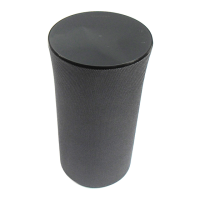
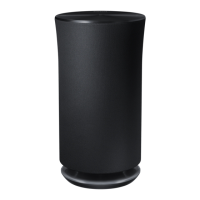
Samsung WAM5500
25 pages
Print Icon
To Next Page IconTo Next Page
Loading...
imagine the possibilities
Thank you for purchasing this Samsung product.
To receive more complete service,
please register your product at
www.samsung.com/register
Wireless Audio Radiant - 360
R5/R3/R1
WAM5500/WAM3500/WAM1500
User Manual

Other manuals for Samsung WAM5500

Questions and Answers

  • M
    michellemartinezAug 17, 2025
    Why is there no sound from my Samsung Speaker System?
    • A
      Amy PorterAug 17, 2025
      If you are experiencing a lack of sound, ensure the volume isn't set to the minimum. Also, verify that the speaker is correctly connected and adjust the volume to an audible level.
  • K
    Kimberly ZavalaAug 20, 2025
    How to fix Samsung WAM5500 that won't turn on?
    • H
      Heather CollinsAug 20, 2025
      If your Samsung Speakers won't turn on, ensure the power cord is securely connected to the outlet.
  • B
    Benjamin PopeAug 22, 2025
    What to do if my Samsung WAM5500 Speakers are not working properly?
    • M
      Molly HermanAug 23, 2025
      If your Samsung Speakers aren't functioning correctly, try these steps: * Ensure the product is plugged in. * Unplug the product, plug it back in, and then reconnect it to the router. * If you're using a HUB, ensure the smart device and the HUB are connected to the same Wi-Fi network and that the HUB's indicator LEDs show it's working correctly. * Try relocating the product closer to the wireless router or HUB. If problems persist, consider resetting the HUB or the product, or unplugging and plugging in both the HUB and the product.
  • J
    Jennifer HarrisAug 26, 2025
    Why is there no sound coming from my Samsung WAM5500?
    • T
      tylergonzalezAug 26, 2025
      If your Samsung Speakers aren't producing sound, ensure the volume isn't set to the minimum. Also, verify that the product is connected correctly. If needed, adjust the volume to an audible level.
  • S
    shannon37Aug 28, 2025
    What to do if TV SoundConnect pairing fails on Samsung WAM5500?
    • D
      Debra Garcia MDAug 28, 2025
      If TV SoundConnect (TV pairing) failed on your Samsung Speakers, check the following: * Confirm that your TV supports TV SoundConnect (available on some Samsung TVs released after 2012). * Ensure your TV firmware is the latest version. Also, you can touch and hold the MODE button for more than 5 seconds to reset TV SoundConnect and connect a new TV. For errors during connection, contact the Samsung Call Centre.
  • J
    joshuagregoryAug 31, 2025
    What to do if TV SoundConnect (TV pairing) failed on Samsung Speaker System?
    • D
      Dr. Laura WilkinsAug 31, 2025
      First, confirm that your TV supports TV SoundConnect; this feature is available on some Samsung TVs released after 2012. Ensure your TV's firmware is updated to the latest version. You can also try resetting TV SoundConnect by touching and holding the MODE button for more than 5 seconds to connect a new TV.
  • C
    Cynthia HendricksSep 2, 2025
    What to do if the HUB doesn't work properly for Samsung Speaker System?
    • M
      Mark AyalaSep 3, 2025
      If the HUB isn't functioning correctly, ensure it is plugged in. Connect a LAN cable to the ETHERNET SWITCH port on the back of the HUB and to your wireless router. You can also try relocating the WAM speaker closer to the wireless router or HUB.
  • M
    Melanie AverySep 5, 2025
    What to do if the WAM speaker doesn't work properly with Samsung Speaker System?
    • R
      Robert WilliamsSep 5, 2025
      If your WAM speaker isn't working as expected, start by ensuring it's plugged in. Try unplugging the speaker, plugging it back in, and then reconnecting it to the router. Also, verify that your smart device and the HUB are connected to the same Wi-Fi network and that the HUB's indicator LEDs show it is working correctly.
  • J
    Jason JohnsonSep 8, 2025
    What to do if a function does not work when the button is pressed on Samsung Speaker System?
    • J
      Jeffery HigginsSep 8, 2025
      If a function isn't working when a button is pressed, it could be due to static electricity. Disconnect the power plug and then reconnect it.
  • C
    christopherloveSep 12, 2025
    What to do if the TV SoundConnect (TV pairing) failed on Samsung Audio speaker?
    • D
      David StewartSep 12, 2025
      If you're having trouble with TV SoundConnect on your Samsung Audio speaker, first ensure that your TV supports TV SoundConnect, which is available on some Samsung TVs released after 2012. Update your TV to the latest firmware. Confirm that TV SoundConnect is set to 'On' in your TV's menu. You can also reset TV SoundConnect by touching and holding the MODE button for more than 5 seconds to connect a new TV.

Summary

Getting Started

Accessories

Lists supplied accessories for WAM5500/WAM3500 and WAM1500 models.

Speaker Top Controls

Explains touch and gesture controls like Touch/Tap, Touch and Hold, and Swipe.

Operation Terminology

Details the terms used for operating the speaker.

OLED Display and LED Indicator Descriptions

R3;R5 OLED Indicator Guide

Details icons and their actions shown on the OLED display.

R1 LED Indicator Guide

Explains LED colors and their corresponding actions for the R1 model.

Speaker Bottom Overview

Speaker Bottom Ports and Buttons

Illustrates and labels the ports and buttons on the bottom of WAM models.

SPK ADD;Wi-Fi SETUP Button Function

Explains the SPK ADD/Wi-Fi SETUP button for pairing and network setup.

Connecting the Power Cord

WAM5500;WAM3500 Power Connection

Guides on connecting the power cord for WAM5500 and WAM3500 models.

WAM1500 Power Connection

Guides on connecting the WAM1500 power cord using an adapter.

Installing on a Wall

Wall Mount Purchase Considerations

Guidelines on load capacity, hole size, and installation precautions.

Wall Mount Installation Notes

Important notes and warnings for wall mounting safety and procedures.

Connecting to a Wi-Fi Network

Bluetooth Device Pairing

Step-by-step instructions for pairing the speaker with a Bluetooth device.

Connecting to a Samsung TV

TV SoundConnect Setup

How to wirelessly connect a Samsung TV to the speaker using TV SoundConnect.

Appendix: Troubleshooting

Product Troubleshooting Guide

Table of common symptoms, checks, and remedies for product issues.

Product Specifications

Technical Specifications Overview

Details product specifications like weight, dimensions, temperature, and network security.

Regulatory Compliance Statements

Warning Symbols Explained

Explains the meaning of caution symbols like lightning flash and exclamation point.

General Product Warnings

Lists warnings regarding chemicals, moisture, and power plug accessibility.

FCC Statement (USA)

Details FCC compliance and interference statement for the US market.

IC Statement (Canada)

Industry Canada Compliance

Details Industry Canada compliance for the Canadian market.

Important Safety Instructions

IC Radiation Exposure Statement

States IC radiation exposure compliance and installation distance.

General Safety Precautions

Essential safety instructions for operating the product.

Safety Precautions

Power Supply Safety

Guidelines to prevent hazards related to power supply and cords.

Installation Safety

Safety advice for installing the product, avoiding heat, and ensuring ventilation.

Usage Precautions

Hearing Safety Warnings

Warns about potential hearing damage from prolonged high volume usage.

Electrical and Handling Safety

Precautions against high voltage, liquids, dropping, and sharp objects.

Cleaning Precautions

Network and SmartThings Information

About the Network Connection

Discusses factors affecting wireless network performance and compatibility.

Works with SmartThings

Mentions product compatibility and service availability for SmartThings.

Limited Warranty

Warranty Period and Service

Details warranty duration, service procedures, and exclusions.

Warranty Limitations and Exclusions

Lists conditions that void the warranty and liability limits.

Contact SAMSUNG WORLD WIDE

North America Support

Contact numbers and websites for Samsung support in North America.

Latin America Support

Contact details and web addresses for Samsung support in Latin America.

Europe Support

Samsung support contact details and websites for European countries.

CIS and China Support

Contact info for CIS countries, China, Hong Kong, and Macau.

Questions or Comments

Contacting Samsung Support

US contact information for questions, online, and postal addresses.

Samsung WAM5500 Specifications

General IconGeneral
TweeterYes
Woofer diameter125 mm
Tweeter diameter25 mm
Number of drivers-
Number of speakers1
Audio output channels- channels
Product colorBlack
Recommended usageMobile phone / Smartphone
Audio formats supportedAAC, AIFF, ALAC, FLAC, MP3, OGG, WAV, WMA
Mobile operating systems supportedAndroid 2.3, Android 3.0, Android 3.1, Android 3.2, Android 4.0, Android 4.1, Android 4.2, Android 4.3, Android 4.4, Android 5.0, Android 5.1, iOS 6.1, iOS 7.0, iOS 8.0, iOS 8.2, iOS 9.0
Power source typeAC
Power consumption (standby)2.5 W
Power consumption (typical)22 W
Package width208 mm
Package height409 mm
Package weight3500 g
Quantity per pack1 pc(s)
Impedance- Ω
Frequency range- Hz
RMS rated power- W
Connectivity technologyWireless
Weight and Dimensions IconWeight and Dimensions
Width166 mm
Height313 mm
Weight2700 g

Related product manuals