EasyManua.ls Logo

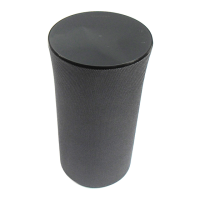
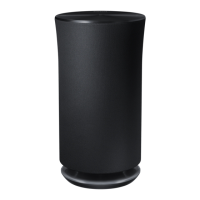
Samsung Wireless Audio Radiant 360 R5 - User Manual

Samsung Wireless Audio Radiant 360 R5
25 pages
Print Icon
To Next Page IconTo Next Page
Loading...
imagine the possibilities
Thank you for purchasing this Samsung product.
To receive more complete service,
please register your product at
www.samsung.com/register
Wireless Audio Radiant - 360
R5/R3/R1
WAM5500/WAM3500/WAM1500
User Manual

Questions and Answers

  • J
    Jessica OwensAug 11, 2025
    What to do if my Samsung Wireless Audio Radiant 360 R5 Speakers HUB doesn't work properly?
    • M
      michaelburnettAug 11, 2025
      If your Samsung HUB isn't working properly, ensure it's plugged in. Connect a LAN cable to an ETHERNET SWITCH port on the back of the HUB and to your wireless router. You may also need to reset the HUB. Another solution is to try relocating the WAM speaker closer to the wireless router or HUB.
  • S
    sean89Aug 21, 2025
    What to do if my Samsung Speakers WAM speaker doesn't work properly?
    • T
      Tiffany DixonAug 21, 2025
      If your Samsung WAM speaker isn't working properly, make sure it's plugged in. Try unplugging the speaker, plugging it back in, and then reconnecting it to the router. Ensure your smart device and the HUB are connected to the same Wi-Fi network. Also, verify that the HUB's indicator LEDs show it is working correctly. As another step, unplug and then plug in the HUB, and then unplug and plug in the WAM speaker. You can also try relocating the speaker closer to the wireless router or HUB.
  • A
    Adam HarrisAug 30, 2025
    Why is my Samsung Wireless Audio Radiant 360 R5 TV SoundConnect (TV pairing) failing?
    • K
      Kyle WilsonAug 30, 2025
      If your Samsung TV SoundConnect pairing failed, first check if your TV supports TV SoundConnect. This feature is available on some Samsung TVs released after 2012. Also, confirm that TV SoundConnect is set to 'On' in your TV's menu. Try updating your TV with the latest firmware. As an additional step, you can touch and hold the MODE button for more than 5 seconds to reset TV SoundConnect and connect a new TV.

Summary

Safety Information

Important Safety Instructions

Safety precautions

General precautions for product usage and handling to prevent hazards.

Power Supply Precautions

Guidelines for safe use of the power cord and electrical connections.

Installation Precautions

Advice on safe placement and environmental conditions for installation.

Usage Precautions

Warnings and advice regarding product operation and potential risks.

Getting Started

Connecting the Power Cord

Step-by-step guide on how to connect the power cord to the speaker.

Connecting to a Wi-Fi network

Connecting to Bluetooth Devices

Guide on pairing the speaker with Bluetooth-enabled devices.

Connecting a Samsung TV via bluetooth (TV SoundConnect)

Instructions for connecting the speaker to a Samsung TV wirelessly.

Appendix

Troubleshooting

Solutions for common problems encountered with the product.

Samsung Wireless Audio Radiant 360 R5 Specifications

General IconGeneral
TypeWireless Speaker
BrandSamsung
ModelWireless Audio Radiant 360 R5
CategorySpeakers
ConnectivityWi-Fi, Bluetooth
Bluetooth Version4.0
MultiroomYes
HD AudioYes
Audio Output360-degree sound
Audio TechnologyRing Radiator
ColorBlack
Model NumberR5
Driver Size5"
Weight6.6 lbs

Related product manuals