EasyManua.ls Logo

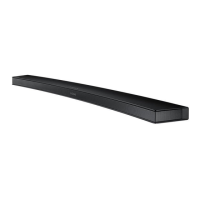
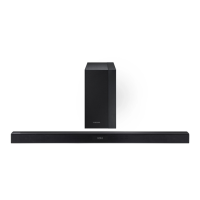
Samsung PS-WK450 - User Manual

Samsung PS-WK450
34 pages
Print Icon
To Next Page IconTo Next Page
Loading...
Wireless Audio - Soundbar
Imagine the possibilities
Thank you for purchasing this Samsung product.
To receive more complete service, please register your product at
www.samsung.com/register
User manual
HW-K460
Wireless Subwoofer
(PS-WK450)

Questions and Answers

Summary

FEATURES

SAFETY INFORMATION

Safety Warnings and Symbols

Important safety warnings, including high voltage, operation, and maintenance symbols.

IMPORTANT SAFETY INSTRUCTIONS

General Safety Guidelines

Comprehensive instructions for safe operation, installation, and handling of the product.

PRECAUTIONS

Environmental and Usage Precautions

Guidelines on installation, ventilation, heat, moisture, and battery handling.

INSTALLATION AND SETUP

Wall Mount Installation Guide

Comprehensive instructions for mounting the Soundbar on a wall.

CONNECTIONS AND WIRING

Connecting the Wireless Subwoofer

Instructions for automatically and manually linking the subwoofer to the main unit.

Connecting Soundbar to TV

Methods for connecting the Soundbar to a TV using optical or HDMI cables.

FUNCTIONS AND MODES

Bluetooth Device Pairing

Steps to connect smartphones or other devices via Bluetooth.

Software Update Procedure

Instructions for updating the Soundbar's system firmware via USB.

TROUBLESHOOTING AND SUPPORT

Common Issue Resolution

Solutions for common problems like no power, no sound, or remote control issues.

Samsung PS-WK450 Specifications

General IconGeneral
BrandSamsung
ModelPS-WK450
TypeSoundbar
Channels2.1
SubwooferYes
Wireless SubwooferYes
BluetoothYes
Optical InputYes
Wall MountableYes
ConnectivityBluetooth, Optical

Related product manuals