EasyManua.ls Logo

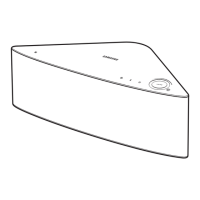
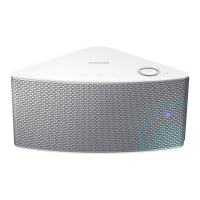
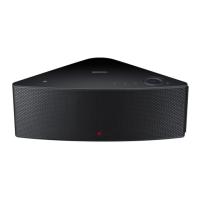
Samsung WAM550 - User Manual

Samsung WAM550
81 pages
Print Icon
To Next Page IconTo Next Page
Loading...
Wireless Audio - Multiroom
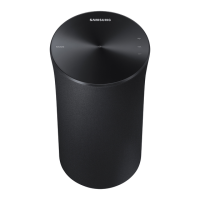
M7/M5/M3
User Manual
imagine the possibilities
Thank you for purchasing this Samsung product.
To receive more complete service,
please register your product at
www.samsung.com/register
WAM750/WAM751
WAM550/WAM551
WAM350/WAM351

Table of Contents

Other manuals for Samsung WAM550

Questions and Answers

Summary

Getting Started: Product Accessories

Accessory Checklist

Confirm you have the supplied accessories shown below.

Top Panel Overview and Controls

NFC Tag for Bluetooth Pairing

Connect NFC compatible device via Bluetooth using NFC tagging procedure.

Bluetooth Function Button

Press this button to enable Bluetooth connectivity.

TV SoundConnect Activation

Press this button to enable TV SoundConnect for audio.

Rear Panel Connections: WAM750;751

Rear Panel Connections: WAM550;551

Rear Panel Connections: WAM350;351

Connecting the Power Cable (WAM750;751)

Attaching the Cover-Stand (WAM750;751)

Wall Mounting Instructions (WAM750;751)

Stand Installation (WAM550;551;350;351)

Wall Mounting Instructions (WAM550;551;350;351)

Standby Mode Operation and Resetting

Product Reset Procedure

Instructions on how to reset the product to its default settings.

Wi-Fi Network Connection Setup

Installing the Samsung Multiroom App

Steps to download and install the Samsung Multiroom App from app stores.

Connecting to Wi-Fi: Automatic Setup

Automatic Wi-Fi Connection Steps (Android;iOS)

Automatic Wi-Fi connection steps using the Samsung Multiroom app.

Connecting to Wi-Fi: Manual Setup (Android)

Connecting to Wi-Fi: Manual Setup (iOS)

Connecting the product with a HUB

Adding a HUB for Extended Range

Adding Additional Speakers to the Network

Bluetooth Connectivity and Pairing

Connecting to Bluetooth Devices

Steps to pair the product with a Bluetooth-enabled device.

NFC Connection for Android Devices

Samsung Multiroom App: Interface and Features

Playing Music from Smart Devices

Selecting Music Categories and Files

Steps to select and play music from your smart device's storage.

Listening to Streaming Music Services

Internet Radio Listening via Tuneln

Connecting TV to Speaker: Overview

TV SoundConnect Wireless Setup

How to connect Samsung TV to speaker wirelessly using TV SoundConnect.

Connecting TV via Wi-Fi

Adjusting Audio Equalizer and DRC

Managing the Playback Queue

Editing and Managing the Playback Queue

Playlist Management: Creating Playlists

Playlist Management: Editing Playlists

Samsung Multiroom App Settings Menu

Adding Additional Speakers via App

Refer to pages 28-29 for adding additional speakers.

Sound Feedback and Software Updates

Manual Software Update Procedure

Product Support and Information

Connecting Multiple Products: Speaker Grouping

Setting Up Speaker Groups

Steps to create groups of multiple speakers for synchronized audio.

Ungrouping Speakers

Setting the Surround Sound Mode

Wireless Audio - Multiroom for Desktop Program

Appendix: Troubleshooting Guide

Resolving Common Product Issues

Common issues and their solutions.

Product Specifications: WAM750;751

Product Specifications: WAM550;551 & WAM350;351

Regulatory Compliance and Safety Statements

UK Power Plug Wiring and Safety Instructions

Important General Safety Instructions

General safety guidelines for operating the product.

Power Supply Safety Precautions

Installation and Usage Safety Precautions

Summary

Getting Started: Product Accessories

Accessory Checklist

Confirm you have the supplied accessories shown below.

Top Panel Overview and Controls

NFC Tag for Bluetooth Pairing

Connect NFC compatible device via Bluetooth using NFC tagging procedure.

Bluetooth Function Button

Press this button to enable Bluetooth connectivity.

TV SoundConnect Activation

Press this button to enable TV SoundConnect for audio.

Rear Panel Connections: WAM750;751

Rear Panel Connections: WAM550;551

Rear Panel Connections: WAM350;351

Connecting the Power Cable (WAM750;751)

Attaching the Cover-Stand (WAM750;751)

Wall Mounting Instructions (WAM750;751)

Stand Installation (WAM550;551;350;351)

Wall Mounting Instructions (WAM550;551;350;351)

Standby Mode Operation and Resetting

Product Reset Procedure

Instructions on how to reset the product to its default settings.

Wi-Fi Network Connection Setup

Installing the Samsung Multiroom App

Steps to download and install the Samsung Multiroom App from app stores.

Connecting to Wi-Fi: Automatic Setup

Automatic Wi-Fi Connection Steps (Android;iOS)

Automatic Wi-Fi connection steps using the Samsung Multiroom app.

Connecting to Wi-Fi: Manual Setup (Android)

Connecting to Wi-Fi: Manual Setup (iOS)

Connecting the product with a HUB

Adding a HUB for Extended Range

Adding Additional Speakers to the Network

Bluetooth Connectivity and Pairing

Connecting to Bluetooth Devices

Steps to pair the product with a Bluetooth-enabled device.

NFC Connection for Android Devices

Samsung Multiroom App: Interface and Features

Playing Music from Smart Devices

Selecting Music Categories and Files

Steps to select and play music from your smart device's storage.

Listening to Streaming Music Services

Internet Radio Listening via Tuneln

Connecting TV to Speaker: Overview

TV SoundConnect Wireless Setup

How to connect Samsung TV to speaker wirelessly using TV SoundConnect.

Connecting TV via Wi-Fi

Adjusting Audio Equalizer and DRC

Managing the Playback Queue

Editing and Managing the Playback Queue

Playlist Management: Creating Playlists

Playlist Management: Editing Playlists

Samsung Multiroom App Settings Menu

Adding Additional Speakers via App

Refer to pages 28-29 for adding additional speakers.

Sound Feedback and Software Updates

Manual Software Update Procedure

Product Support and Information

Connecting Multiple Products: Speaker Grouping

Setting Up Speaker Groups

Steps to create groups of multiple speakers for synchronized audio.

Ungrouping Speakers

Setting the Surround Sound Mode

Wireless Audio - Multiroom for Desktop Program

Appendix: Troubleshooting Guide

Resolving Common Product Issues

Common issues and their solutions.

Product Specifications: WAM750;751

Product Specifications: WAM550;551 & WAM350;351

Regulatory Compliance and Safety Statements

UK Power Plug Wiring and Safety Instructions

Important General Safety Instructions

General safety guidelines for operating the product.

Power Supply Safety Precautions

Installation and Usage Safety Precautions

Samsung WAM550 Specifications

General IconGeneral
BrandSamsung
Model NumberWAM550
CategoryStereo System
TypeWireless Speaker
Audio Channels2.0
Power Output20 W
ConnectivityWi-Fi, Bluetooth
Dimensions7.3 x 7.3 x 8.4 inches
Weight3.1 lbs
ColorBlack
Multiroom CapabilityYes
Frequency Response50 Hz - 20 kHz

Related product manuals