EasyManua.ls Logo

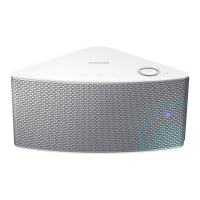
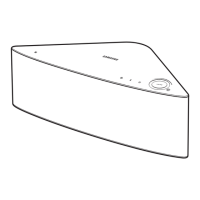
Samsung wam351 - User Manual

Samsung wam351
95 pages
Print Icon
To Next Page IconTo Next Page
Loading...
WAM350/WAM351
User Manual
Wireless Audio - Multiroom
M3
imagine the possibilities
Thank you for purchasing this Samsung product.
To receive more complete service,
please register your product at
www.samsung.com/register

Table of Contents

Questions and Answers

  • D
    Danielle CooperSep 15, 2025
    What to do if my Samsung Speakers HUB doesn't work properly?
    • E
      Elizabeth HollandSep 16, 2025
      If your Samsung Speakers HUB isn't working properly: * Ensure the HUB is plugged in. * Verify the LAN cable is properly connected to both the wireless router and the HUB. * Check that the HUB's front indicators show it's operating correctly when plugged in. If issues persist, try resetting the HUB or relocating the product closer to the wireless router or HUB.
  • J
    Javier CohenAug 25, 2025
    Why is the TV SoundConnect (TV pairing) failing on my Samsung wam351?
    • T
      Thomas WalkerAug 25, 2025
      TV SoundConnect is available on some Samsung TVs released after 2012. Ensure your TV supports TV SoundConnect. You can also try reconnecting by pressing and holding the TV SoundConnect button. Updating your TV's firmware may also resolve the issue. If problems persist, reset TV SoundConnect by pressing and holding the TV SoundConnect button for more than 5 seconds.
  • M
    Mark GrayAug 25, 2025
    What to do if my Samsung Speakers don't produce sound?
    • M
      mvargasAug 26, 2025
      If your Samsung Speakers are not producing sound, ensure the product is connected correctly and the volume isn't set to the minimum. Adjust the volume as needed.
  • H
    hgonzalesAug 26, 2025
    Why won't my Samsung Speakers turn on?
    • A
      Amanda StephensAug 26, 2025
      If your Samsung Speakers won't turn on, connect the power cord (for WAM750, WAM751, WAM350, WAM351 models) or the power adapter (for WAM550, WAM551 models) to the outlet.
  • S
    Susan SanchezSep 16, 2025
    How to fix a function that does not work when the button is pressed on Samsung Speakers?
    • L
      Leslie HooperSep 16, 2025
      If a function doesn't work when a button is pressed on your Samsung Speakers, and there might be static electricity in the air, disconnect the power plug and connect it again.
  • K
    Kimberly BuchananSep 23, 2025
    What to do if Hub and M3 is not paired on Samsung wam351 Stereo System?
    • M
      martinrichardsSep 23, 2025
      If the Hub and M3 of your Samsung Stereo System aren't paired, reset the HUB by unplugging it and plugging it back in, then check if the pairing indicator is blinking. Also, reset the M3 by unplugging it and plugging it back in, and check if its pairing indicator is blinking.
  • S
    Susan JacksonSep 8, 2025
    How to fix TV SoundConnect (TV pairing) failure on Samsung wam351?
    • H
      Hector DeckerSep 8, 2025
      TV SoundConnect is supported by some Samsung TVs released after 2012. Check your TV to see if it supports TV SoundConnect. Confirm TV SoundConnect is set to On in your TV's menu. Update your TV with the latest firmware. Press and hold the TV SoundConnect button for more than 5 seconds to reset TV SoundConnect and connect a new TV.
  • L
    Leah CrawfordSep 9, 2025
    What to do if my Samsung wam351 Stereo System hub and product is not paired?
    • M
      Mary ThorntonSep 9, 2025
      Reset the HUB. Unplug the HUB and plug it in again. Check whether the pairing indicator on the front of the HUB is blinking or not. Reset the product. Unplug the product and plug it in again. Check whether the LED indicator on the front of the product is blinking or not.
  • M
    Melissa TateSep 2, 2025
    How to fix a Samsung wam351 that will not turn on?
    • G
      Gary DavisSep 2, 2025
      If your Samsung Stereo System unit won't turn on, connect the power cord to the outlet. If it is already connected, disconnect the power plug and then reconnect it.
  • N
    Nicholas SimsAug 31, 2025
    What to do if my Samsung wam351 Stereo System M3 doesn't work properly?
    • J
      james74Aug 31, 2025
      If the M3 isn't working properly with your Samsung Stereo System, plug in the M3 and check that your Wi-Fi router is Wi-Fi certified. Try unplugging the M3, plugging it back in, and reconnecting it to the router. If you're using a HUB, make sure your smart device and the HUB are on the same Wi-Fi network and that the HUB's indicator LEDs show it's working correctly. If connection troubles persist between the HUB and M3, try moving the M3 closer to the wireless router or HUB. As well, unplug, then plug in the HUB. Then, unplug and plug in the M3.

Samsung wam351 Specifications

General IconGeneral
Product colorWhite
Recommended usageUniversal
Suitable for outdoor use-
TweeterYes
Woofer diameter85 mm
Tweeter diameter25 mm
Speaker placementTabletop/bookshelf, Wall-mountable
Audio output channels1.0 channels
Number of tweeter drivers1
Impedance- Ω
Frequency range- Hz
RMS rated power- W
Connectivity technologyWireless
Power consumption (standby)6 W
Power consumption (typical)17 W
Package depth230 mm
Package width165 mm
Package height457 mm
Package weight250 g
Weight and Dimensions IconWeight and Dimensions
Depth145 mm
Width113.5 mm
Height250 mm
Weight1900 g

Related product manuals