EasyManua.ls Logo

Samsung WAM750 - User Manual

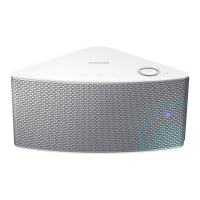
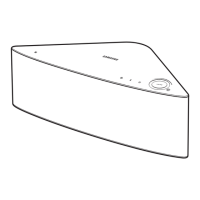
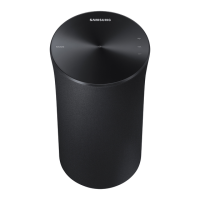
Samsung WAM750
90 pages
Print Icon
To Next Page IconTo Next Page
Loading...
WAM750/WAM751
User Manual
Wireless Audio - Multiroom
M7
imagine the possibilities
Thank you for purchasing this Samsung product.
To receive more complete service,
please register your product at
www.samsung.com/register

Table of Contents

Other manuals for Samsung WAM750

Questions and Answers

  • T
    Traci OrtizSep 12, 2025
    What to do if my Samsung Speakers HUB doesn't work properly?
    • V
      Victoria FlemingSep 12, 2025
      If your Samsung Speakers HUB isn't working properly: * Ensure the HUB is plugged in. * Verify the LAN cable is properly connected to both the wireless router and the HUB. * Check that the HUB's front indicators show it's operating correctly when plugged in. If issues persist, try resetting the HUB or relocating the product closer to the wireless router or HUB.
  • J
    jeffrey36Aug 25, 2025
    Why is no sound produced by my Samsung Stereo System?
    • N
      Noah WashingtonAug 25, 2025
      If no sound is coming from your Samsung Stereo System, ensure the volume isn't set to the minimum. Also, verify that the product is connected correctly and adjust the volume to an audible level.
  • V
    vanessahernandezAug 25, 2025
    What to do if my Samsung Speakers don't produce sound?
    • A
      Amanda BrooksAug 26, 2025
      If your Samsung Speakers are not producing sound, ensure the product is connected correctly and the volume isn't set to the minimum. Adjust the volume as needed.
  • A
    Amy TuckerSep 23, 2025
    What to do if a function does not work when the button is pressed on my Samsung Wireless audio system?
    • J
      Jennifer TownsendSep 23, 2025
      If a function fails to work when a button is pressed, it may be due to static electricity in the air. Disconnect the power plug and connect it again to resolve this.
  • V
    Virginia IngramSep 13, 2025
    Why I cannot group products on my Samsung Speakers?
    • J
      joseph92Sep 13, 2025
      You cannot use the group products function on your Samsung Speakers if the product is connected to the network via Bluetooth, NFC tagging (WAM750, WAM751, WAM550, WAM551 Only - Android), TV SoundConnect, or AUX IN (WAM750, WAM751 Only).
  • A
    alison86Sep 18, 2025
    What to do if my Samsung Wireless audio system HUB doesn't work properly?
    • E
      Erin WhiteSep 19, 2025
      If the HUB isn't working correctly, ensure it is plugged in. Also, connect the LAN cable to the ETHERNET SWITCH on the back of the HUB and to your wireless router. If you're having trouble connecting the HUB and M7, try moving the M7 closer to the wireless router or HUB.
  • D
    Dr. Hector GaySep 6, 2025
    Why is the app not working properly with my Samsung WAM750 Stereo System?
    • M
      Morgan MorrisSep 6, 2025
      First, verify that your smart device is compatible with the app. Then, ensure that you're using the latest version of the app. Also, make sure the M7's front LED turns from red to blue and that the HUB and the smart device are connected to the same router. As an alternative, try relocating the M7 so that the M7 is closer to the wireless router or HUB.
  • J
    jwallaceSep 6, 2025
    What to do if a function doesn't work when pressing the button on my Samsung WAM750?
    • A
      Anthony JonesSep 7, 2025
      If a function doesn't work, it might be due to static electricity in the air. Disconnect the power plug and then reconnect it.
  • J
    Jennifer JohnsonSep 23, 2025
    What to do if my Samsung Wireless audio system M7 doesn't work properly?
    • S
      Steven CaldwellSep 23, 2025
      If the M7 is not functioning as expected, make sure it is plugged in and that the Wi-Fi router you're using is certified for Wi-Fi. Try unplugging the M7, plugging it back in, and then reconnecting it to the router. If used with a HUB, ensure that the smart device and the HUB are connected to the same Wi-Fi network. Also, if you experience troubles with connecting the HUB and M7, try relocating the M7 so that the M7 is closer to the wireless router or HUB.
  • D
    David MooreAug 30, 2025
    What to do if hub and product is not paired for Samsung Speakers?
    • J
      Jonathan GillespieAug 30, 2025
      To fix the pairing between the HUB and product for Samsung Speakers: * Reset the HUB (refer to the HUB's user manual for details). * Unplug the HUB and plug it in again. Check if the pairing indicator on the front of the HUB is blinking. * Reset the product (see page 15). * Unplug the product and plug it in again. Check if the LED indicator on the front of the product is blinking.

Samsung WAM750 Specifications

General IconGeneral
Product colorBlack
Recommended usage-
Remotely operatedYes
Driver diameter19 mm
Speaker placementTabletop/bookshelf, Wall-mountable
Audio output channels1.0 channels
Number of woofer drivers1
Mid-range driver diameter56 mm
Number of tweeter drivers2
Woofer diameter (imperial)4 \
Impedance- Ω
Frequency range- Hz
RMS rated power- W
Signal-to-Noise Ratio (SNR)65 dB
Connectivity technologyWireless
Power consumption (standby)7 W
Power consumption (typical)24 W
Operating temperature (T-T)5 - 35 °C
Operating relative humidity (H-H)10 - 75 %
Package depth330 mm
Package width654 mm
Package height192 mm
Package weight4800 g
Weight and Dimensions IconWeight and Dimensions
Depth194 mm
Width402 mm
Height137 mm
Weight3800 g

Related product manuals