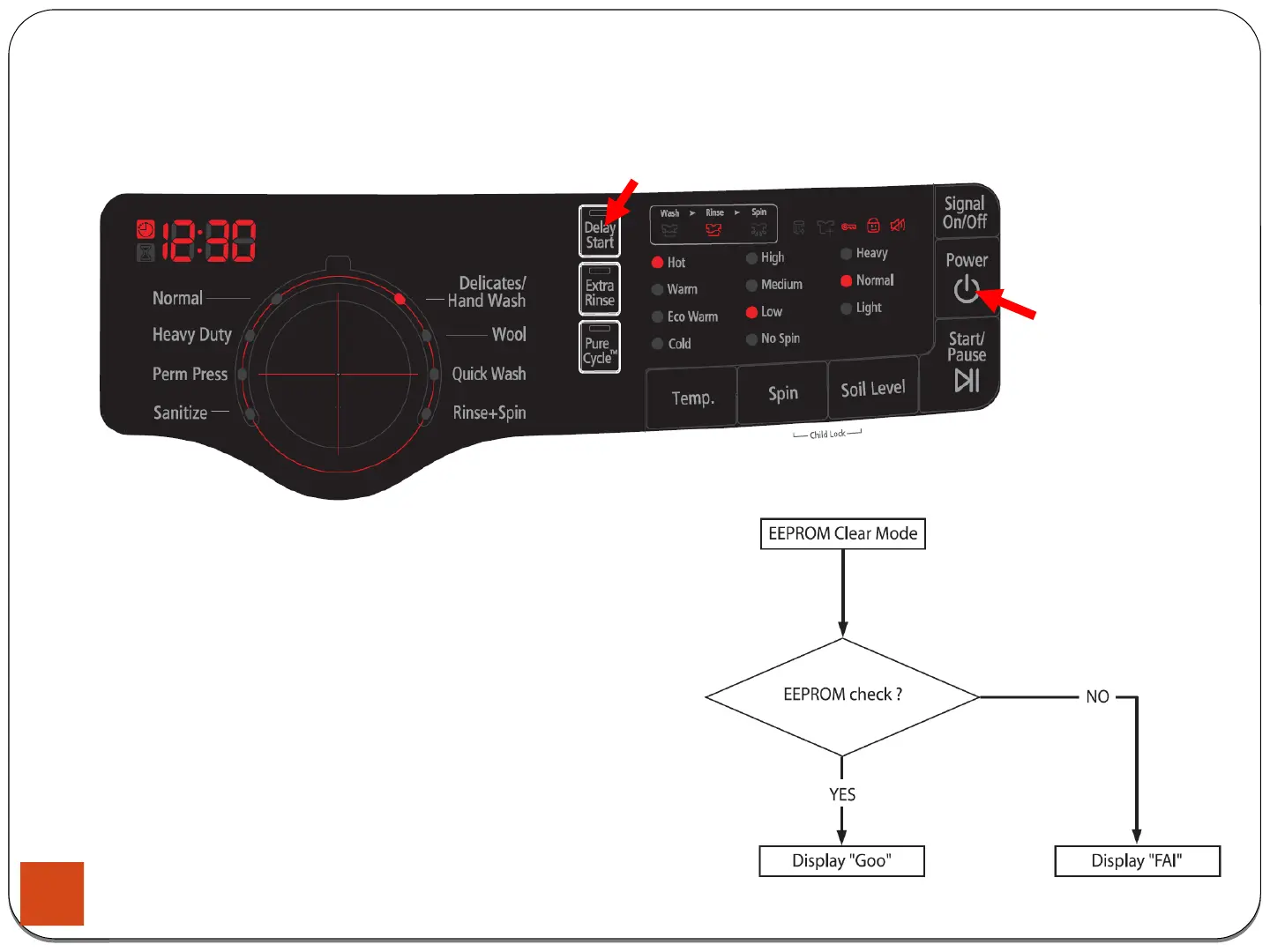
4-1-2. EEPROM Clear Check
4. Test Mode & Error Check
How to Enter:
- The unit needs to be on.
- Press Delay Start Key, and Power Key at the same time.
Definition of EEPROM Clear Mode:
- EEPROM initialization.
-
All course/option settings are to be reset to default values
after EEPROM initialization.
-
When Service arises and it needs PCB replacement,
EEPROM should be reset.
25





 To Next Page