ALIGNMENT AND ADJUSTMENTS
8
Service Mode:
1. ThewashermustbeontogointotheServiceMode.
2. Themotorspeedwillbedisplayedwhenstarted(Itdisplays0whenthemotordoesnotspin).
3. Thepresentstateofthemachinewillnotbechanged.
(i.e.,thecurrentcycleinprogresswillnotbeinterruptedandonlythedisplaywillchange)
4. FollowingInstructionsToexitServiceMode.
Model : WF455AR*
- PressSignalandExtraRinseKeysfor3secondagain,orPowerKey.Ifnokeyisoperatedduring
ServiceModefor5minutes,themachinewillreturntonormalusermode.
Model : WF457AR*
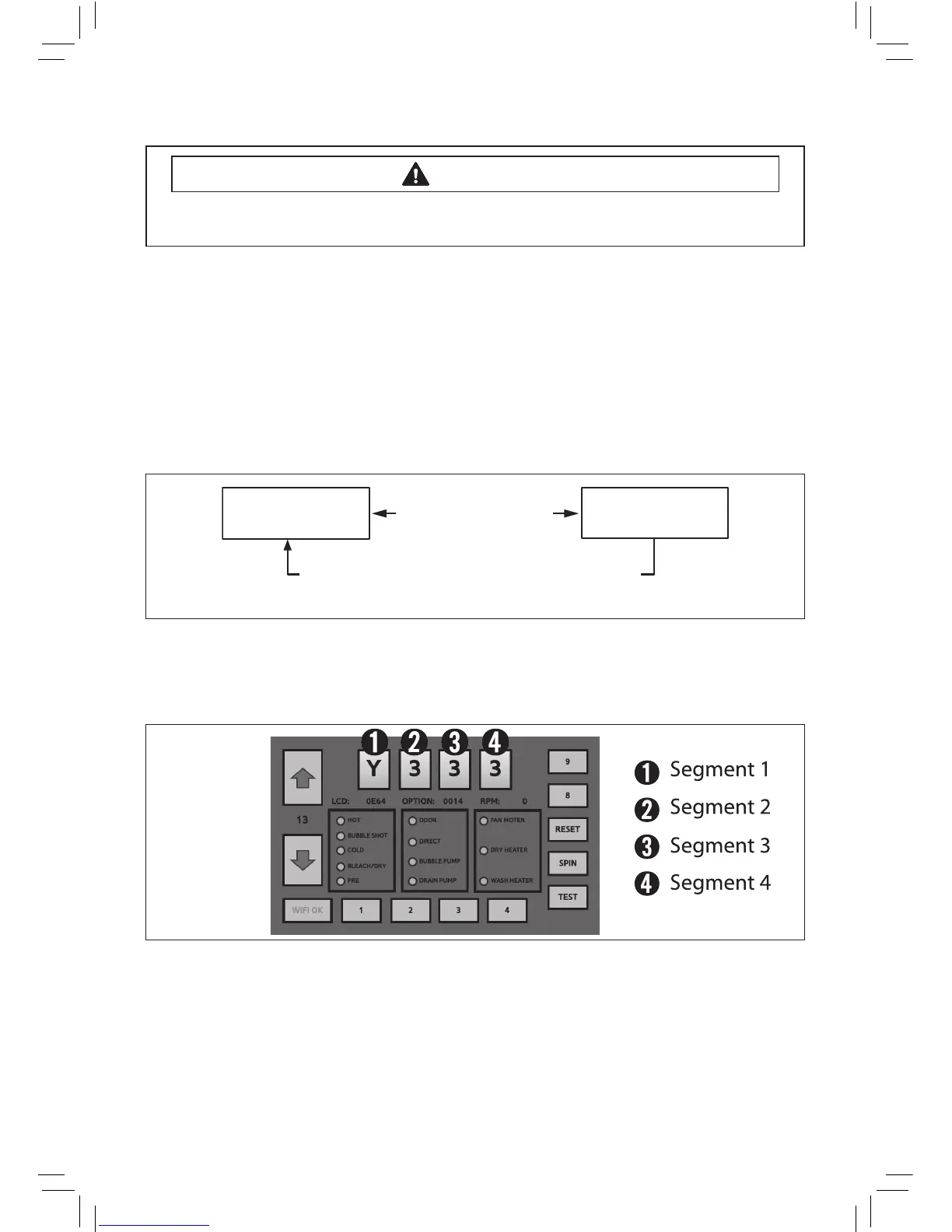
- TapSegment“4“threetimes“TapSegment“1”twotimes“TapSegment“4”onceOntheService
Mode.IfnokeyisoperatedduringServiceModefor5minutes,themachinewillreturnto
normalusermode.
Toavoidriskofelectricalshock,personalinjuryordeath;disconnectpowertowasher
beforeservicing,unlesstestingrequirespower.
WARNING
WF457AR* Service Mode
WF455AR* Service Mode
Signal + Extra Rinse
3 sec
Service Mode is canceled if no key is pressed for 5 minutes
before the washer operation begins. However, this is not true
when the washer operation has already started.
Power On State
(Normal User Mode)
Service Mode
(Techsheet)WF457AR-03152A_EN.indd 8 2012-03-07 �� 3:25:50



 To Next Page