
 To Next Page


S
sarah42Sep 9, 2025
What does 'Check the spinning process' mean on my Samsung WF45M5500A Washer?
- MMichael RussellSep 9, 2025
If your Samsung washer displays a 'Check the spinning process' message, the load may not be balanced inside the drum.

What does 'Check the spinning process' mean on my Samsung WF45M5500A Washer?
If your Samsung washer displays a 'Check the spinning process' message, the load may not be balanced inside the drum.
What to do if Samsung WF45M5500A Washer does not drain and/or spin?
If your Samsung washer isn't draining or spinning, check the following: * Ensure the drain hose isn't kinked or blocked. * Make sure the debris filter is clean and not clogged. * Close the door properly and press START/PAUSE to initiate the cycle. * Check that the drain hose isn't frozen or clogged. * Verify that the drain hose is connected to a drain system that is free of clogs. * Insufficient power supply can also prevent draining or spinning.
What to do if Samsung WF45M5500A Washer leaks water?
If your Samsung washer is leaking water, check these potential causes: * Ensure the door is properly closed. * Make sure all hose connections are tight. * Verify the drain hose is correctly inserted and secured to the drain system. * Avoid overloading the washer.
What to do if Samsung WF45M5500A door does not open?
If the door of your Samsung washer won't open, try these steps: * Press START/PAUSE to stop the washer. * Allow a few moments for the door lock mechanism to disengage. * Note that the door will not open until 3 minutes after the washer has stopped or the power has been turned off. * Ensure all water has drained from the drum. * Check that the door lock light is off.
Why Samsung WF45M5500A has excessive suds?
If your Samsung washer is producing excessive suds, consider the following: * Use the recommended types and amounts of detergent. * Use high efficiency (HE) detergent to prevent oversudsing. * Reduce the detergent amount for soft water, small loads, or lightly soiled loads.
Why Samsung WF45M5500A stops?
If your Samsung washer stops unexpectedly, consider the following: * Ensure the power cord is plugged into a working electrical outlet. * Check the fuse or reset the circuit breaker. * Close the door and press START/PAUSE to restart the washer. * Be aware that there may be a pause or soak period in the cycle. * Make sure the mesh filter of the water supply hose at the faucets is not clogged. * Insufficient power supply can cause the washer to temporarily stop draining or spinning.
What to do if my Samsung WF45M5500A displays 'Water may overflow'?
If your Samsung washer displays a 'Water may overflow' message, close the water valve.
What causes a motor driving error on my Samsung WF45M5500A?
A motor driving error in your Samsung Washer can stem from various causes that restrain revolutions. The PBA connector terminal or the motor spin net may not be engaged. The motor’s internal coil could be damaged, or the hall sensor terminal might be disconnected. Foreign material inside the motor, overloading due to too much laundry, a faulty PBA, a weak motor driving error from the PBA, erroneous signals from the motor hall sensor, a disconnected IPM terminal on the main PBA, a DD motor cover out of place, a disconnected PCB housing terminal, or a DD motor fault could also be responsible. This error occurs because of restrained revolutions.
Why I cannot add additional detergent to my Samsung WF45M5500A?
If you cannot add more detergent to your Samsung washer, ensure that the remaining amount of detergent and fabric softener does not exceed the limit.
Why is detergent remaining in the detergent drawer of my Samsung WF45M5500A Washer?
If detergent remains in the detergent drawer after a cycle in your Samsung washer, consider the following: * Ensure the washer is running with sufficient water pressure. * Make sure the detergent is added to the center of the detergent drawer. * Verify the rinse cap is properly inserted. * If using granular detergent, ensure the detergent selector is in the upper position. * Remove the rinse cap and clean the detergent drawer.
Read manual thoroughly for safe and efficient operation. Store in a safe location for future reference.
Basic precautions to reduce risk of fire, electric shock, or injury when using the appliance.
Warnings regarding electrical connections, grounding, and handling the appliance during installation.
Warnings about potential hazards during operation, including water, gas leaks, and child safety.
Details on electrical supply, grounding, and water pressure needed for proper washer installation.
A sequential guide covering location selection, shipping bolt removal, and leveling the appliance.
Simple steps to start a wash cycle, pause, change cycles during operation, and turn the washer on/off.
A guide to checking basic connections and settings for common washer operational problems.
Solutions for problems related to the washer not draining or spinning properly, including hose and power checks.
Explains common information codes displayed on the washer and provides troubleshooting actions for each.
Details the warranty period for parts and labor, and conditions for original purchasers in the USA.
Warranty period for parts and labor for products purchased and used in Canada by original purchasers.
 General
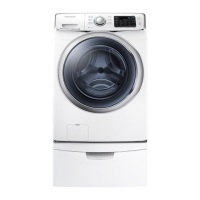
| Capacity | 4.5 cu. ft. |
|---|---|
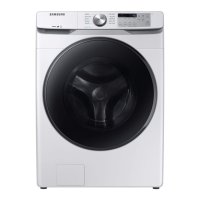
| Color | White |
| Steam Function | Yes |
| VRT Technology | Yes |
| Spin Speed (Max) | 1200 RPM |
| Energy Star Certified | Yes |
| Washer Type | Front Load |
| No. of Temperature Settings | 5 |
| No. of Spin Speeds | 5 |
| Self Clean+ | Yes |
| Smart Control | Yes |
| Wi-Fi Enabled | Yes |
| Width | 27 inches |