EasyManua.ls Logo

Samsung WF45M5100A Series - User Manual

Samsung WF45M5100A Series
68 pages
Print Icon
To Next Page IconTo Next Page
Loading...
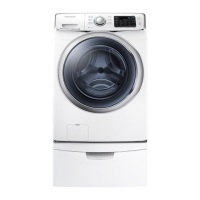
Washer
User manual
WF45M5500A*/WF45M5100A*/WF45N5300A*
WF5500M_DC68-03876A-02_EN.indd 1 2019-02-12  5:55:06

Questions and Answers

  • K
    knelsonAug 9, 2025
    What to do if my Samsung Washer does not start?
    • N
      nescobarAug 9, 2025
      If your Samsung Washer isn't starting, check the following: ensure the washer is plugged in, the door is properly closed, and the faucets are open. Press the START/PAUSE button. Verify that Child Lock is not activated. Note that the washer will make clicking noises and do a quick drain before filling. Check the fuse or reset the circuit breaker.
  • A
    Anthony SmithAug 14, 2025
    Why is there no water coming into my Samsung WF45M5100A Washer?
    • H
      huntjoseAug 14, 2025
      If your Samsung Washer isn't getting enough water, ensure the faucet is fully open and the door is properly closed. Check that the water supply hose isn't frozen, kinked, or clogged, and make sure there is sufficient water pressure.
  • P
    Paula BennettAug 19, 2025
    Why is detergent left in the drawer of my Samsung WF45M5100A after a cycle?
    • M
      mariaariasAug 19, 2025
      If detergent remains in the detergent drawer of your Samsung Washer after a cycle, make sure the washer is running with sufficient water pressure. Ensure the detergent is added to the center of the drawer, and the rinse cap is properly inserted. If using granular detergent, the detergent selector should be in the upper position. You may also need to remove the rinse cap and clean the detergent drawer.
  • R
    robertsnathanAug 25, 2025
    Why is my Samsung WF45M5100A showing a water supply error?
    • B
      Bill GarciaAug 25, 2025
      A water supply error on your Samsung Washer can occur for several reasons. Foreign material might be blocking the water supply valve, or the water supply valve terminal might be disconnected. Also, the warm water and rinse connectors could be incorrectly connected. Another cause can be a disconnected PCB terminal from the drain hose to the detergent drawer, or a folded or torn transparent hose. To resolve this, ensure the water supply valve is clear, check the connection of the water supply valve terminal, verify the connections of warm water and rinse connectors, and ensure all connections are correct and hoses are intact.
  • B
    brownmarkAug 29, 2025
    Why is my Samsung WF45M5100A vibrating so much?
    • A
      arobbinsAug 29, 2025
      Excessive vibrations or noise from your Samsung Washer can occur for several reasons. Ensure the washer is installed on a level, solid, and non-slippery floor, adjusting the leveling feet if necessary. Remove the shipping bolts, and confirm the washer isn't touching anything else. Balance the laundry load. Also, noises can be caused by the motor during regular operation, metal objects like coins, or metal decorations on clothing.
  • L
    leesherrySep 3, 2025
    What causes a motor driving error on my Samsung WF45M5100A?
    • C
      Christopher CollinsSep 3, 2025
      A motor driving error in your Samsung Washer can stem from various causes that restrain revolutions. The PBA connector terminal or the motor spin net may not be engaged. The motor’s internal coil could be damaged, or the hall sensor terminal might be disconnected. Foreign material inside the motor, overloading due to too much laundry, a faulty PBA, a weak motor driving error from the PBA, erroneous signals from the motor hall sensor, a disconnected IPM terminal on the main PBA, a DD motor cover out of place, a disconnected PCB housing terminal, or a DD motor fault could also be responsible. This error occurs because of restrained revolutions.

Summary

Safety Information

Important Safety Precautions

Details crucial precautions to reduce risks of fire, electric shock, or injury during appliance use.

Installation

Installation Requirements

Specifies electrical, water supply, and grounding requirements for proper washer installation.

Step-by-Step Installation Guide

Provides a comprehensive step-by-step process for installing the washing machine.

Before You Start

Operations

Control Panel and Basic Operation

Overview of the feature panel, buttons, and simple steps to start a wash cycle.

Troubleshooting

Common Problems and Solutions

Addresses common washer issues like not starting, water supply problems, vibrations, and noise.

Information Codes and Error Handling

Explains error codes displayed on the washer and suggests troubleshooting steps.

Samsung WF45M5100A Series Specifications

General IconGeneral
BrandSamsung
ModelWF45M5100A Series
CategoryWasher
LanguageEnglish

Related product manuals