EasyManua.ls Logo

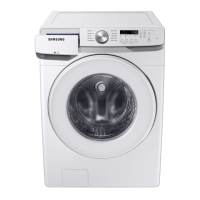
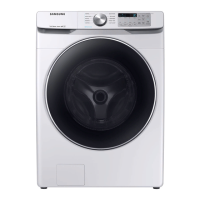
Samsung WF45T6200A Series - User Manual

Samsung WF45T6200A Series
124 pages
Print Icon
To Next Page IconTo Next Page
Loading...
Washer
User manual
WF45T6200A*
Untitled-2 1 2019-11-15  12:09:20

Table of Contents

Questions and Answers

  • C
    Connie ValdezAug 6, 2025
    How to troubleshoot a Samsung WF45T6200A Washer that does not start?
    • M
      Michelle JacksonAug 6, 2025
      If your Samsung Washer isn't starting, here are a few things to check: * Ensure the washer is properly plugged in. * Confirm that the door is completely closed. * Verify that the water faucets are turned on. * Press or tap the Start/Pause button (or Hold to Start). * Deactivate Child Lock if it's enabled. * Check the fuse or reset the circuit breaker. Also, note that before filling, the washer clicks and does a quick drain to check the door lock.
  • S
    Susan RobertsAug 13, 2025
    Why is my Samsung WF45T6200A Washer making excessive vibrations or noise?
    • J
      James CastroAug 13, 2025
      Excessive vibrations or noise in your Samsung Washer can stem from several factors: * Ensure the washer is on a level, solid, and non-slippery floor. * Verify that the shipping bolts have been removed. * Confirm that the washer isn't touching anything else. * Make sure the laundry load is balanced. * Note that the motor can create noise during regular operation. * Metal objects like coins can cause noise; remove them from the drum or filter case after washing. * Garments with metal decorations can also cause noise during washing, which is normal. * When washing pillows or cushions, remove the fillings and wash the covers only.
  • S
    susanfritzAug 21, 2025
    What to do if the Samsung WF45T6200A has insufficient water supply?
    • R
      Ryan Gonzalez PhDAug 21, 2025
      If your Samsung Washer isn't getting enough water, try these steps: * Fully open the faucet. * Ensure the door is properly closed. * Check that the water supply hose isn't frozen, kinked, or clogged. * Also, ensure there's sufficient water pressure.
  • M
    Monica CarrollAug 28, 2025
    Why does detergent remain in the drawer of my Samsung Washer after a cycle?
    • E
      Elizabeth StevensAug 28, 2025
      If detergent remains in the drawer of your Samsung Washer after a cycle, consider the following: * Ensure the washer operates with sufficient water pressure. * If using liquid detergent, add it to the liquid detergent container. * Remove the liquid detergent container when using powdered detergent. * Clean the detergent drawer regularly.

Summary

Safety Information

Understanding Safety Instructions

Explains how to understand safety instructions, symbols, and basic precautions.

Key Safety Precautions & Warnings

Covers critical warnings, precautions, installation, usage, and cleaning safety.

Installation

Unpacking and Requirements

Instructions for unpacking, checking components, and meeting installation requirements.

Step-by-Step Installation

Provides a detailed, step-by-step procedure for installing the washer.

Before You Start

Initial Setup and Laundry Prep

Guide on initial settings, calibration, and preparing laundry for washing.

Detergent Drawer Usage

Explains how to properly use the detergent drawer for main wash, softener, and bleach.

Operations

Control Panel and Basic Operation

Details the control panel, basic washing steps, and cycle selection.

Wash Cycles and Special Features

Overview of wash cycles, charts, and advanced features like Delay End and Child Lock.

Washer Maintenance

Routine Cleaning and Self-Clean

Instructions for drum self-cleaning and cleaning exterior/interior surfaces.

Filter, Drain, and Care Procedures

Guides on filter cleaning, emergency drainage, and care for non-use.

Troubleshooting

Problem Checks and Solutions

A guide for checking common washer problems and their potential solutions.

Error Information Codes

Explains various information codes displayed on the screen and how to resolve them.

Specifications

Garment Care and Technical Data

Explains garment care symbols, environmental info, and technical specifications.

Limited Warranty (U.S.A.)

Warranty Terms, Exclusions, and Service

Outlines warranty coverage, exclusions, and how to obtain service.

Samsung WF45T6200A Series Specifications

General IconGeneral
Capacity4.5 cu. ft.
ColorWhite
SteamYes
Vibration Reduction TechnologyYes
Energy Star CertifiedYes
Washer TypeFront Load
Maximum Spin Speed1200 RPM
TypeFront Load Washer
Spin Speed1200 rpm
Water Level OptionsAuto
Noise Level54 dBA
Dimensions38.7 x 27 x 31.5 inches

Related product manuals