EasyManua.ls Logo

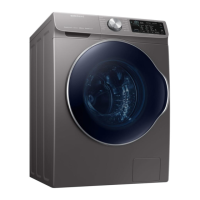
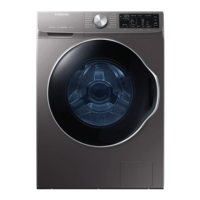
Samsung WW22N6850QX/A2 - User Manual

Samsung WW22N6850QX/A2
216 pages
Print Icon
To Next Page IconTo Next Page
Loading...
Washer
User manual
WW22N6850Q*
WW22N6850QX_DC68-03645B-02-v1_EN.indd 1 2019/3/1 16:08:24

Table of Contents

Other manuals for Samsung WW22N6850QX/A2

Questions and Answers

  • D
    Daniel HarveyAug 13, 2025
    What to do if my Samsung Washer has a water supply valve fault?
    • B
      Brooke RossAug 13, 2025
      If your Samsung Washer has a water supply valve fault, check whether the water supply valve is clogged with foreign material. Also, inspect the water supply valve for disconnected wires and replace it if necessary. Verify that the warm water and rinse connectors are correctly connected. Inspect the PCB terminal from the drain hose to the detergent drawer. Ensure the water tap is fully opened and check for freezing during the winter. If the PBA relay operates abnormally, consider replacing the PBA.
  • D
    Dennis MartinezAug 16, 2025
    Why does my Samsung Washer have a drain pump fault?
    • R
      rogerbirdAug 16, 2025
      A drain pump fault in your Samsung Washer may occur if the pump motor impeller is damaged internally or if foreign material is restraining its revolutions. Check the voltage supplied to ensure it is correct. The fault could also be due to freezing in the winter season or a clogged drain hose. Check the connections and look for disconnected wires. The water pump terminal might also be disconnected.
  • M
    Melvin GreenAug 20, 2025
    What to do if my Samsung WW22N6850QX/A2 has washing motor fault?
    • A
      Adam OliverAug 20, 2025
      If your Samsung Washer shows a washing motor fault, first check the motor power connector terminal connections and contacts. Inspect whether the stator of the motor cover is damaged. Look for coil disconnections due to foreign material or if the motor is overloaded due to too much laundry. If the PBA control circuit is faulty, replace the PBA.
  • K
    Katie ThompsonAug 25, 2025
    How to fix a water level sensor fault in my Samsung Washer?
    • C
      Christina JohnsAug 25, 2025
      To fix a water level sensor fault in your Samsung Washer, check the water level sensor terminal connections and contacts. If the water level sensor is faulty, replace it. Inspect the hose for clogs, folds, or disengagement. Also check the insertion part of the air hose for too much lubricant. If the error persists, replace the PBA.
  • T
    Thomas MccormickAug 28, 2025
    What to do if my Samsung WW22N6850QX/A2 Washer has a door switch fault?
    • N
      nmartinezAug 28, 2025
      If your Samsung Washer has a door switch fault, check whether the door is open and close it. Check the main PBA door sensing circuit.
  • P
    Patrick JonesAug 31, 2025
    Why Samsung WW22N6850QX/A2 Washer shows Main PCB and Sub PCB Signal Detection fault?
    • A
      Amber JohnstonAug 31, 2025
      If your Samsung Washer shows a Main PCB and Sub PCB Signal Detection fault, it may be due to a communications error causing the signals between the sub and main PBAs not to be sensed. Check the wire connections and terminal contacts between the sub and main PBAs. Also, check the connector connections between the sub and main PBAs carefully. Remove the sub PBA C/Panel and check for any faulty soldering.
  • J
    John MyersSep 4, 2025
    How to troubleshoot a temperature sensor fault in a Samsung WW22N6850QX/A2 Washer?
    • J
      James RyanSep 4, 2025
      To troubleshoot a temperature sensor fault in your Samsung Washer, check the connections for the washing heater temperature sensor connector. If the washing heater temperature sensor has a functional error, replace it.
  • O
    Oscar CortezSep 8, 2025
    What causes a washing heater fault in a Samsung Washer?
    • T
      Thomas GarciaSep 8, 2025
      A washing heater fault in your Samsung Washer can be caused by a short-circuited washing heater or a disconnected wire. It may also be due to an error in the washing heater in the tub, such as a contact error or temperature sensor fault. In any of these cases, replace the washing heater.

Summary

Safety Information

Important Safety Precautions

Lists basic precautions to reduce risk of fire, electric shock, or injury when using the appliance.

Critical Installation Warnings

Details crucial warnings related to the installation process of the appliance.

Installation Cautions

Provides cautions to be observed during the installation phase to ensure safety.

Critical Usage Warnings

Lists critical warnings related to the safe and proper usage of the washing machine.

Usage Cautions

Offers important cautions to observe during the operation and use of the washing machine.

Critical Cleaning Warnings

Details critical warnings to follow when cleaning the washing machine.

Installation

Installation Requirements

Details necessary requirements for electrical supply, grounding, water supply, and drain.

Step-by-Step Installation Guide

Guides users through the sequential steps for installing the washing machine.

Before You Start

Initial Settings and Calibration

Guides on performing initial setup and calibration before the first wash cycle.

Laundry Sorting and Preparation

Provides instructions on sorting, preparing, and loading laundry for optimal washing.

Operations

Maintenance

Troubleshooting

Common Problem Checkpoints

Lists common problems and their corresponding actions or solutions.

Information Codes and Resolution

Explains common error codes displayed on the screen and how to resolve them.

Specifications

USA Limited Warranty

Warranty Coverage and Proof of Purchase

Outlines the warranty coverage period, terms, and requirements for proof of purchase in the USA.

Canada Limited Warranty

Warranty Coverage and Purchaser Terms

Outlines the warranty coverage period and terms for original purchasers in Canada.

Samsung WW22N6850QX/A2 Specifications

General IconGeneral
Washer TypeFront Load
Spin Speed1400 RPM
ColorBlack Stainless Steel
Steam WashYes
Inverter MotorYes
Digital Inverter TechnologyYes
EcoBubbleYes
Quick WashYes
Child LockYes
Delay StartYes
Smart FeaturesWi-Fi

Related product manuals