EasyManua.ls Logo

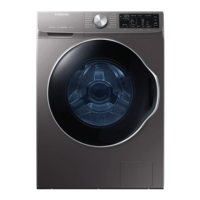
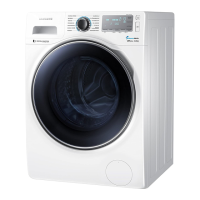
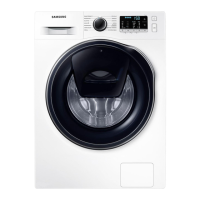
Samsung WW5000 - User Manual

Samsung WW5000
64 pages
Print Icon
To Next Page IconTo Next Page
Loading...
Washing Machine
User manual
WW9*TA*****/WW8*TA*****/WW7*TA*****
Untitled-1 1 2020-08-20  12:32:42

Questions and Answers

  • J
    John JenningsJul 30, 2025
    How to fix a Samsung Washer that does not start?
    • A
      Amber ChanJul 30, 2025
      If your Samsung Washer isn't starting, here are a few things to check: * Ensure the washing machine is properly plugged in. * Verify that the door is completely closed. * Confirm that the water taps are fully open. * Press the Start/Pause button to initiate the cycle. * Deactivate Child Lock if it's enabled. * Be aware that the washer makes clicking noises and does a quick drain before filling. * Examine the fuse or reset the circuit breaker.
  • M
    Michael CollierAug 6, 2025
    Why is my Samsung WW5000 Washer vibrating excessively and making noise?
    • J
      Julie MartinezAug 7, 2025
      If you notice excessive vibrations or noise coming from your Samsung Washer, here are some potential causes and solutions: * Ensure the washer is on a level, solid, and non-slippery floor. Adjust the leveling feet if needed. * Verify that the shipping bolts have been removed. * Make sure the washer isn't touching any other objects. * Check that the laundry load is balanced. * Be aware that the motor can cause noise during normal operation. Also, overalls or metal-decorated clothes and metal objects like coins can cause noise during washing.
  • L
    Lauren WestAug 13, 2025
    What to do if Samsung WW5000 has insufficient water supply?
    • J
      Jared SharpAug 13, 2025
      If your Samsung Washer isn't getting enough water, consider the following: * Make sure the water tap is fully open. * Ensure the door is properly closed. * Check that the water supply hose isn't frozen, kinked, or clogged. * Confirm that there's sufficient water pressure.
  • W
    willischloeAug 21, 2025
    What to do if detergent remains in the detergent drawer after cycle in Samsung WW5000 Washer?
    • W
      wgoldenAug 21, 2025
      If detergent remains in the detergent drawer of your Samsung Washer after a cycle, consider these points: * Ensure the washing machine is running with sufficient water pressure. * Add detergent to the center of the detergent drawer. * Make sure the rinse cap is properly inserted. * If using granular detergent, position the detergent selector to the upper setting. * Try removing the rinse cap and cleaning the detergent drawer.

Summary

Safety Information

Safety Precautions and Warnings

General guidance on safety instructions, symbols, precautions, and critical warnings.

Installation and Usage Cautions

Specific cautions related to installation, usage, and cleaning to prevent hazards.

Installation Guide

Whats Included and Requirements

Lists package contents and details essential installation requirements like power, water, and flooring.

Step-by-step Installation Process

Detailed guide for installing the machine, including levelling, hose connection, and power.

Before You Start

Initial Settings and Laundry Preparation

How to perform initial settings, calibrate, sort laundry, and prepare for washing.

Detergent Usage Guidelines

Guidance on selecting appropriate detergents, using the drawer, and recommendations.

Operations

Control Panel and Basic Operation

Explanation of the control panel, simple steps to start, and cycle selection.

Cycle Options and Settings

Details on advanced cycle options like Prewash, Intensive, Delay End, and settings like Child Lock.

Maintenance and Troubleshooting

Routine Maintenance Procedures

Instructions for drum cleaning, filter cleaning, drawer maintenance, and smart check.

Emergency Procedures and Troubleshooting

Steps for emergency drain, freezing recovery, and resolving common problems and error codes.

Specifications and Cycles

Product Specifications and Fabric Care

Technical details, fabric care symbols, energy labelling, and main washing cycle parameters.

Samsung WW5000 Specifications

General IconGeneral
Energy Efficiency ClassA+++
ColorWhite
Washing Capacity8 kg
Capacity8 kg
Weight61 kg

Related product manuals