Connecting to a Network
If there is an AP, you can connect to the Internet via the AP using
the Wireless LAN connection.
Connecting to a Wireless Network
1
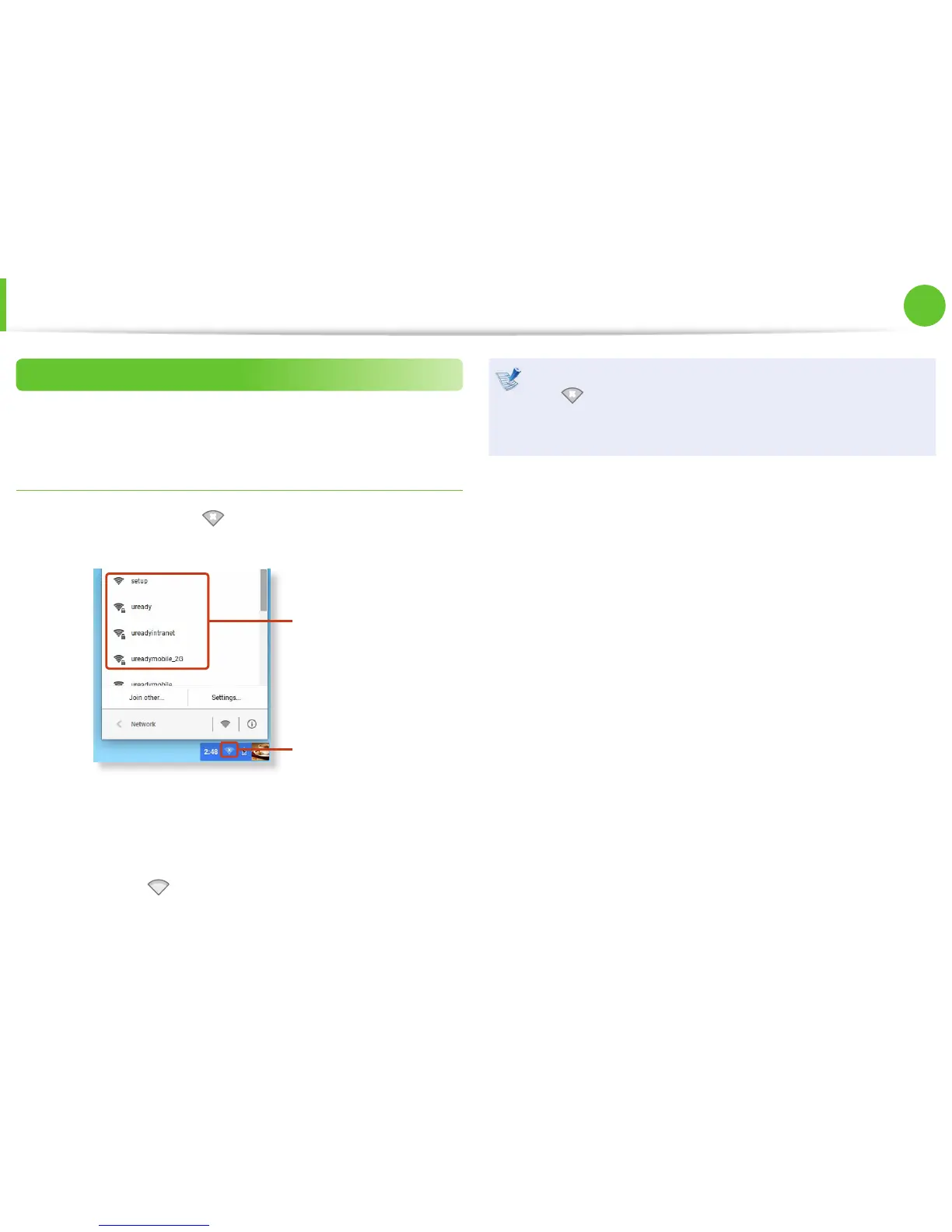
Click the network icon on the bottom-right corner of the
log-in screen, and the Wi-Fi list appears.
Wi-Fi List
Network icon
2
To connect to a network, simply select its name in the
network menu.
3
If the connection is successfully established, the network icon
is displayed as .
If the network is not properly connected, it is represented •
as
.
The number of activated bars in the network icon •
represents the signal strength of the wireless LAN.
Network
(Optional)


 To Next Page