Get on the web
The browsing interface
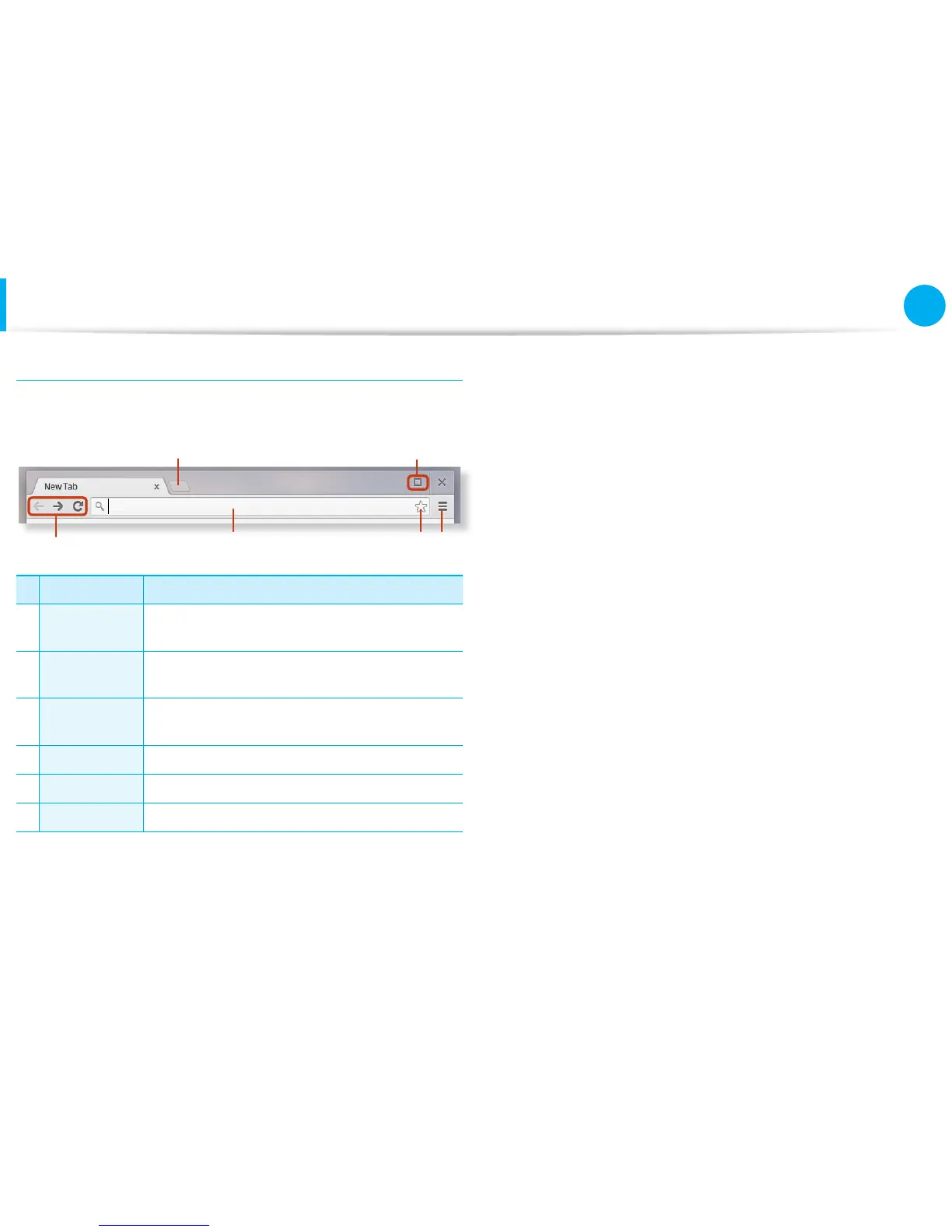
Once you’re signed in, you’re instantly on the web. Here’s a quick
overview of the interface you’ll see:
1
2
3
4 5 6
Menu Function
1
Resizing
button
Minimize the window or move it to the left or
right.
2
New tab
button
Click to see your apps and most visited sites.
3
Navigation
buttons
Go back, forward, or reload your page.
4 Address bar Search or enter a web address.
5 Bookmark Bookmark the page.
6 Setting Click to adjust your browser settings.
To learn about using the browser, visit the Help Center at https://
support.google.com/chromebook.


 To Next Page