EasyManua.ls Logo

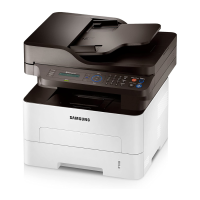
Samsung Xpress SL-M2835DW/XAA - User Manual

Samsung Xpress SL-M2835DW/XAA
236 pages
Print Icon
To Next Page IconTo Next Page
Loading...
BASIC
User’s Guide
BASIC
User’s Guide
This guide provides information concerning the installation, basic operation
and troubleshooting on Windows.
ADVANCED
This guide provides information about the installation, advanced configuration, operation
and troubleshooting on various OS environments.
Some features may not be available depending on models or countries.

Table of Contents

Questions and Answers

  • B
    Brandon CastanedaJul 29, 2025
    What to do if my Samsung Xpress SL-M2835DW/XAA Printer says toner is low?
    • M
      Melissa NixonJul 29, 2025
      If your Samsung Printer indicates that a small amount of toner is left in the cartridge and the estimated cartridge life is almost over, prepare a new cartridge for replacement. You can temporarily increase the printing quality by redistributing the toner.
  • T
    teresaestradaAug 11, 2025
    What to do if my Samsung Printer says there is no paper?
    • L
      Luke BradleyAug 12, 2025
      If your Samsung Printer is not printing because there is no paper in the tray, load paper into the tray.

Summary

1. Introduction

Key benefits

Describes the advantages and features of the printer.

Safety information

Outlines essential safety precautions and warnings.

Turning on the machine

Provides instructions on how to power on the printer.

Installing the driver locally

Guides on installing the printer driver on a local computer.

Reinstalling the driver

Explains the process to uninstall and reinstall the printer driver.

4. Troubleshooting

Tips for avoiding paper jams

Recommendations to prevent paper jams during printing.

Clearing paper jams

Instructions on how to remove jammed paper from the printer.

2. Using a Network-Connected Machine

Wired network setup

Instructions for connecting the printer via a wired network.

Installing driver over the network

Guide for installing the printer driver across a network.

Wireless network setup

Steps for configuring the printer's wireless network connection.

4. Useful Management Tools

Using Samsung Easy Printer Manager

Guide to the software for managing printer settings.

Using Samsung Printer Status

Information on monitoring the printer's operational status.

Using Samsung Printer Experience

Guide to the application for managing printer functions.

5. Troubleshooting

Paper feeding problems

Solutions for issues related to paper jams and feeding.

Power and cable connecting problems

Troubleshooting steps for power and connection issues.

Printing problems

Solutions for common printing errors and failures.

Printing quality problems

Guidance on resolving issues affecting print output quality.

Operating system problems

Troubleshooting common issues related to operating systems.

Samsung Xpress SL-M2835DW/XAA Specifications

General IconGeneral
Printer TypeLaser
ModelSL-M2835DW/XAA
FunctionsPrint
Print Resolution1200 x 1200 dpi
Duplex PrintingYes
Monthly Duty Cycle30, 000 pages
Processor600 MHz
Memory256 MB
Operating System CompatibilityWindows, Mac, Linux
Print Speed28 ppm
ConnectivityUSB 2.0, Ethernet, Wi-Fi
Mobile PrintingSamsung Mobile Print, Google Cloud Print, Apple AirPrint
Paper Capacity250 sheets
Paper Handling Input250 sheets
Media Sizes SupportedLetter, Legal, A4, A5, B5
Paper Handling Output150-sheet output tray

Related product manuals