EasyManua.ls Logo

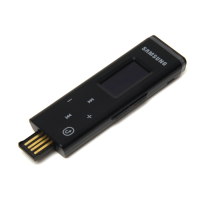
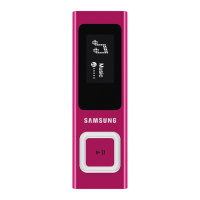
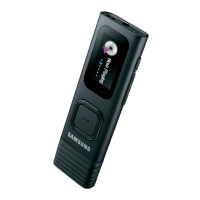
Samsung YP-U5 - User Manual

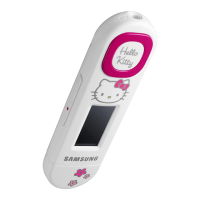
Samsung YP-U5
68 pages
Print Icon
To Next Page IconTo Next Page
Loading...
MP3 Player
user manual
imagine the possibilities
Thank you for purchasing this Samsung product.
To receive more complete service, please
register your product at
www.samsung.com/register
YP-U5

Other manuals for Samsung YP-U5

Questions and Answers

  • M
    Michael PageSep 10, 2025
    Why is there abnormal play time display on Samsung YP-U5 MP3 Player?
    • C
      campbellandreaSep 10, 2025
      If there is an abnormal playtime display during playback on your Samsung MP3 Player, check if the file is in Variable Bit Rate (VBR) format.
  • M
    Misty AllenSep 12, 2025
    Why is my Samsung YP-U5 MP3 Player hot?
    • T
      Thomas ThomasSep 12, 2025
      Heat may be generated during recharging of your Samsung MP3 Player, but this has no effect on the product life or functions.
  • S
    Stephanie SimsSep 14, 2025
    What to do if Samsung YP-U5 MP3 Player EmoDio Program malfunction?
    • K
      Kimberly MooreSep 14, 2025
      To address an EmoDio Program malfunction with your Samsung MP3 Player, check if your PC meets the basic system requirements.
  • C
    Christopher ContrerasSep 16, 2025
    Why are files or data missing from my Samsung YP-U5 MP3 Player?
    • B
      brandon93Sep 16, 2025
      Files or data may be missing from your Samsung MP3 Player if the USB plug has been disconnected during file or data transmission.

Summary

safety information

What the icons and signs in this user manual mean

Explains the meaning of icons and signs used in the user manual for safety.

PROTECT YOURSELF

Provides warnings and guidelines to ensure user safety when operating the MP3 player.

PROTECT YOUR MP3 PLAYER

Offers instructions to prevent damage to the MP3 player from environmental factors or misuse.

the basics

RESETTING THE SYSTEM

Explains how to reset the MP3 player if it malfunctions or becomes unresponsive.

CONNECTING TO YOUR PC;CHARGING THE BATTERY

Guides users on how to connect the player to a PC for charging and data transfer.

CHANGING THE SETTINGS AND PREFERENCES

Guides on customizing player settings and preferences for a personalized experience.

EmoDio

PC REQUIREMENTS

Lists the minimum system specifications needed to install and run EmoDio software.

more than music

USING THE FITNESS MODE

Details how to use the fitness mode for tracking exercise and calorie burn.

troubleshooting

appendix

WARRANTY

Details the warranty conditions, coverage, and customer service information.

Samsung YP-U5 Specifications

General IconGeneral
Player media typeFlash memory
Total storage capacity2 GB
USB poweredYes
Dimensions (WxDxH)25 x 88 x 11.8 mm
Media types supportedMP3, WMA, Ogg, FLAC
Audio recording formatsWMA, ASF
Compatible operating systemsWindows XP/Vista/WMP10
Impedance16 Ω
Equalizer modesCustom
Frequency range40 - 20000 Hz
RMS rated power0.018 W
Built-in speaker(s)No
Signal-to-Noise Ratio (SNR)88 dB
FM band range87.5 - 108 MHz
Display diagonal1 \
Display resolution128 x 64 pixels
Display number of lines4 lines
Product colorWhite
Housing materialPlastic
Continuous audio playback time20 h
Operating temperature (T-T)-5 - 35 °C
Weight and Dimensions IconWeight and Dimensions
Weight23 g

Related product manuals