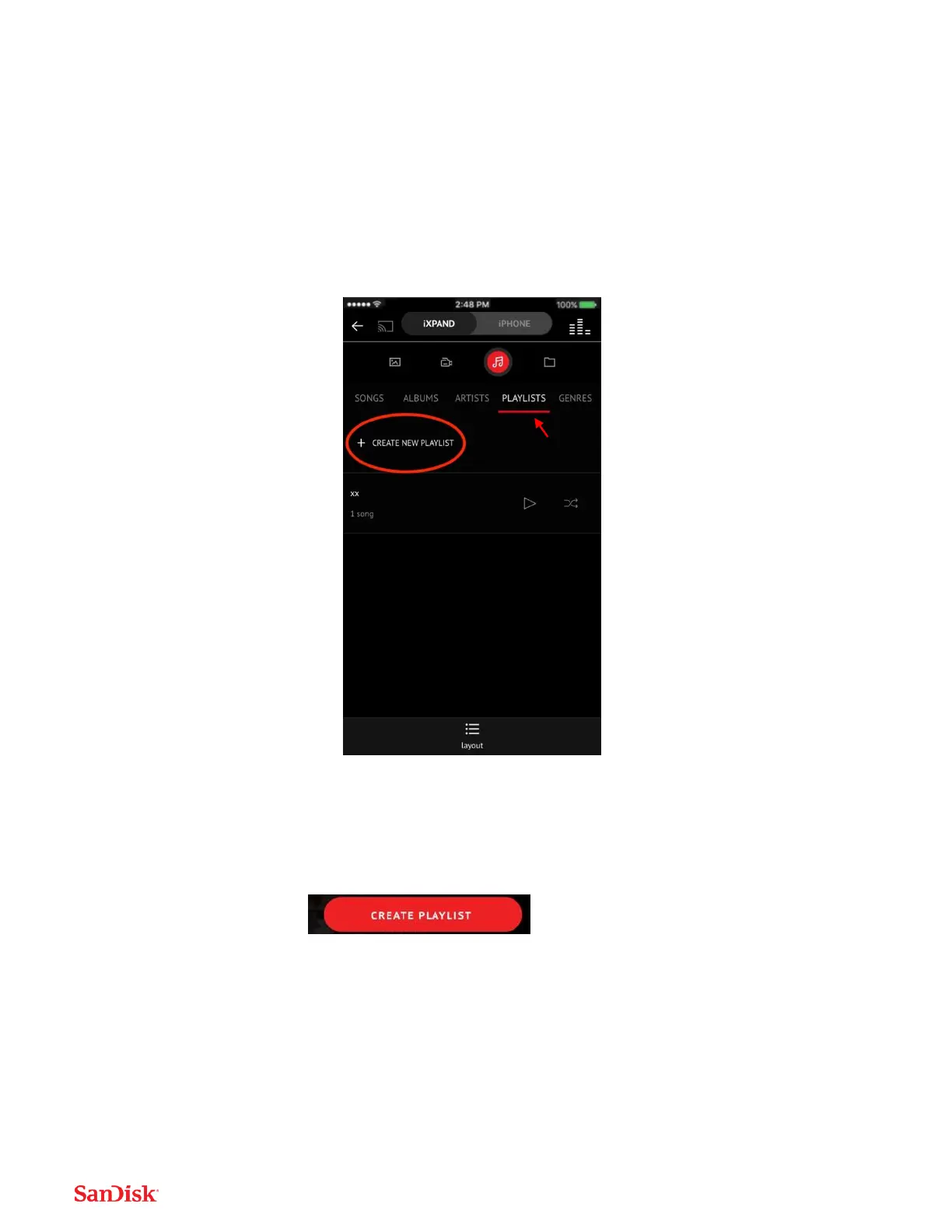
Creating a playlist
1. Select the Playlist item from the Music Menu.
2. The list of playlists will appear.
3. To Create a playlist, select the “Create New Playlist” banner
4. Name your Playlist.
5. Add songs to the playlist by touching the name of the song.
6. Once you have selected your songs, touch the “create playlist” bar.
7. You can now play your favorite playlists anytime by accessing them from the
Music Menu. Select the playlist item, then play any created playlist.





 To Next Page