GB-12
Safety Warnings Product Overview Connections MaintenanceOperation Hints and Tips
and Specification
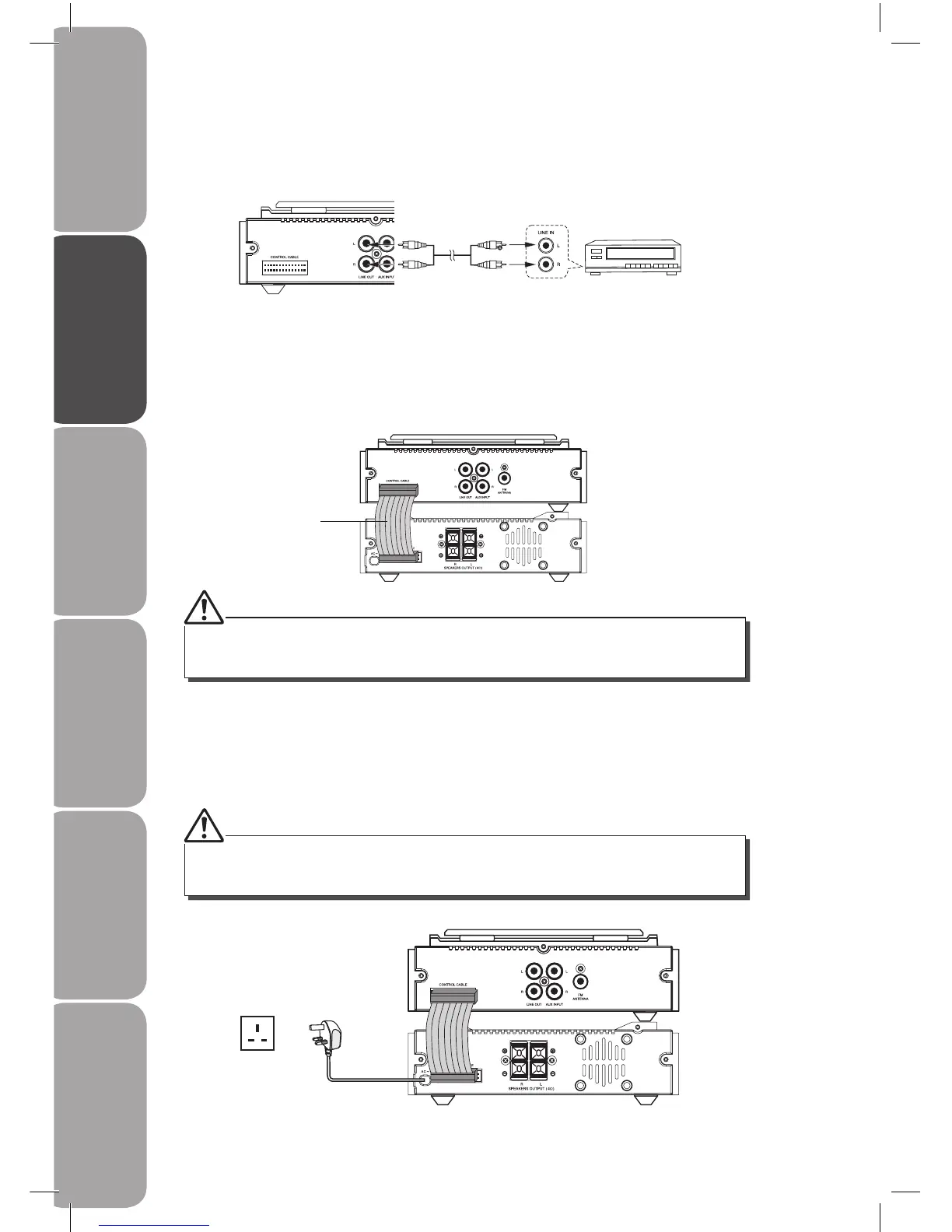
Auxiliary equipment
The CD Player
Connect the LINE OUT sockets at the rear of the CD player on this unit to the auxiliary input
sockets on the auxiliary equipment as illustrated below.
5. Connecting to the Mains Supply
Insert the mains plug into a wall socket. Your system is now ready to use.
4. Connecting Control Cable
Connect the control cable between the CD player and the amplier.
Be sure to unplug the mains plug from the mains socket when going out or when the system is
not in use for an extended period of time.
Always unplug the mains plug from the mains socket before connecting or disconnecting the
control cable.
The CD Player
The Amplier
Control
Cable



 To Next Page