7
Manual Tuning
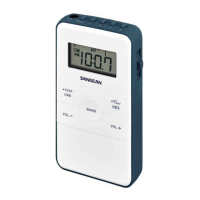
Turn on the radio, select desired band by
pressing POWER/BAND button. Desired
station may be selected by turning the
Tuning jog wheel intermittently until the
desired station is reached. Or turning and
holding the Tuning jog wheel until the
desired station is reached.
Memory Tuning (Station preset)
Turn on the radio by pressing and holding
POWER/BAND button. Select required
band by pressing POWER/ BAND button.
Tune to the desired station using the Scan
or Manual tuning steps described above.
When the desired station is reached,
press and hold Memory button (1-5) for
more than 2 seconds until display M x
stop flashing followed with a beep (via
earphone). It will replace previous memory
station. You may store 5 memory stations
in each band (AM, FMI, FMII).



 To Next Page
 Loading...