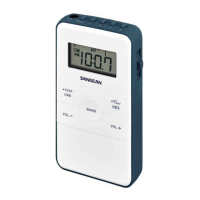
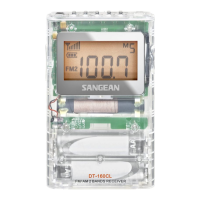
023
The radio has additional features and controls using multi-functional
preset 1-5 buttons.
Turn the radio on and tune to a radio station. Press and hold the PAGE /
MENU button to enter the MENU. The display will ash the MENU icon
and a beep is heard.
INFO (preset button 1) –When the display ashes the MENU icon, press
and release the INFO button repeatedly to cycle through real time, alarm
time, radio frequency and radio station name (station with RDS service
only).
STEP (preset button 2) –When the display flashes MENU, press and
release the STEP button to change AM or FM tuning step from current
use. Change AM 9k or 10k tuning step to 1k tuning step, change FM tuning
step 200k to 100k, 100k to 50k and 50k to 10k tuning step depending
on the area the was radio sold in. Press and release the PAGE / MENU
button again to conrm the tuning step change.
S-MUTE (preset button 3) – Soft Mute enable and disable
If you dislike the white noise between stations, or noise from weak signal
stations you can mute this. When the display ashes MENU, press and
release the S-MUTE button to enable or disable the soft mute function.
The S-MUTE icon will appear on the display if the soft mute feature is
selected.
B.W. (Band Width) – While listening to an FM station and there is
interference from neighboring stations or while listening to an AM station
with high frequency noise, when the display ashes MENU, press and
release the B.W. button to select band width to Narrow, the display will
appear with (narrow) or (wide). Press and release the PAGE /
MENU button to conrm radio band width change.
Additional features and controls



 To Next Page
 Loading...