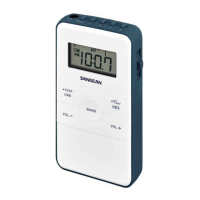
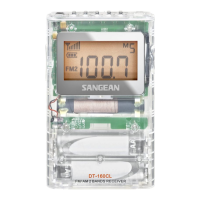
020
Settings are available in the MENU. MENU settings can be done with the
radio on or off.
Press and hold the PAGE (MENU) button to enter the MENU setting, the
display will ash MENU.
Press the TUNING button up or down to cycle through P01 → RESET
→ ALMSET → CLKSET → 12 / 24H → TIM 90 → BEEP → LIGHT →
ATS FM (or ATS AM) → AM10K (AM9K for EU version) → FM 100K →
87-108
● P01 to review software version.
● To RESET your radio – Press the SELECT button then press the
TUNING up or down button to select reset. Press the SELECT button
to select YES to RESET the radio. It will erase all saved settings and
preset memory stations. All settings will revert to factory default.
● CLK SET ( clock set ) –When the display ashes MENU and CLKSET
appears, press the SELECT button, the display will flash the Hour
digit with AM or PM ( 12 hour format ), press the TUNING up or down
button to select the required hour, press the SELECT button again
to conrm the hour setting. The Display will ash the minute digits,
press the TUNING up or down button to select the required minute
then press the SELECT button to conrm the real time clock setting.
The Display will show the real time when the clock set is completed.
Flashing MENU will disappear from display.
Settings in MENU



 To Next Page
 Loading...