007
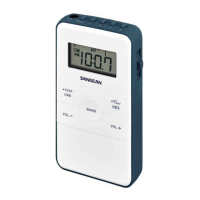
Controls
6
Preset 1 / Information button
7
Display
8
Preset 2 / Tuning step button
9
Preset 3 / soft mute on / off button
10
Preset 4 / Band Width narrow / wide selection
11
Preset 5 / Alarm on / off selection
12
Preset PAGE / MENU button
13
TUNING / SELECT button – by pressing the TUNING button in it
becomes the SELECT button.
14
Lock Switch – The Lock switch prevents accidental changing of
any of the radio setting. Slide the lock switch to the up 'locked'
position the symbol will appear in the display.The power
and all other buttons will be disabled.
15
USB charging socket
Front view
Right view



 To Next Page
 Loading...