Need help?
Do you have a question about the Sangoma P Series and is the answer not in the manual?
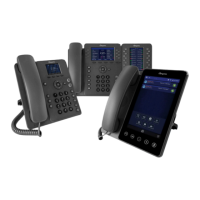
Introduces the Sangoma P-Series IP phones and their interoperability with unified communication platforms.
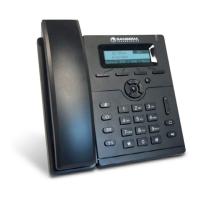
Details features of the P310 and P315 value-based IP phones, including display size, speakerphone, and connectivity.
Outlines features of the P320 mid-ranged IP phone, such as display, SIP accounts, and dedicated function keys.
Lists specifications for the P325 mid-ranged IP phone, including display, SIP accounts, and virtual BLF keys.
Details the P330 mid-ranged IP phone features, including Wi-Fi, Bluetooth, and expansion console support.
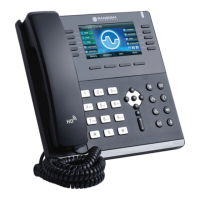
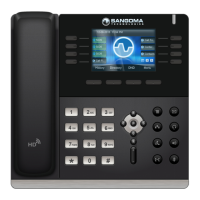
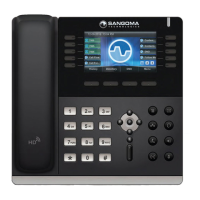
Describes the P370 executive IP phone with a large touchscreen, Wi-Fi, Bluetooth, and expansion capabilities.
Illustrates the back view of P-Series phones, showing desk stand slots and connection points.
Describes the PM200 expansion module with its display, dial keys, and daisy-chaining capability.
Explains automatic and manual network connection methods for Sangoma P-series phones using DHCP and LLDP-MED.
Outlines methods for phone configuration, including XML files and the Web UI tool.
Details recommended and manual methods for upgrading phone firmware via UC software or WebUI.
Guides on configuring network settings like IP address, subnet mask, gateway, and DNS manually.
Explains how to set priority values for Voice DSCP and SIP DSCP.
Details VLAN discovery mode and settings using LLDP.
Configures LAN and PC port speeds and duplex modes (e.g., 10Mb/s, 100Mb/s, Gigabit).
Guides on connecting to a Wi-Fi network by setting SSID, key type, and password.
Explains phone configuration via XML files or the Web UI after network setup.
Details how to manually specify a URL to fetch configuration files for the phone.
Steps to perform a factory reset to clear all configuration and start anew.
Guides on reconfiguring the phone and restarting it using the current configuration.
Lists tools and settings for technical support and troubleshooting phone issues.
Describes network tools like Ping, Traceroute, and Nslookup for troubleshooting.
Configures SIP accounts (line keys) and their settings via the Web UI.
Configures general phone settings like password, time, SIP, and firmware within the Web UI.
Customizes phone preferences such as localization, display, and sound settings.
Manages rapid dial keys and phone contacts through the Web UI.
Configures logging levels and network logging (SYSLOG) for technical support.
Manages uploaded ringtones, including adding new custom ringtones.
Displays call activity for received, dialed, and missed calls; allows dialing from the log.
Configures call forwarding to send incoming calls to another number.
Guides on turning on and pairing Bluetooth/wireless headsets with supported phones.
Details using the Contacts app for rapid dialing, voicemail, and checking user status.
Explains basic dialing methods and how to answer or manage incoming calls.
Describes how to redial the last call and place calls on hold.
Details assisted and unassisted (blind) call transfer procedures.
Explains how to initiate and manage three-way conference calls.
 General
| Protocols | SIP |
|---|---|
| HD Audio | Yes |
| PoE | Yes |
| Headset Jack | Yes (RJ9) |
| Expansion Module | Yes |
| Codecs | G.722, G.711, G.729 |
| Power Options | PoE, AC adapter |
| Encryption | SRTP, TLS |
| Ethernet Ports | 2 (10/100/1000 Mbps) |

 To Next Page