Need help?
Do you have a question about the Sangoma PBXact S-Series and is the answer not in the manual?
Introduction to Sangoma's PBXact IP-PBX system and its business communication capabilities.
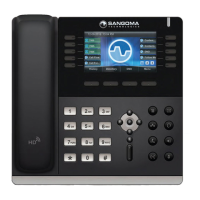
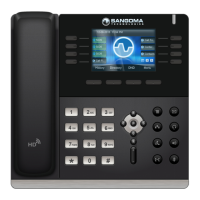
Identification of physical components and key features of the S500 IP Phone.
Explanation of the meaning and usage of various phone keys and icons.
Using handset, speakerphone, headset, and basic call handling.
Managing call logs, adding contacts, and blacklisting numbers.
Procedures for parking calls, retrieving parked calls, and dialing.
Accessing voicemail, using voicemail buttons, and indicators.
Using feature codes for various phone functions.
Initiating, managing, and splitting conference calls.
Using headset mode, switching audio, and adjusting volume.
Muting the microphone and controlling ring/speaker volume.
Turning speakerphone on/off, manual toggle, and auto-activation.
Performing blind and attended call transfers.
Using intercom for direct calls and paging for group announcements.
Configuring call forwarding rules, destinations, and presets.
Managing user presence status, availability, and preferences.
Setting up and overriding time-based call routing rules.
Setting up voicemail greetings and managing messages.
Navigating and utilizing the web-based User Control Panel for settings.
Sending and receiving SMS messages through the phone system.

 To Next Page
 General