EasyManua.ls Logo

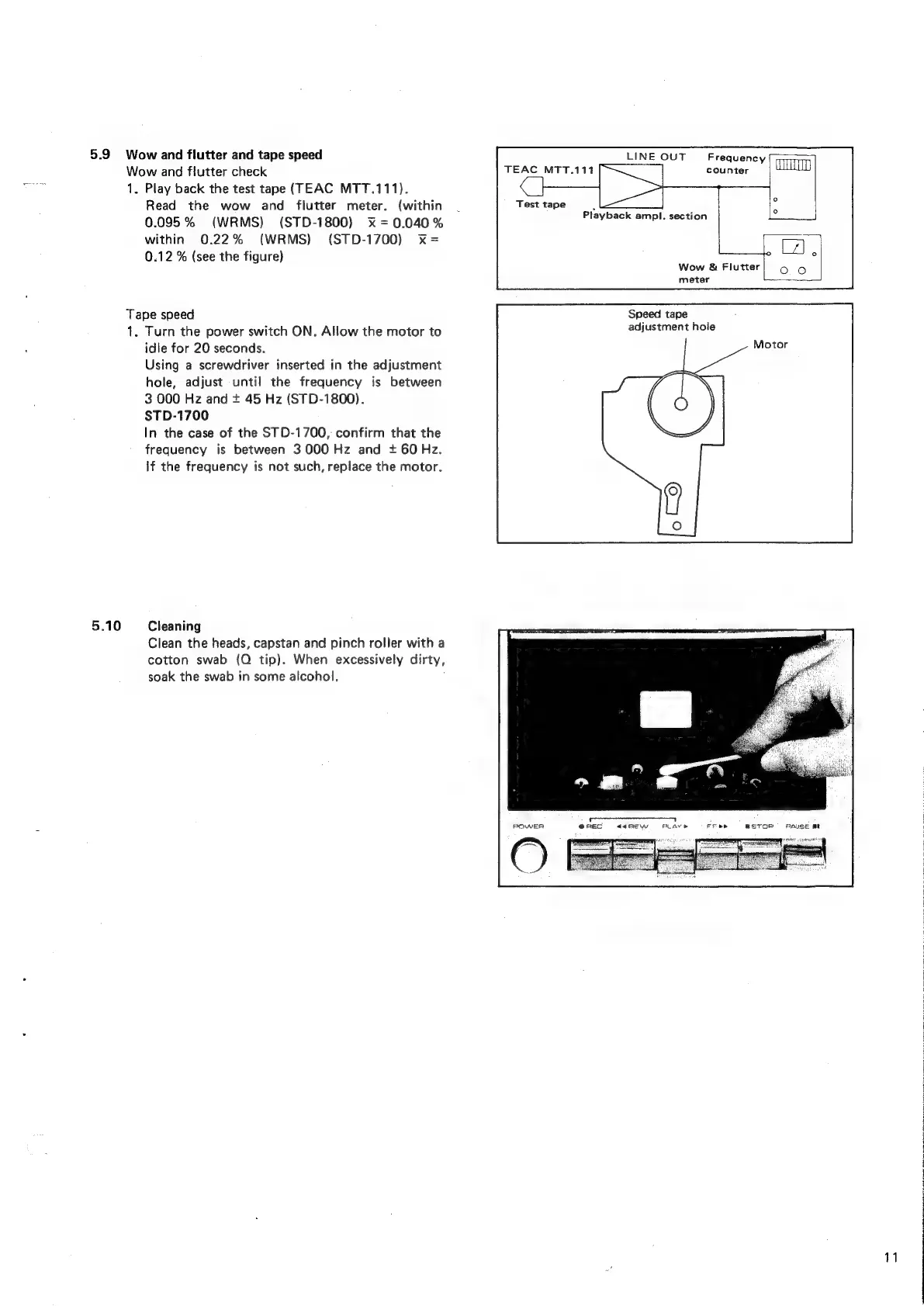
Sankyo STD-1700 - Wow, Flutter, and Tape Speed Check; Cleaning Procedures

Default Icon
35 pages
Print Icon
To Next Page IconTo Next Page
To Previous Page IconTo Previous Page
Loading...
5.9
5.10
Wow
and
flutter
and
tape
speed
LINE
OUT
Frequency
Wow
and
flutter
check
TEAC
MTT.111
counter
1.
Play
back
the
test
tape
(TEAC
MTT.111).
Read
the
wow
and
flutter
meter.
(within
.
Test
tape
0.095%
(WRMS)
(STD-1800)
x
=0.040%
within
0.22%
(WRMS)
(STD-1700)
x=
0.12
%
(see
the
figure)
Tape
speed
1.
Turn
the
power
switch
ON.
Allow
the
motor
to
idle
for
20
seconds.
Using
a
screwdriver
inserted
in
the
adjustment
hole,
adjust
until
the
frequency
is
between
3
000
Hz
and
+
45
Hz
(STD-1800).
STD-1700
In
the
case
of
the
STD-1700,
confirm
that
the
frequency
is
between
3000
Hz
and
+
60
Hz.
If
the
frequency
is
not
such,
replace
the
motor.
Cleaning
Clean
the
heads,
capstan
and
pinch
roller
with
a
cotton
swab
(Q
tip).
When
excessively
dirty,
soak
the
swab
in
some
alcohol,
POWER
Playback
ampl.
section
Wow
&
Flutter
meter
Speed
tape
adjustment
hole
asTor
PAUSE
mt

Related product manuals