05
CHANGE VOICE ALARMS
On Palert PX-01 and Palert Cube it is possible to change the alarm messages. This requires using
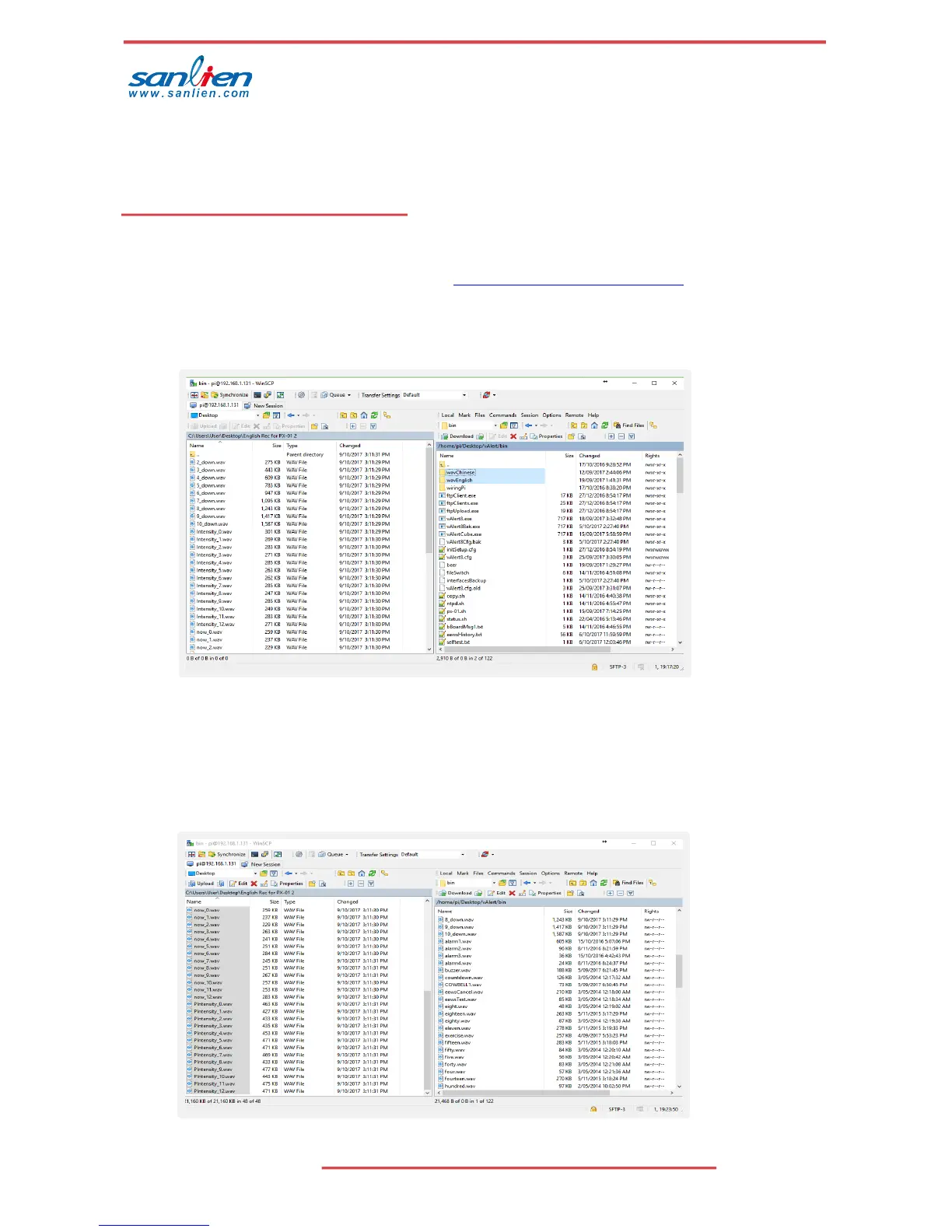
on the laptop/desktop an ftp client like Winscp (https://winscp.net/eng/index.php ) or Filezilla. Winscp
shown below.
• To change voice alarms, Connect using same user name / password as described in
section 4 above with port 22. Then go to folder Desktop/vAlert8/bin.
• Voice alarms are stored in uncompressed .wav format. Optional default voices for
Chinese and English are stored in the wavChinese and wavEnglish subfolders.
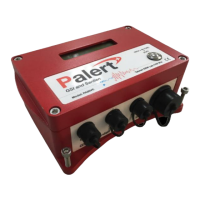
• Default files can be copied from the subfolders to the bin folder replacing existing files.
• Optionally user can record their own voice alarms to replace the existing files using same
file names.
e.g. .wav file used for Intensity now are named Intensity_x.wav where x is 1 to 12.


 To Next Page