ATSC Converter Box
~ Selecting a lower age rating's content setting to block automatically
change the same higher age rating's content setting to block.
@
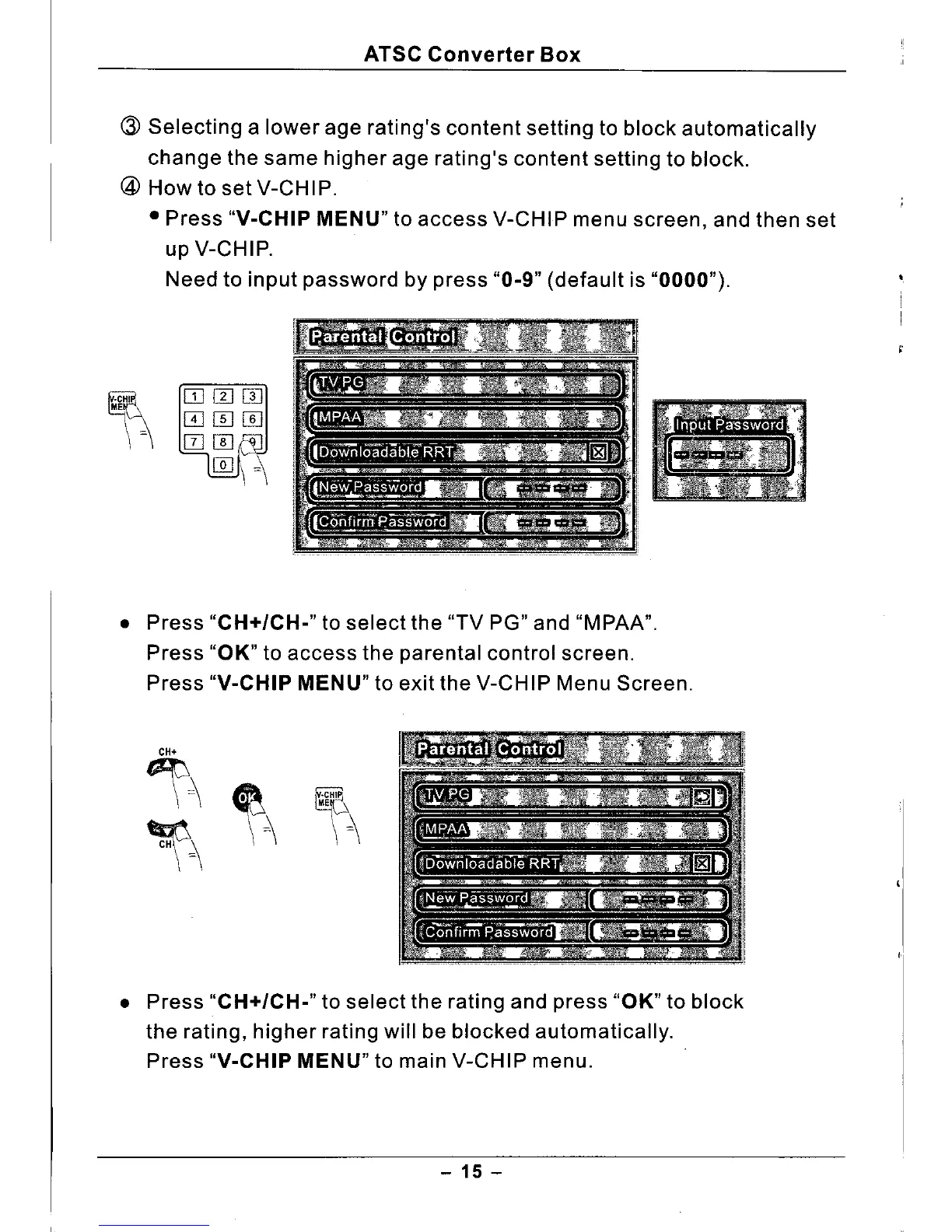
How to set V-CHIP.
• Press
"V-CHIP MENU"
to access V-CHIP menu screen, and then set
up V-CHIP.
Need to input password by press "0-9" (default is "0000") .
• Press "CH+/CH-" to select the "TV PG" and "MPAA".
Press "OK" to access the parental control screen.
Press
"V-CHIP MENU"
to exit the V-CHIP Menu Screen.
• Press "CH+/CH-" to select the rating and press "OK" to block
the rating, higher rating will be blocked automatically.
Press
"V-CHIP MENU"
to main V-CHIP menu.
- 15 -



 To Next Page