ATSCConverter Box
4.3. Connect to your analog signal TV display
CD
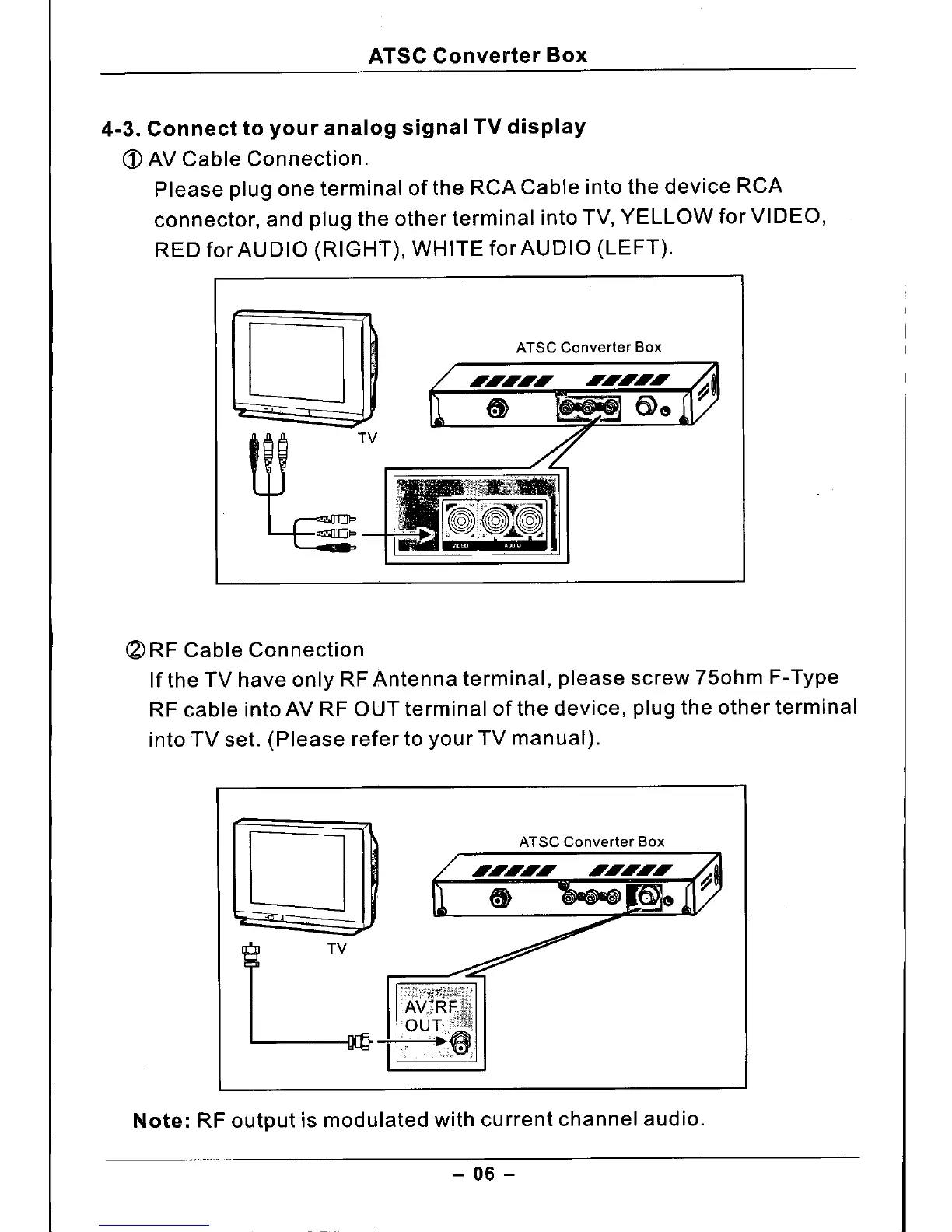
AV Cable Connection.
Please plug one terminal of the RCA Cable into the device RCA
connector, and plug the other terminal into TV, YELLOW for VIDEO,
RED for AUDIO (RIGHT), WHITE for AUDIO (LEFT).
o
~TV
ATSC Converter Box
(2)
RF Cable Connection
If the TV have only RF Antenna terminal, please screw 750hm F-Type
RF cable into AV RF OUT terminal of the device, plug the other terminal
into TV set. (Please refer to your TV manual).
o
L
ATSC Converter Box
Note:
RF output is modulated with current channel audio.
- 06 -



 To Next Page