EasyManua.ls Logo

Sansui AU-101 - OPERATIONS; Record Player Operation; Tuner Operation; Microphone Operation

Sansui AU-101
10 pages
Print Icon
To Next Page IconTo Next Page
To Previous Page IconTo Previous Page
Loading...
OPERATIONS
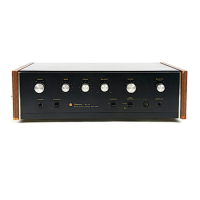
Congratulations,
you
are
now
the
owner
of
a
new
Sansui
AU-101
control
amplifier
manufactured
by
Sansui,
the
world’s
forem
ost
audio-
only
specialist.
The
AU-101
incorporates
many
of
state-of-the-art
features
of
the
more
powerful
Sansui
AU-555A,
including
an
all
silicon
solid
state
design,
professional
arrangement
of
controls
and
a
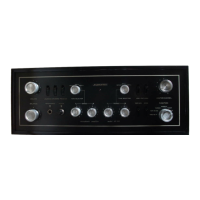
satin-black
control
panel.
Like
all
other
AU
series
amplifiers,
the
AU-101’s
tonal
quality
has
been
perfected
and
proved
not
only
by
precision
electronic
meas-
uring
instruments,
but
also
by
repeated
listening
tests
in
a
wide
variety
of
environments.
These
manual
and
operating
sheet
have
been
prepared
to
guide you
in
operating
and
caring
for
your
AU-101
correctly.
Please
read
them
carefully
and
retain
for
future
reference.
RECORD
PLAYER
Listening
toa
Record
1.
Set the
SELECTOR
switch
to
PHONO.
2.
Make
appropriate
settings
of
controls
on
the
record
player.
3.
Adjust
the
BALANCE
control
for
equal
sound
from
both
right
and
left
speakers.
4.
Use
all
other
controls
and
switches
according
to
your
personal
taste
and
room
acoustics.
TUNER
Listening
to
a
Radio
Program
1.
Set
the
SELECTOR
switch
to
AUX.
2.
Use
tuning
controls
to
reach
the
desired
station.
Make
appropriate
settings
of
controls
on
the
tuner.
3.
Adjust
the
amplifier’s
front
panel
controls
and
switches
according
to
your
personal
taste
and
room
acoustics.
MICROPHONE
Use
high-impedance
(10
kilo-ohms
or
more)
dyna-
mic
microphones
for
optimum
performance.
Operation
1.
Set
the
SELECTOR
switch
to
MIC.
2.
Use
all
other
controls
and
switches
according
to
taste
and
listening
conditions.
TAPE
DECK
Recording
on
‘Tapes
1.
Set the
SELECTOR
switch
to
the
program
to
be
recorded.
2.
Make
appropriate
settings
of
controls
on
the
tape
deck.
Listening
to
Tapes
1.
Set
the
TAPE
MONITOR
switch
to
PLAY-
BACK.
2.
Make
appropriate
settings
of
controls
on
the
tape
deck.
3.
Use
the
amplifier’s
front
panel
controls
and
switches
according
to
your
personal
taste
and
listen-
ing
conditions.
Tape
Monitoring
Monitoring
is
possible
only
with
a
tape
deck
which
has
its
own
playback
preamplifier
as
well
as
separate
recording
and
playback
heads.
To
monitor,
proceed
in
the
same
manner
as
indicated
in
the
section
entitled
‘Listening
to
Tapes’.
NOTE:
1.
Tape
decks
referred
to
in
this
section
include
only
those
with
built-in
playback
preamplifiers.
2.
Tape
recorded
sound
cannot
be
controlled
by
the
switches
and
controls
on
the
front
panel
of
the
ampli-
fier.
They
control
sound
from
the
speakers
only.

Related product manuals