EasyManua.ls Logo

Sansui AU-719 - Page 30

Sansui AU-719
41 pages
Print Icon
To Next Page IconTo Next Page
To Previous Page IconTo Previous Page
Loading...
30
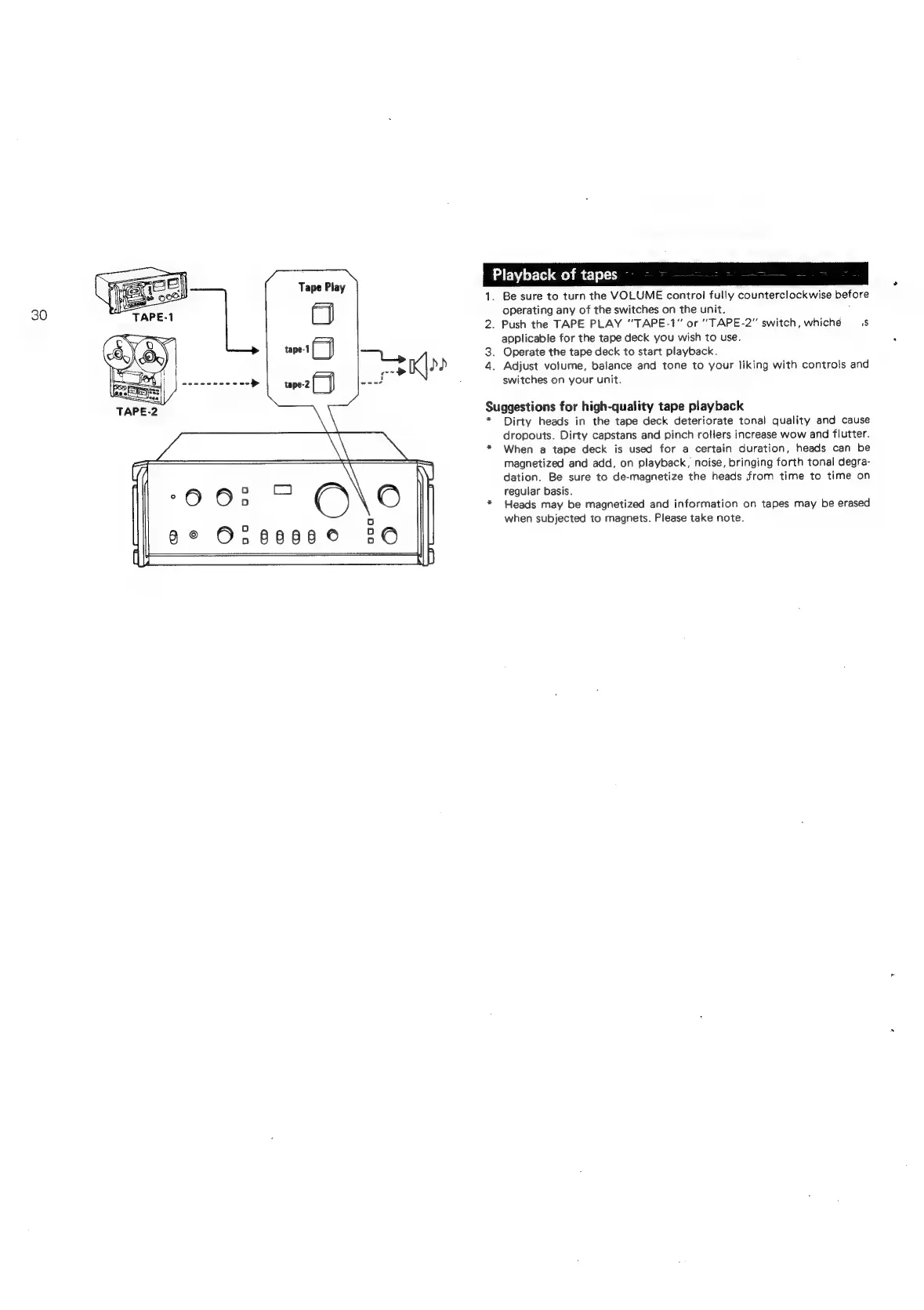
Tape
Play
Playback
of
tapes
hee
2.
Be
sure
to
turn
the
VOLUME
control
fully
counterclockwise
before
operating
any
of
the
switches
on
the
unit.
;
Push
the
TAPE PLAY
“TAPE-1"
or
‘’TAPE-2”
switch,
whiché
1s
applicable
for
the
tape
deck
you
wish
to
use.
3.
Operate
the
tape
deck
to
start
playback.
iL
.
Adjust
volume,
balance
and
tone
to
your
liking
with
controls
and
switches
on
your
unit.
Suggestions
for
high-quality
tape
playback
*
Dirty
heads
in
the
tape
deck
deteriorate
tonal
quality
and
cause
dropouts.
Dirty
capstans
and
pinch
rollers
increase
wow
and
flutter.
When
a
tape
deck
is
used
for
a
certain
duration,
heads
can
be
magnetized
and
add,
on
playback,
noise,
bringing
forth tonal
degra-
dation.
Be
sure
to
de-magnetize
the
heads
from
time
to
time
on
regular
basis.
Heads
may
be
magnetized
and
information
on
tapes
may
be
erased
when
subjected
to
magnets.
Please
take
note.