EasyManua.ls Logo

Sansui AU-719 - Recording Audio; Recording Disc Records and Radio Broadcasts

Sansui AU-719
41 pages
Print Icon
To Next Page IconTo Next Page
To Previous Page IconTo Previous Page
Loading...
32
+
source
input
Selector
Tape
Play
atrreycolin
Melt
ecimelcoe:
lier:
elem
elcey-lele-
ty
8)
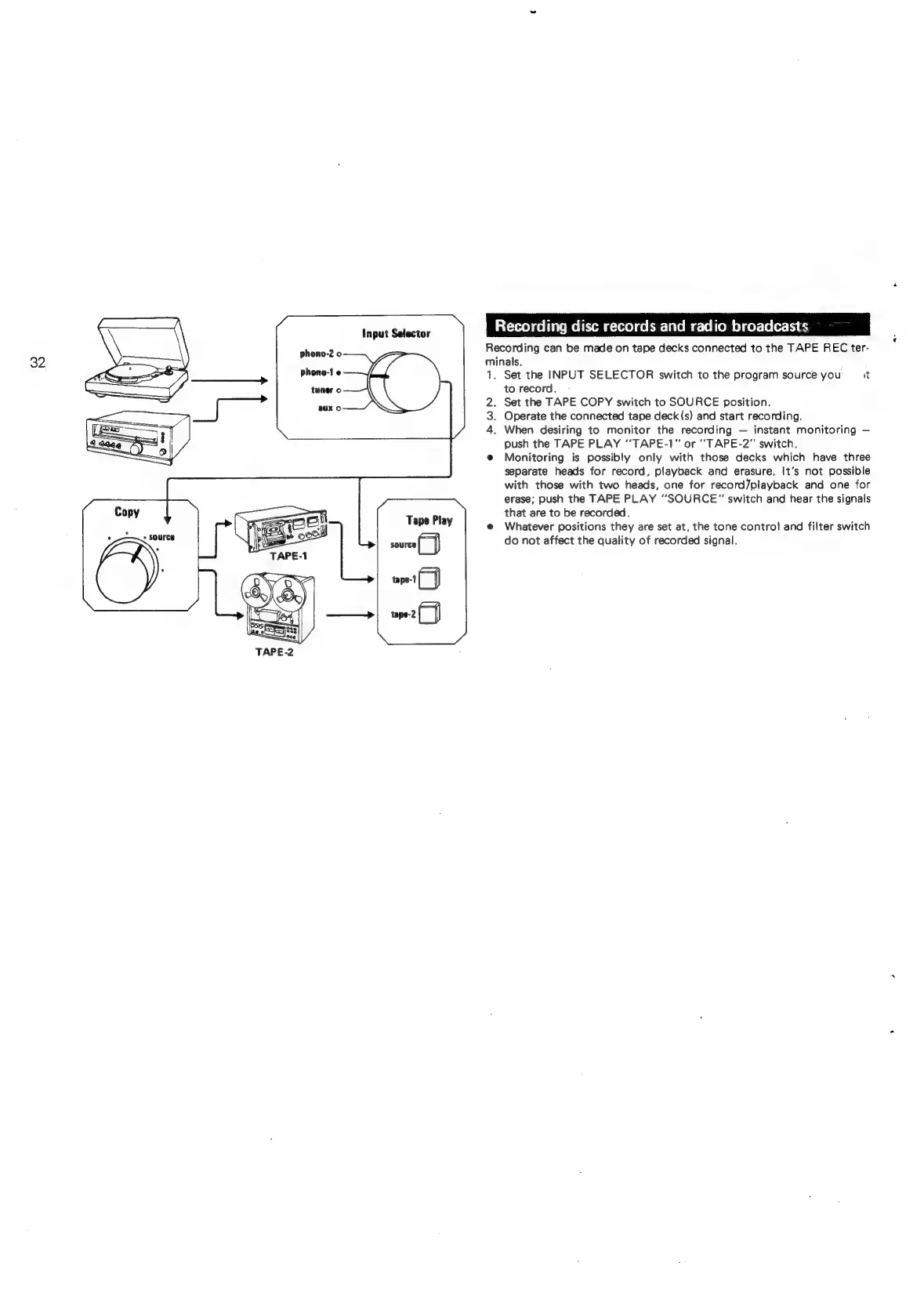
Recording
can
be
made
on
tape
decks
connected
to
the
TAPE
REC
ter-
minals.
1.
Set
the
INPUT
SELECTOR
switch
to
the
program
source
you
it
to
record.
2.
Set
the
TAPE
COPY
switch
to
SOURCE
position.
3.
Operate
the
connected
tape
deck
(s)
and
start
recording.
4.
When
desiring
to
monitor
the
recording
instant
monitoring
push
the
TAPE
PLAY
"TAPE-1”
or
‘'TAPE-2”'
switch.
@
Monitoring
is
possibly
only
with
those
decks
which
have
three
separate
heads
for
record,
playback
and
erasure.
It’s
not
possible
with
those
with
two
heads,
one
for
record/playback
and
one
for
erase;
push
the
TAPE
PLAY
“SOURCE”
switch
and
hear
the
signals
that
are
to
be
recorded.
@
Whatever
positions
they
are
set
at,
the
tone
control
and
filter
switch
do
not
affect
the
quality
of
recorded
signal.

Related product manuals