EasyManua.ls Logo

Sansui QS-500 - Page 4

Sansui QS-500
25 pages
Print Icon
To Next Page IconTo Next Page
To Previous Page IconTo Previous Page
Loading...
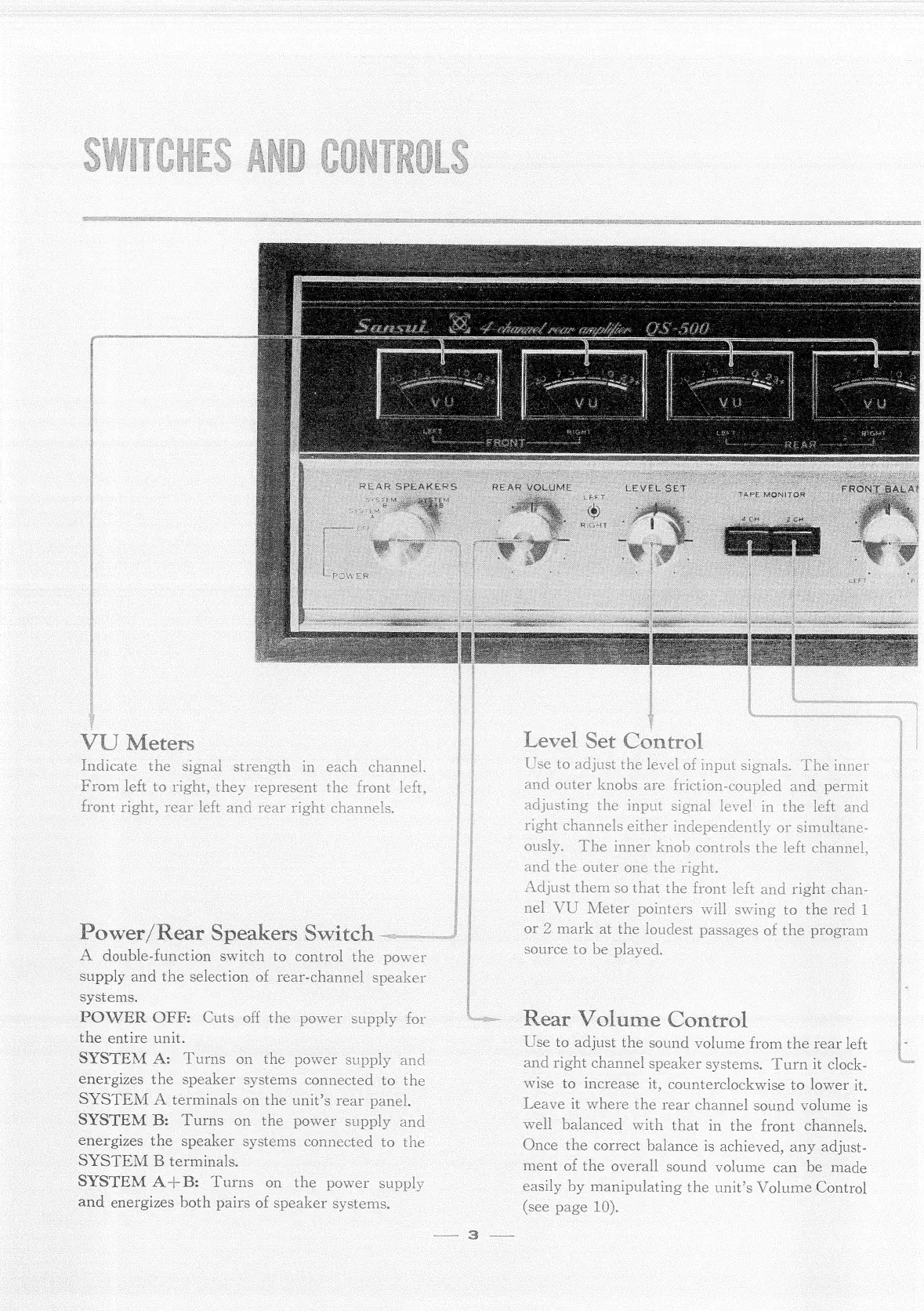
eters
VU
Indicate
the
From
left
to
right,
they
t,
rear
left
at
signal
ower/
Rear
Speakers
Switc
A
double-function
switch
to
control
the
power
supply
and
the
selection
of
rear-channel
speaker
systems.
|
POWER
OFF:
Cuts
off
the
power
supply
for
the
entire
unit.
SYSIEM
A:
Turns
on
the
power
supply
and
energizes
the
speaker
systems
connected
to
the
SYSTEM
A
terminals
on
the
unit’s
rear
panel.
SYSTEM
B:
Turns
on
the
power
supply
and
energizes
the
speaker
systems
connected
to
the
SYSTEM
B
terminals.
SYSTEM
A+
Turns
on
the
power
and
energizes
both
pai
supply
rs
of
speaker
systems.
SE
PINS
PE
SUNS
ONS
ORT
SSE
PN
Lhe
inner
ously.
aol
aay
assages
Use
to
adjust
the
sound
volume
from
the
rear
left
and
right
channel
speaker
systems.
Turn
it
clock-
wise
to
increase
it,
counterclockwise
to
lower
it.
Leave
it
where
the
rear
channel
sound
volume
is
well
balanced
with
that
in
the
front
channels.
Once
the
correct
balance
is
achieved,
any
adjust-
ment
of
the
overall
sound
volume
can
be
made
easily
by
manipulating
the
unit’s
Volume
Control
(see
page
10).
4.
=—
|
|

Related product manuals