Need help?
Do you have a question about the Santa Fe ULTRAMD33 and is the answer not in the manual?
Covers warnings, caution, handling, qualified technicians, and appliance use by persons with disabilities.
Focuses on 120V shock hazards and power disconnection before servicing.
Covers water source, GFCI, indoor installation, fasteners, discharge air, cabinet contact, and drain hose routing.
Details interior wall, power access, central location, avoiding confined spaces, thermostat placement, and stud wall fit.
Covers local codes, hose length, routing, gravity drainage, water entrapment, slope, traps, and cover.
Specifies 120V, 60Hz, 15A, dedicated circuit, GFCI, grounding, and wiring standards.
Diagram illustrating electrical connections and components for the unit.
Covers wall types, surface mount, included items, tools required, and additional materials for installation.
Emphasizes shutting off power and initial steps like removing brackets and covers.
Steps for preparing the wall opening, routing electrical wires and drain hose.
Instructions for lifting, placing, leveling, and fastening the unit to the framing.
Steps for completing electrical connections, drain hose, powering on, and installing the diffuser cover.
Instructions for checking, removing, cleaning, and reinstalling the unit's washable filter.
Guidance on cleaning the diffuser surface and options for painting it for aesthetic integration.
Explains the unit's airflow design, including return and supply air paths, with a diagram.
Recommendations for unit placement to ensure proper airflow and prevent heat buildup.
Describes the illuminated display, power button, and basic sequence of operation.
Explains how to adjust humidity setpoint and the unit's operating logic based on room humidity.
Lists and explains common error codes displayed by the unit for troubleshooting.
Instructions for accessing and using specific modes like evaporator and ambient temperature.
Emphasizes using qualified technicians and following safety protocols for troubleshooting.
Provides solutions for common issues like unit not running, intermittent operation, or poor performance.
Addresses complex problems such as frost buildup, cooling failures, and water leaks.
Outlines the terms, duration, and limitations of the product warranty.
Explains how customers should submit warranty claims and their responsibilities.
Instructions on how to register the product for warranty purposes via the website.
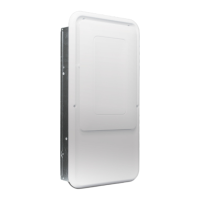
The Santa Fe UltraMD33 is a built-in dehumidification solution designed for residential use, specifically engineered to be discreetly installed within standard wall framing. This device aims to enhance indoor air quality by controlling humidity levels, thereby contributing to comfort, health, and property protection. Its design allows for convenient integration into various wall types, including 2x6 and 2x4 16" O.C. stud walls, and can also be surface-mounted with an optional kit.
The primary function of the Santa Fe UltraMD33 is to remove excess moisture from the air, acting as a whole-house ventilating dehumidifier. It operates by drawing in moist air through the bottom portion of its diffuser, processing it to extract humidity, and then returning dried air to the living space through the top portion of the diffuser. This continuous circulation helps maintain optimal humidity levels throughout the home.
The unit features an illuminated digital display and user-selectable setpoint, allowing users to precisely control the desired relative humidity (RH) level. When first powered on, the device defaults to a factory setting of 55% RH. In the event of a power outage, the dehumidifier is designed to restart at its previously set point, ensuring continuous operation without manual intervention.
The control interface is located behind the diffuser and includes a power ON/OFF button and arrow keys for adjusting the RH setpoint. Pressing the power button toggles the unit between ON and OFF states. When the unit is ON, the compressor and fan operate to dehumidify the air. If the unit is OFF, pressing the power button will turn on the fan, and both the display and LED will illuminate.
Upon activation, the display briefly shows "00" before indicating the current room RH level. The dehumidifier's blower then runs for one minute to sample the air. An indicator LED, positioned above the display, glows green during normal operation. Users can adjust the RH setpoint from a minimum of 35% to a maximum of 99% in 1% increments using the arrow keys. For continuous operation, pressing the DOWN arrow key below 35% will set the display to "00," and the unit will run continuously. After 10 seconds of adjustment, the display reverts to showing the current room RH level.
The dehumidifier's operation is intelligent: if the sensor detects an RH level above the setpoint, the fan will run for one minute to sample the return air. If the sampled humidity remains above the setting, the compressor activates and continues to run until the measured humidity falls 3% below the RH setpoint. If the humidity is already below the setting, both the compressor and blower turn off, and the display shows the current room RH. The unit re-samples the air every 15 minutes to ensure consistent humidity control.
The device also incorporates diagnostic features, displaying error codes (e.g., "1" for a bad RH sensor, "2" for a condensate pump or external float switch issue, "3" for insufficient delta temperature between ambient and evaporator coil) to alert users to potential problems. It also offers evaporator temperature mode and ambient temperature mode, accessible by pressing specific button combinations, which display the respective temperatures and can aid in troubleshooting.
The Santa Fe UltraMD33 is designed for ease of use and integration into various home environments. Its built-in nature means it can be installed within interior walls, making it a discreet solution that doesn't occupy floor space. The unit fits within standard 16" O.C. stud walls, and specific kits are available for 2x4 wall mount bezel or rear panel installations, as well as surface mount applications, to ensure proper fit and insulation.
Installation requires routing electrical wires and a drain hose through appropriate knockouts. The unit comes with a 10' power cord for plug-in connections, but can also be hardwired. A dedicated 15A circuit and GFCI receptacle are recommended for electrical safety. The drain hose, also 10' long, must be routed with a downward slope to an appropriate drainage location, such as an air conditioning condensate drain. Proper installation ensures gravity drainage and prevents stagnant water.
The control panel, hidden behind the diffuser cover, maintains a clean aesthetic while providing access for adjustments. The diffuser cover can be secured with either tamper-resistant screws (included for security) or Phillips screws, depending on the user's preference for access limitation. The diffuser itself can be painted to match interior aesthetics, further blending the unit into the home decor.
For optimal performance, it is important to avoid blocking the return and supply airflow. Furniture should be kept at least 6" away from the diffuser to maximize air circulation and prevent heat buildup.
Maintaining the Santa Fe UltraMD33 is straightforward, focusing primarily on filter and diffuser care to ensure efficient and long-lasting operation.
The unit is equipped with a washable filter that should be checked every two months.
The diffuser surface, especially around the edges where return air flows into the unit, should be cleaned regularly with a mild detergent. This area is prone to collecting dust as air is drawn into the filter. Harsh solvents should be avoided to prevent damage to the diffuser. As mentioned, the diffuser can be painted with polycarbonate-compatible paint to match the room's decor, following the paint manufacturer's recommendations for surface preparation and application.
For any troubleshooting or servicing beyond basic filter and diffuser cleaning, it is strongly recommended that a qualified HVAC technician perform the work. This includes addressing error codes or issues related to the electrical or sealed system components. Before any service, the unit must be powered off and unplugged, or the circuit breaker must be turned off to prevent electric shock.
The manual provides a troubleshooting guide for common issues, such as the blower or compressor not running, the unit cycling on and off, or poor dehumidification performance. These guidelines help identify potential causes like power issues, loose wiring, sensor malfunctions, poor airflow, or compressor failures. For drain-related issues, users are advised to check for kinks or clogs in the drain line and can pour a vinegar-water mixture into the drain pan to clear minor clogs.
The Santa Fe UltraMD33 is designed for durability and comes with a limited warranty: one year for the entire product and four years for its components, covering material defects in workmanship or materials. This commitment to quality ensures reliable performance and peace of mind for the user.
 General
| Voltage | 115V |
|---|---|
| Water Removal Capacity | 33 pints per day |
| Capacity | 33 pints per day |
| Operating Temperature | 49-95°F |
| Water Removal | 33 pints per day |

 To Next Page