9
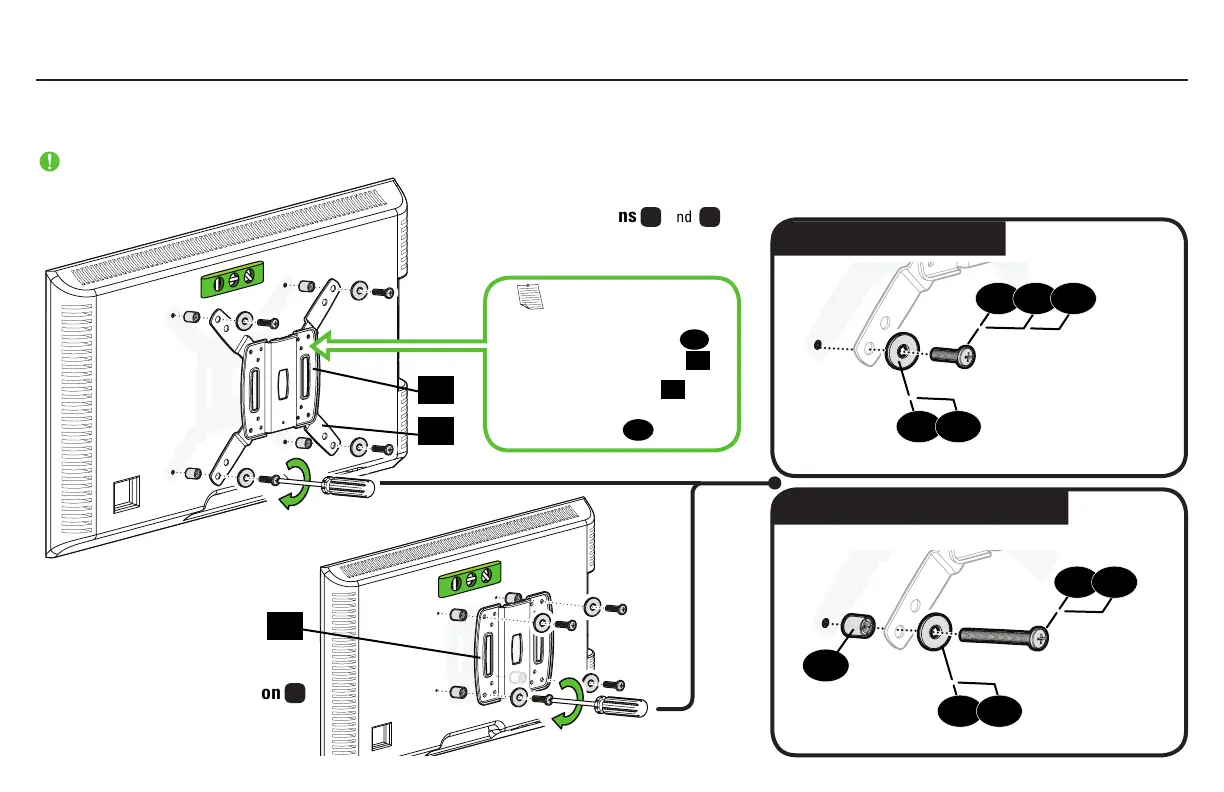
Flat Back
Round Back / Extra Space
1.5 Attach TV Bracket
Position your TV bracket configuration
over your TV hole pattern - making sure the brackets are vertically centered and level.
Install using either the screw/washer (Flat Back) or screw/washer/spacer (Round Back / Extra Space) combination you selected for your TV.
IMPORTANT: Ensure TV bracket is securely fastened before moving on to the next step.
11
02
01
04
07
05
08
06
09
09
10
10
01
NOTE: For 200 x 200 or
200 x 100 hole patterns, you may
need to loosen the screws
03
to
align the bracket extenders
02
.
After bracket extenders
02
are
secured to the back of your TV,
re-tighten screws
03
.
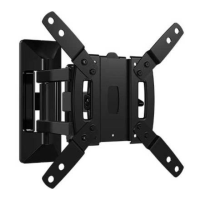
TV Bracket Configurations
B
and
C
(from page 7)
Configuration B Illustrated, with spacers
TV Bracket Configuration
A
(from page 6)
Illustrated with spacers


 To Next Page