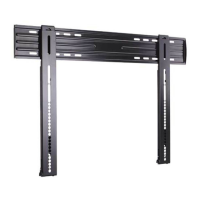
Need help?
Do you have a question about the Sanus HLF112 and is the answer not in the manual?
Read the entire manual before use. Save instructions. Check TV manual for specific mounting requirements.
Ensure the TV and mount combined do not exceed 125 lbs (56.6 kg). Heavier TVs are incompatible.
Install only on wood studs or solid concrete/block. Drywall alone is not suitable for mounting.
Essential tools include a tape measure, pencil, level, tape, screwdriver, drill, socket wrench, stud finder, awl, drill bits, and hammer.
Check for all included parts and hardware before assembly. Contact customer service for any missing or damaged items.
Hand-thread screws into TV inserts to find the correct diameter (M6 or M8) for your TV.
Choose the correct screw length and use spacers if needed for round-back TVs or cable clearance.
Measure TV height pattern and attach horizontal brackets to the vertical bracket based on measurements.
For wood studs: locate studs, drill pilot holes, and attach the wall plate using lag bolts and washers.
For concrete: level template, drill pilot holes, insert anchors, and attach wall plate with lag bolts and washers.
Hang the TV onto the wall plate, securing it with the provided screw and washer.
Use cable ties to bundle and route cables along the mount arms for a tidy appearance.
Adjust the TV's tilt angle and level using the provided levers and screws.
Disconnect cables, remove the locking screw and washer, then lift the TV off the wall plate assembly.
 General
| Brand | Sanus |
|---|---|
| Model | HLF112 |
| Category | TV Mount |
| Adjustable Tilt | Yes |
| Construction Material | Steel |
| Finish | Black |
| Cable Management | Yes |
| Product Type | TV Mount |
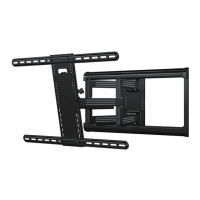
| Type | Full Motion |
| VESA Compatibility | Up to 600x400 mm |


 To Next Page