11
6
STEP 3 Install Components cont.
04
04
02
02
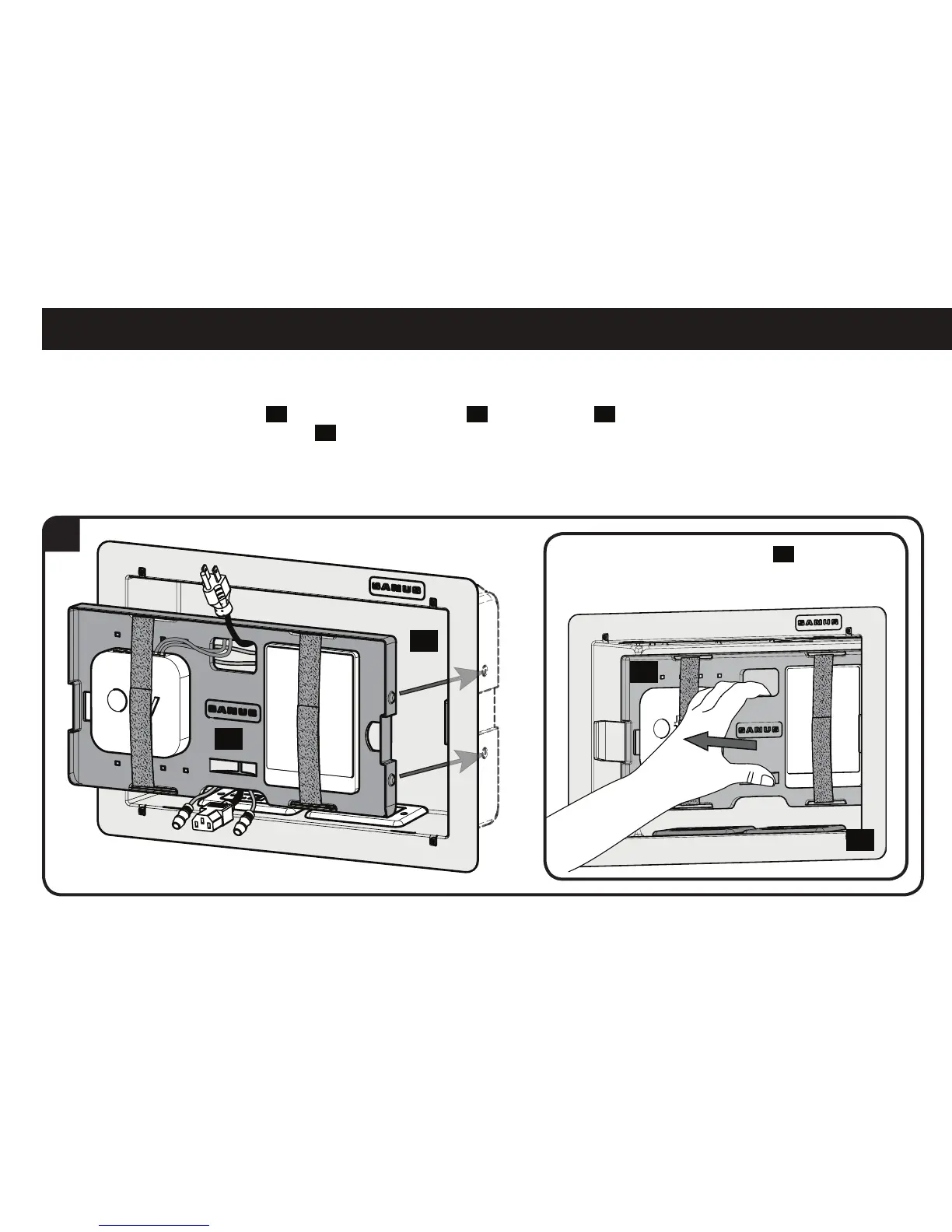
6. To mount the component panel
04
, press the component panel
04
into the housing
02
until the side buttons "snap" into the
depressions in the sides of the housing
02
.
To remove component panel
04
, grasp
panel in the center and pull straight out.



 To Next Page