10
STEP 3 Install Components cont.
5
04
04
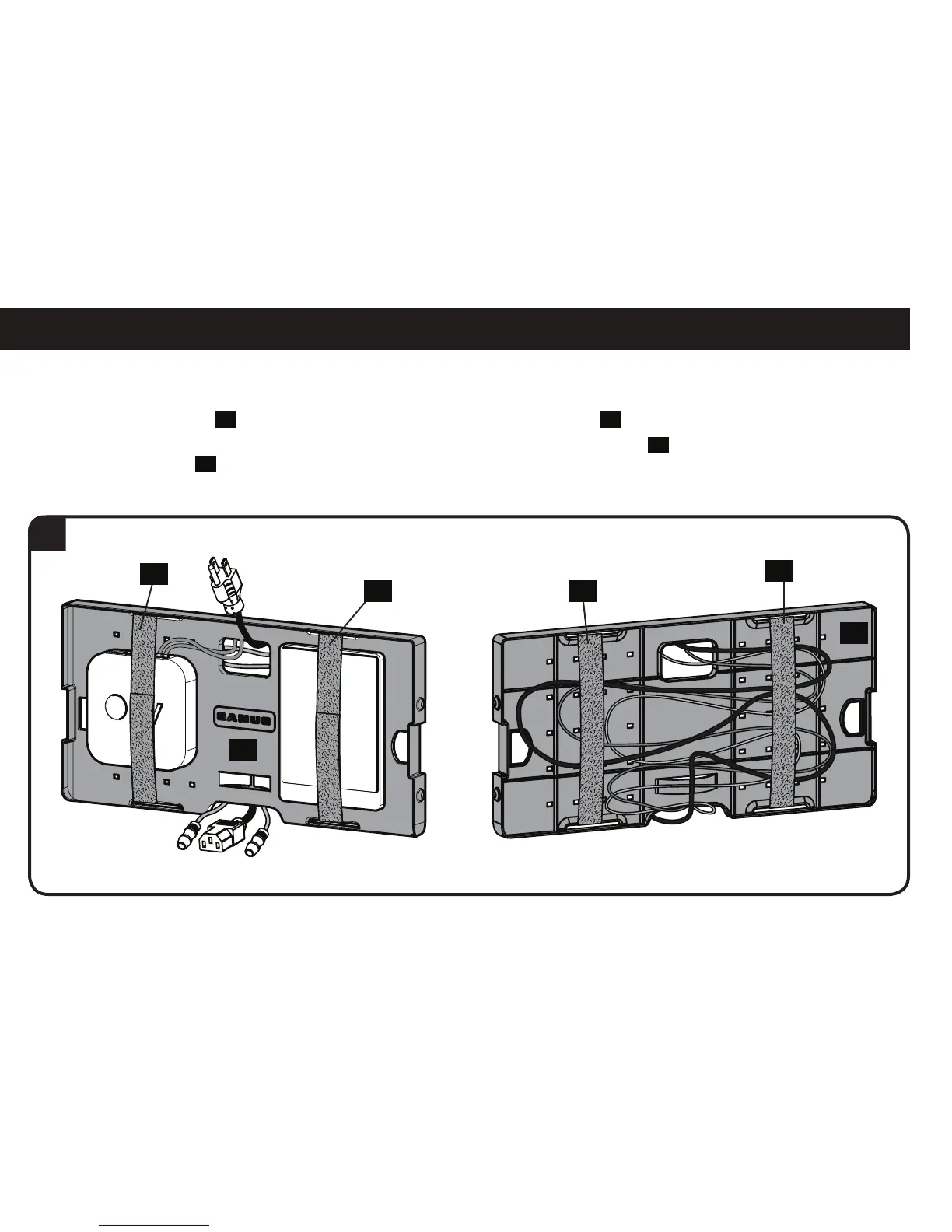
5. Use elastic-velcro straps
05
to attach components to the front of the component panel
04
and to secure wires to the back of the panel.
NOTE: Zip ties can also be used by looping them through the holes of the component panel
04
to secure components to the
component panel
04
.
05
05
05
05



 To Next Page