9
4
STEP 3 Install Components cont.
03
02
ECO-Mini (purchased separately) with the SA809 - Optional
3
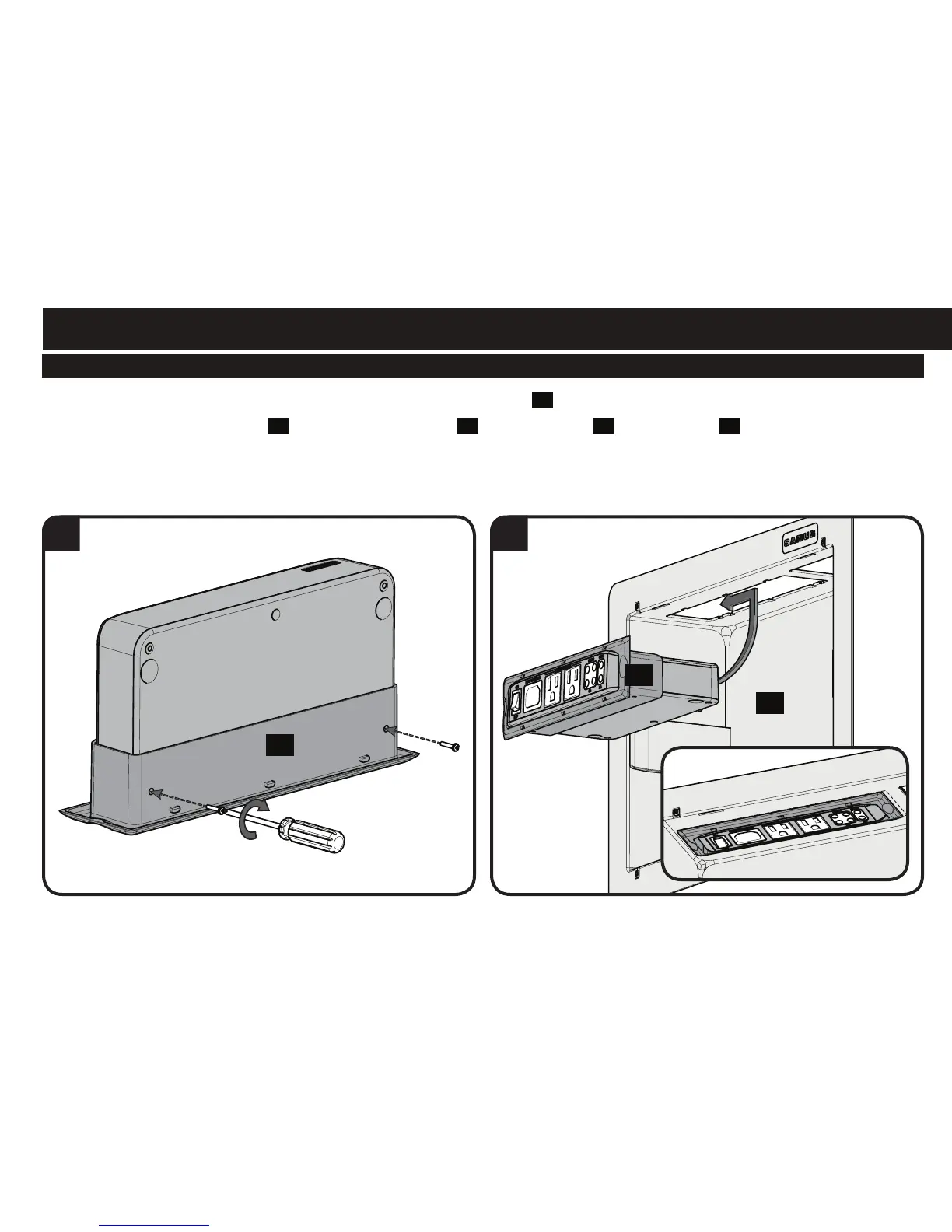
3. Use two of the screws from the feet to secure the ECO-Mini in the bracket
03
.
4. Slide the ECO-Mini and bracket
03
into the top of the housing
02
. Lock the bracket
03
into the housing
02
by sliding it towards the
corner until you feel it catch.
03



 To Next Page