8
STEP 3 Install Components
1
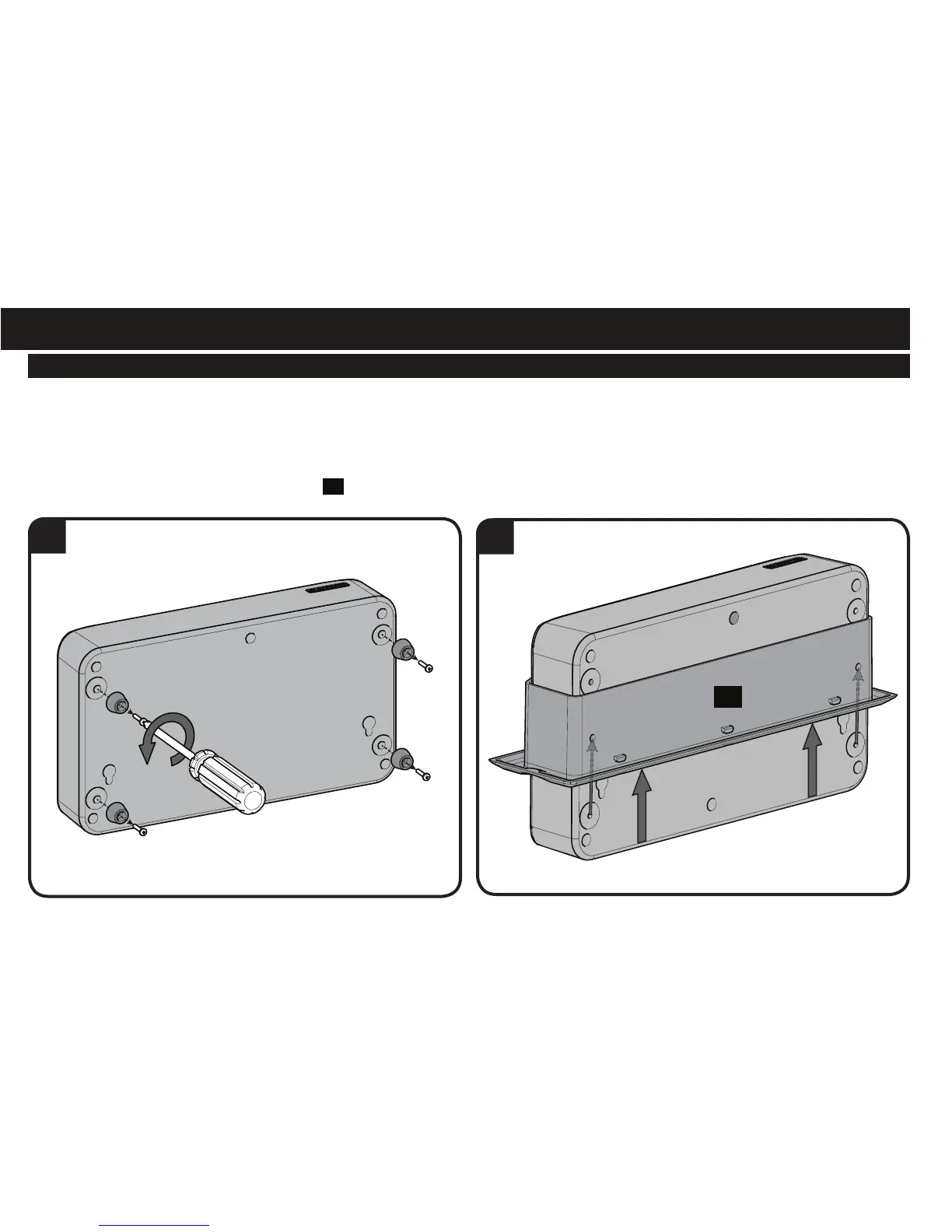
ECO-Mini (purchased separately) with the SA809 - Optional
NOTE: Minimum spacings between the accessories and components and the housing for Information Technology Communication Equipment
shall be maintained for safe operation of the equipment when installed in accordance with the National Electric Code, ANSI/NFPA 70-1999.
Refer to communication equipment manufacturer’s specifications for minimum spacings.
1. To use the ECO-Mini (purchased separately) in the SA809, first remove feet.
2. Fit the ECO-Mini into the ECO-Mini bracket
03
supplied with the SA809.
2
03



 To Next Page