10
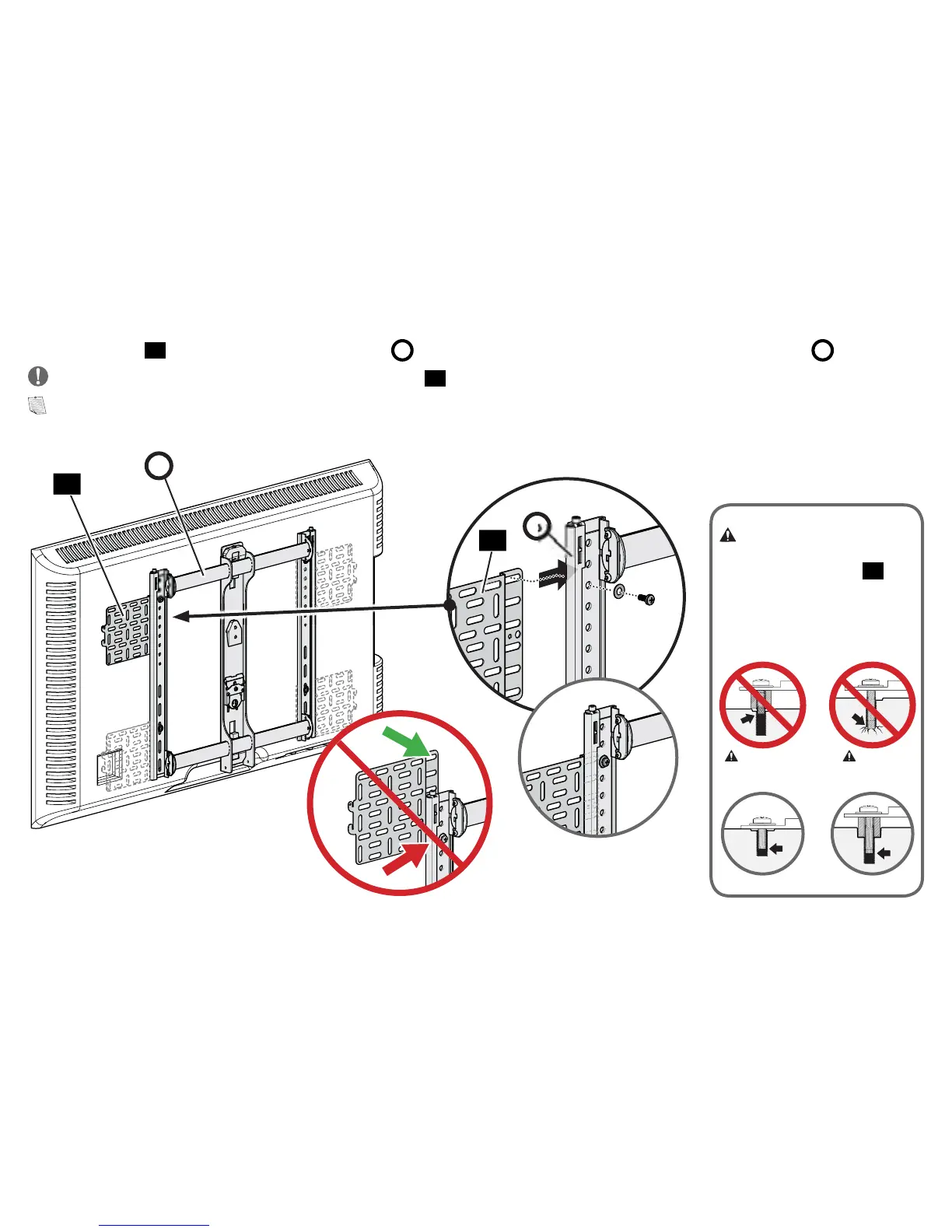
3. Position panel
01
behind either side of TV bracket
B
and line up with your TV VESA upper hole and TV bracket
B
.
IMPORTANT: Use the top slotted-hole location on panel
01
.
NOTE: You may need to verify clearance with your mount’s arm assembly or wall plate before installing.
B
01
B
01
CAUTION:
Verify adequate
thread engagement with the screw,
washer and SASP1 panel
01
.
- Too short will not hold the panel.
- Too long will damage the TV.
Too Short Too Long
Correct
NOTE: DO NOT install more
than two panels.



 To Next Page