9
STEP 1 Option B Attach to a Wall Mount WITHOUT Slots
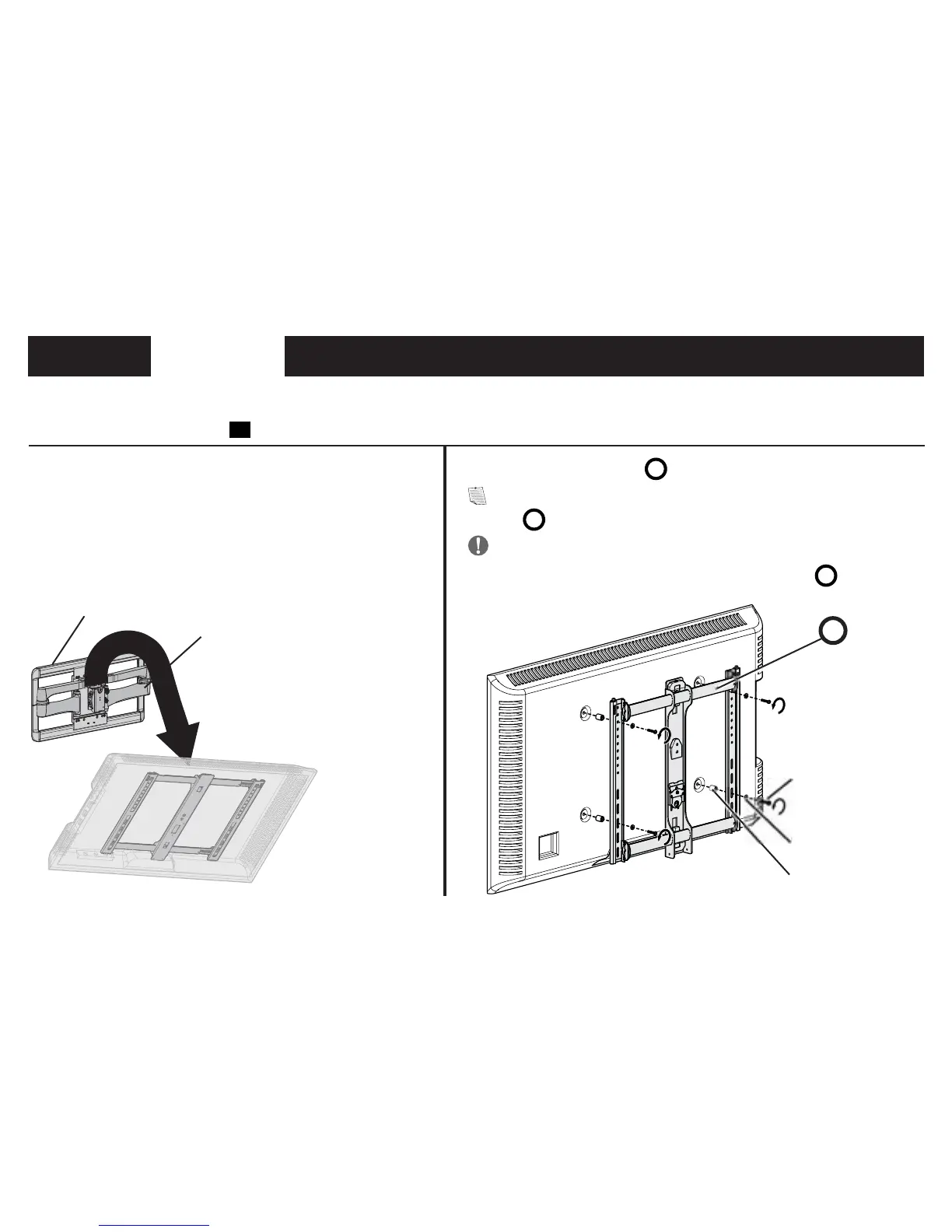
1. Remove the TV from the wall plate or arm assembly
(if mounted).
Refer to your TV mount’s installation manual for TV removal.
Before installing panel
01
:
2. Remove the TV bracket
B
from the TV (if installed).
NOTE: Remember the locations of all the hardware AND the TV
bracket
B
to reassemble onto your TV.
IMPORTANT: SAVE ALL TV screws, washers and spacers
(optional) you remove, to reattach your TV bracket
B
.
B
Screws
Washers
Wall Plate
Arm Assembly
Spacers (optional)



 To Next Page