6901-002129 <01>
7
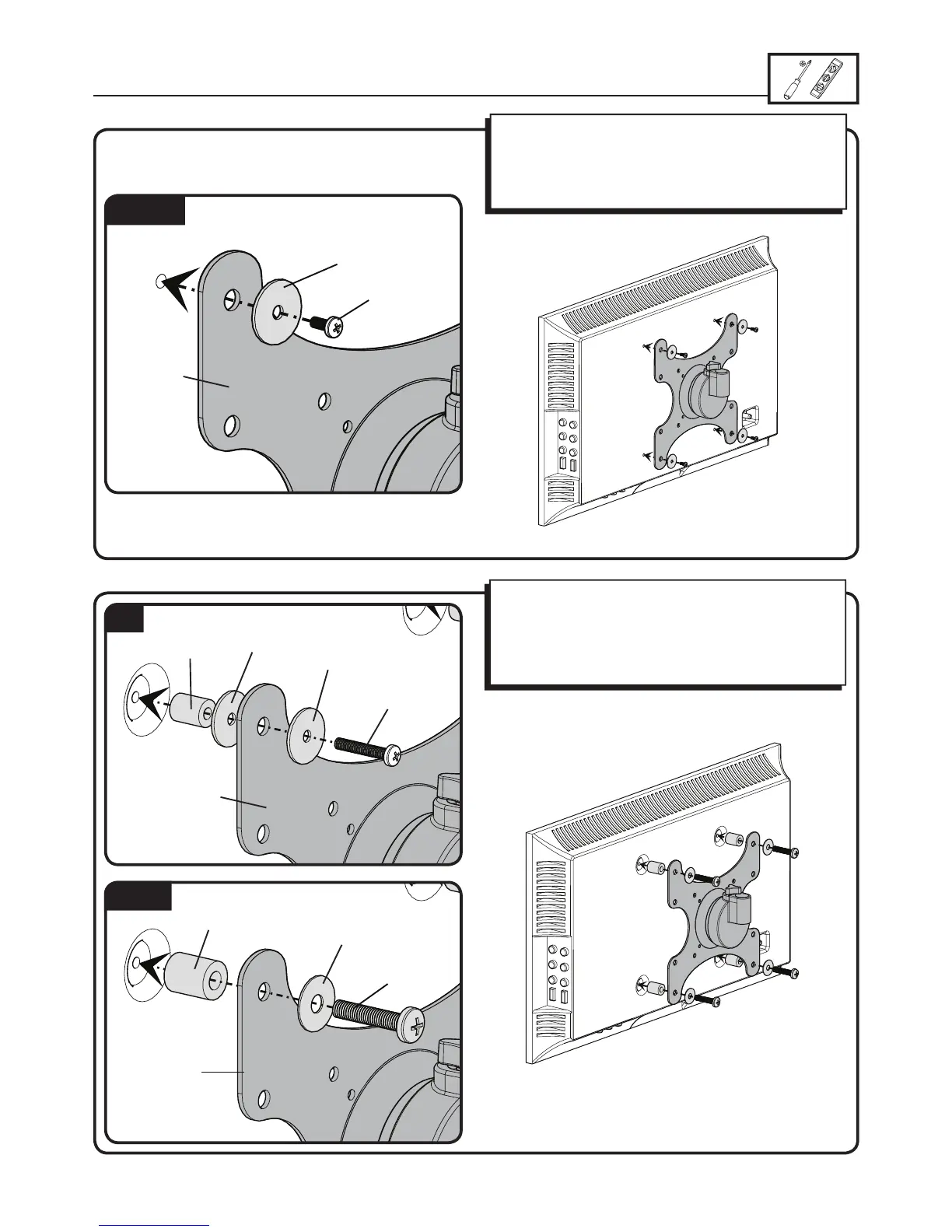
1-3 Attach selected hardware
M4/M6/M8
M6/M8
M4
[01]
[06], [08],
[09], [11]
[13], [14]
[10], [12]
[07]
[14]
[13]
[13]
[15]
[16]
[01]
[01]
For TVs with an irregular back
Ensure the brackets is level on the back of the TV.
Standard con gurations are shown. For special applications,
or if you are uncertain about your hardware selection, contact
Customer Service.
For TVs with a at back
Ensure the bracket is level on the back of the TV.
If you require additional space for cables, recesses, or
protrusions, see the con guration below.


 To Next Page