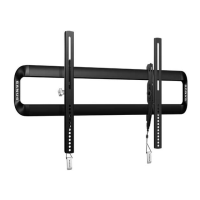
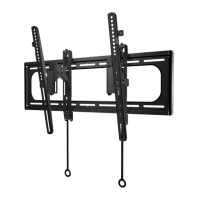
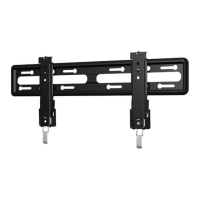
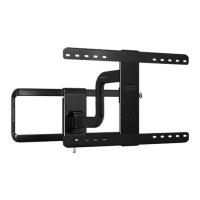
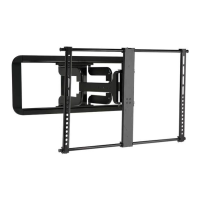
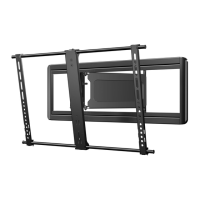
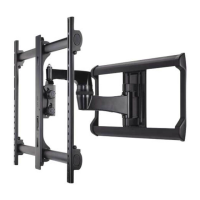
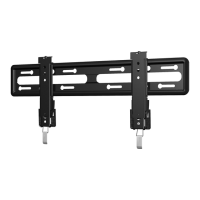
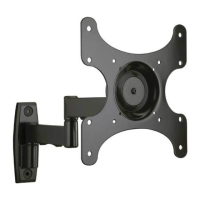
This document describes the SANUS VLT7-B2, a full-motion TV wall mount designed to securely hold and position a television. The manual emphasizes a step-by-step installation process to ensure a correct and efficient setup.
Function Description:
The SANUS VLT7-B2 is a robust TV wall mount that allows for a wide range of adjustments, including extension, retraction, tilt, swivel, and side-to-side shift. Its primary function is to provide a secure and flexible mounting solution for flat-screen televisions, enhancing viewing angles and optimizing space. The mount is designed for DIY installation, with clear instructions and supplementary online tools like HeightFinder™ to assist users in determining optimal placement and drilling locations. It also includes features for cable management to maintain a clean and organized appearance.
Important Technical Specifications:
- TV Weight Limit: The mount can support televisions, including accessories, up to 150 lbs (68.0 kg). Exceeding this limit will render the mount incompatible and potentially unsafe.
- Compatible Wall Types: The VLT7-B2 is designed for installation into wood stud, solid concrete, concrete block, or steel stud walls. It explicitly states: "DO NOT INSTALL INTO DRYWALL ALONE - DRYWALL ALONE WILL NOT HOLD THE WEIGHT OF YOUR TV."
- Minimum Wood Stud Size: Nominal 2 x 4 in. (5.1 x 10.2 cm), actual 1 1/2 x 3 1/2 in. (3.8 x 8.9 cm).
- Minimum Horizontal Space between Fasteners (Wood Stud): 16 in. (40.6 cm).
- Maximum Drywall Covering (Wood Stud): 5/8 in. (1.5 cm).
- Minimum Solid Concrete Thickness: 8 in. (20.3 cm).
- Minimum Concrete Block Size: 8 x 8 x 16 in. (20.3 x 20.3 x 40.6 cm).
- Minimum Horizontal Space between Fasteners (Concrete/Concrete Block): 16 in. (40.6 cm).
- Steel Stud Requirements: Studs must be at least 2x4 / 25 ga. Drywall must be a minimum of 1/2 in. (13 mm) thick on each side of the studs, with a minimum clearance of 1 7/8 in. (48 mm) behind the wall. The product must be centered on the studs. Stud type and structural strength must conform to the North American Specification for the Design of Cold-Formed Steel Structural Members [362 S 125 18, C-Shape, S - Stud Section]. Drywall must be secured to studs with screws 12 in. (304.8 mm) on center.
- TV Interface (VESA Compatibility): Max 23.6 in. [600mm] (horizontal) x Max 15.7 in. [400mm] (vertical). Min 5.9 in. [150mm] (horizontal) x Min 3.9 in. [100mm] (vertical).
- Wall Plate Dimensions: 31.3 in. [796mm] (overall width) x 16.0 in. [406mm] (overall height).
- Fully Assembled Mount Dimensions: 31.3 in. [796mm] (overall width) x 16.6 in. [421mm] (overall height). Offset from wall: 0.7 in. [19mm].
- Extension Range: Extends up to 6.8 in. [172mm] from the wall. Retracts to 2.1 in. [53mm] from the wall.
- Tilt Range: 12 degrees (up/down).
- Swivel Range: 15 degrees (left/right).
- Included Hardware: TV screws (M6, M8 in various lengths), washers, spacers (if necessary), left and right TV brackets, wall plate template, lag bolts (5/16 in. x 2 3/4 in.), concrete anchors (Fischer UX10 x 60R), and a hex key (3/16 in.). Steel stud kit SSMK1 is required for steel stud installations but is NOT included.
Usage Features:
- Easy Installation: The manual provides detailed, illustrated instructions for each step, from attaching the TV bracket to the TV to mounting the wall plate and hanging the TV.
- HeightFinder™ Integration: Users can utilize the SANUS HeightFinder™ online tool (SANUS.com/2567) to calculate precise wall plate locations and drilling points, ensuring optimal TV placement.
- Video Tutorial: A DIY project video is available at SANUS.com/2949 to guide users through the installation process.
- Adjustability:
- Level Adjustment: The TV can be leveled by turning a screw on the top of either TV bracket (04 or 05) to raise or lower the respective side.
- Height Adjustment: The overall height can be adjusted by turning a screw on the top of both TV brackets (04 and 05).
- Side-to-Side Shift: The TV can be shifted left or right along the wall plate (07) for optimal positioning, especially in wood stud installations. For concrete installations, TV brackets (04/05) must remain centered on the wall plate (07).
- Tilt: The TV can be tilted up or down, and the tilt tension knob can be adjusted to prevent unwanted movement.
- Extend/Retract: The mount allows the TV to be extended from and retracted towards the wall.
- Swivel: The TV can be swiveled left or right to achieve desired viewing angles.
- Cable Management: The mount includes provisions for managing cables, helping to keep them organized and out of sight.
- Safety Warnings: The manual includes prominent CAUTION and WARNING labels to alert users to potential personal injuries and property damage, emphasizing critical safety considerations like pinch points and weight limits.
Maintenance Features:
- Cleaning: The manual advises protecting the TV's face by laying it down on a soft, clean surface during installation.
- Troubleshooting: Customer service contact information (US: 800-359-5520, EMEA: +31 (0) 495 580 852, UK: 0800 056 2853) is provided for assistance with installation, assembly, or product usage doubts.
- Accessory Installation: Users are advised to install any additional TV accessories that require TV removal before mounting the TV, ensuring future accessory purchases are compatible with the mount's design.
- TV Removal: Instructions are provided for safely removing the TV from the wall plate, including disconnecting cables and releasing latches, with a reminder that this step may require assistance due to the TV's weight.

 Need help?

 To Next Page
 General