EasyManua.ls Logo

Sanyo MCO-19M - User Manual

Sanyo MCO-19M
78 pages
Print Icon
To Next Page IconTo Next Page
Loading...
MCO-19M(UVH)
MCO-19M(UV)
MCO-19M
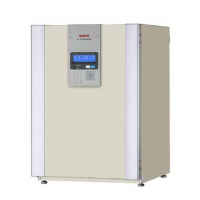
Multi Gas Incubator
INSTRUCTION MANUAL
Get other manuals https://www.bkmanuals.com

Table of Contents

Other manuals for Sanyo MCO-19M

Questions and Answers

  • D
    Dawn ButlerSep 12, 2025
    Why is the gas concentration slow to recover in Sanyo Laboratory Equipment?
    • K
      Karen ScottSep 12, 2025
      If the gas concentration is slow to recover in your Sanyo Laboratory Equipment, consider these factors: the HEPA filter used for the incubator gas piping might be clogged (if the CO gas concentration is normal), there might be little gas remaining in the gas cylinder, the secondary pressure for the CO gas pressure regulator might not be at the specified value of 0.03 MPaG (0.3 kgf/cm2G, 4.3 psiG), the secondary pressure for the N /CO gas pressure regulator might not be at the specified value of 0.05 MPaG (0.5 kgf/cm2G, 7.1 psiG), or the gas tube might be blocked.
  • G
    gonzaleztylerAug 25, 2025
    What to do if Sanyo Medical Equipment Incubator does not operate at all?
    • K
      Kaitlyn NicholsAug 25, 2025
      First, verify that the Incubator is properly plugged in. Then, check for any power outages or tripped circuit breakers that may be interrupting the power supply.
  • J
    johnsonmatthewAug 26, 2025
    Why is a large quantity of gas being consumed by my Sanyo MCO-19M Medical Equipment?
    • T
      Trevor LewisAug 26, 2025
      Check if the doors are being frequently opened and closed. Inspect gas connectors for leaks due to gas tube deterioration or pinhole leaks; consider replacing the gas tube annually. Also, check the packing seals for the gastight split doors and inner door for defects, and ensure the access hole is closed.
  • C
    christopher32Aug 28, 2025
    What to do if the gas concentration does not match the set value in Sanyo MCO-19M?
    • R
      Ricky KimAug 28, 2025
      Verify that the secondary pressure for the CO2 gas pressure regulator is at the specified value of 0.03 MPaG (0.3 kgf/cm2G, 4.3 psiG) and the secondary pressure for the N2 gas pressure regulator is at the specified value of 0.05 MPaG (0.5 kgf/cm2G, 7.1 psiG). Also, check if the gas tube is blocked.
  • M
    Marissa AlexanderAug 29, 2025
    What to do if H2O2 decontamination cannot be performed on Sanyo Medical Equipment?
    • K
      Kelly BestAug 29, 2025
      If using the MCO-19M(UV)/19M, check if the optional MCO-HL is installed. If using the MCO-19M, confirm that both the optional MCO-HL and MCO-19UVS are installed. Verify that the UV lamp is not burned out, as this prevents H2O2 decontamination. Ensure the H2O2 Generator cable is properly connected, that the entire bottle of H2O2 Decontamination Reagent has not been used, and that the upper limit temperature alarm is not set to 50°C or higher.
  • M
    Michelle KelleyAug 31, 2025
    How to unlock the outer door of Sanyo MCO-19M?
    • J
      Jeremy DavisAug 31, 2025
      When the power is OFF, the electric lock engages, preventing the outer door from opening. Turn the power ON or use the accessory unlock key to override the electric lock. Note that the outer door is also electrically locked during decontamination.
  • C
    christine61Nov 20, 2025
    What to do if an alarm has occurred in Sanyo MCO-19M Medical Equipment?
    • S
      Sheila MannNov 20, 2025
      When starting operation, ensure that the chamber temperature and CO2 gas concentration match the set values. Check the CO2 gas pressure regulator's secondary pressure is at 0.03 MPaG (0.3 kgf/cm2G. 4.3 psiG) and the N2 gas pressure regulator's secondary pressure is at 0.05 MPaG (0.5 kgf/cm2G, 7.1 psiG). Verify the gas tube is properly connected. During operation, ensure the upper limit alarm temperature is set at least 1°C higher than the chamber set temperature. Check if the temperature setting has been changed, the door has been left open, or a low-temperature object has been placed inside. If any of these are the case, the alarm will automatically clear if you wait. Also, check for gas leaks, changes to the CO2 gas concentration setting, and whether the gas cylinder is empty. Check the ...
  • P
    Penny SmithSep 14, 2025
    What to do if the outer door does not open on Sanyo Laboratory Equipment?
    • J
      Jennifer MonroeSep 14, 2025
      If the outer door of your Sanyo Laboratory Equipment does not open, it could be due to the electric lock being engaged when the power is OFF. Turn the power ON or use the accessory unlock key to override the electric lock. Also, during decontamination, the outer door is electrically locked and will not open.
  • D
    Debra AustinSep 12, 2025
    Why are normal cultures not possible, and the gas concentration is suspect in Sanyo Laboratory Equipment?
    • S
      Shawn GoodwinSep 12, 2025
      If normal cultures are not possible and you suspect the gas concentration in your Sanyo Laboratory Equipment, check if the ambient air environment around the incubator is normal and if there is a source of polluted gas nearby.
  • E
    Erik FreemanSep 7, 2025
    Why is a large quantity of gas being consumed by my Sanyo Laboratory Equipment?
    • R
      reginaperrySep 8, 2025
      If your Sanyo Laboratory Equipment incubator is consuming a large quantity of gas, consider the following: Are the doors being opened and closed frequently? Check for gas leaks from connectors due to deterioration of the gas tube, or any pinhole leaks. Inspect the packing seal for gastight split doors and the inner door for defects. Also, ensure the access hole is closed.

Summary

Instruction Manual for SANYO Multi Gas Incubator

Introduction and Manual Guidance

How to Use This Instruction Manual

Guidance on manual usage, safety disclaimers, and contacting Sanyo.

Incubator Safety Precautions

Safety Symbols and Warning Indicators

Explanation of warning signs, caution symbols, and hazard labels.

Safe Installation and Environmental Conditions

Precautions for installation site, ventilation, and environmental factors.

Electrical Safety and Safe Operation Practices

Guidelines on grounding, power sources, handling electrical components, and maintenance safety.

Safety During Usage and H2 O2 Decontamination

Safety measures for handling chemicals, preventing suffocation, and H2O2 decontamination.

Incubator Components Identification

Detailed Description of Incubator Parts

Explanations for numbered components like doors, trays, sensors, and ports.

Control Panel and Keypad Operations

Understanding the Control Panel Interface

Details on the LCD panel, buttons, and regulators for controlling the incubator.

Managing Key Lock and Passwords

Procedures for locking, unlocking, and changing the key lock password.

Installation Site Requirements

Choosing the Correct Installation Site

Guidelines for selecting a suitable location, considering ventilation and stability.

Incubator Installation Procedures

Initial Setup and Grounding

Instructions for unpacking, leveling, and grounding the incubator.

Connecting Gas Cylinders (CO2, N2;O2)

Procedures for safely connecting CO2, N2, and O2 gas supply cylinders.

Preventing Chamber Contamination

Maintaining Chamber Cleanliness

Advice on site selection, clean containers, and keeping the chamber clean.

Precautions for Culture Operations

Culture Container Spacing and Material Safety

Guidelines for container spacing, avoiding harmful materials, and door handling.

Using the Unlock Key

Starting Incubator Operation

Steps for initial operation, including installation, cleaning, and power-on.

Understanding the LCD Panel Display

Interpreting Displayed Information

Explanation of temperature, gas density, status, and message fields.

Basic Control Panel Operations

Summary of Control Panel Operations

Lists key operations like setting parameters, alarms, and data management.

Setting Temperature, CO2, and O2 Density

Detailed procedure for setting chamber temperature and gas concentrations.

UV Lamp Parameters and Usage

Using and Maintaining the UV Lamp

Guidelines for UV lamp use, life, and replacement.

Decontaminating with 24-Hour UV Lamp

Procedure for using the UV lamp continuously for 24 hours for decontamination.

Other Incubator Settings

Configuring Date, Time, and Logging

How to set the date, time, and the data logging interval.

Setting LCD Back Color and DAQ Parameters

Initial setup for LCD background color, DAQ speed, ID, and mode.

Displaying and Transferring Log Data

Viewing Logged Temperature and Gas Data

How to display and navigate historical chamber temperature and gas concentration data.

Transferring Incubator Log Data to PC

Steps to transfer log data from the incubator to a computer.

Routine Maintenance Procedures

Cleaning the Incubator Chamber and Internal Parts

Detailed instructions for removing and cleaning all chamber components.

Filling and Maintaining Humidifying Pan Water

Procedure for filling, replacing water, and sensor care.

H2 O2 Decontamination Process

Requirements for H2 O2 Decontamination

Products needed and initial setup for H2O2 decontamination.

Performing H2 O2 Decontamination

Detailed procedure for executing the H2O2 decontamination cycle.

Safe Handling of H2 O2 Decontamination Reagent

Precautions for handling, storing, and disposing of the H2O2 reagent.

Alarms, Safety, and Self-Diagnosis Functions

Incubator Alarms and Safety Features

Table detailing alarms, conditions, displays, and safety operations.

Temperature, CO2, and O2 Calibration

Performing Sensor Calibration

Step-by-step guide for calibrating the incubator's sensors.

Incubator Troubleshooting Guide

Troubleshooting Common Incubator Problems

Checks and countermeasures for common operational and alarm issues.

Incubator Disposal and WEEE Compliance

Safe Disposal of the Incubator

Guidance on proper disposal and compliance with WEEE directive.

Automatic CO2 Cylinder Changeover System

Installing and Using the Automatic CO2 Switcher

Procedures for installing and operating the optional CO2 cylinder changeover system.

Automatic CO2 and O2 Density Calibration

Calibrating CO2 and O2 Density with MCO-SG

Steps for calibrating CO2 and O2 sensors using the standard gas kit.

Stacking Incubators Safely

Step-by-Step Guide to Stacking Incubators

Instructions and safety precautions for stacking multiple incubators.

Incubator Specifications

Technical Specifications and Dimensions

Detailed list of physical, electrical, and operational specifications.

Incubator Performance Characteristics

Incubator Performance Metrics

Details on temperature control, CO2/O2 variation, humidity, and noise levels.

Sanyo MCO-19M Specifications

General IconGeneral
TypeCO2 Incubator
Temperature RangeAmbient +5°C to 50°C
CO2 Range0 to 20%
CO2 Control Accuracy±0.1%
Temperature Uniformity±0.3°C
Temperature ControlMicroprocessor control
Humidity RangeUp to 95% RH
Power SupplyAC 100-240V, 50/60Hz

Related product manuals