EasyManua.ls Logo

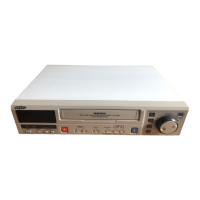
Sanyo SRT-2400DC - User Manual

Sanyo SRT-2400DC
50 pages
Print Icon
To Next Page IconTo Next Page
Loading...
INSTRUCTION MANUAL
SRT-2400DC
Real Time Video Recorder English
Enregistreur vidéo en temps réel Français
Videograbador en tiempo real Español
Please read this manual carefully before connecting your VCR and operating it for the first time.
Be sure to read carefully and follow all the PRECAUTIONS on page 1 and 2.
Keep the manual in a safe place for future reference.
NU4QG/NA3 (SRT-2400DC GB) Mon. Sept., 17/2001

Questions and Answers

  • K
    Kyle SanchezAug 13, 2025
    What to do if my Sanyo VCR has no image displayed on the monitor TV?
    • D
      David JohnsonAug 13, 2025
      If your Sanyo VCR displays no image on the monitor TV, first ensure all connections are correctly made. Then, verify that the power is turned on for both the camera and the monitor TV.
  • R
    Richard MelendezAug 16, 2025
    How to fix a Sanyo SRT-2400DC with no power?
    • M
      Maria McdonaldAug 17, 2025
      If your Sanyo VCR is not getting power, make sure the power cord is securely connected.
  • B
    brandon53Aug 21, 2025
    Why are the buttons on my Sanyo VCR not responding?
    • A
      Arthur RodriguezAug 21, 2025
      If the buttons on your Sanyo VCR are not responding, there might be several reasons: * A cassette tape might not be loaded. Load a cassette and turn the power on. * All functions may be suspended due to condensation. Wait for the “4” indicator to disappear. * Alarm recording might be in progress. Wait for the alarm recording to finish. * The security lock could be engaged. Cancel the security lock.
  • A
    Alfred GardnerAug 25, 2025
    What to do if my Sanyo VCR ejects the cassette immediately?
    • T
      Theresa JohnsonAug 25, 2025
      If your Sanyo VCR ejects the cassette a few seconds after insertion, the tape may not be threaded correctly. Try reinserting the cassette or using a new one.
  • S
    stacey76Aug 28, 2025
    How to eliminate noise in Sanyo VCR playback picture?
    • M
      Michael BrownAug 28, 2025
      If your Sanyo VCR is showing noise in the playback picture, the video heads probably need cleaning. Clean the video heads.
  • P
    Phillip MartinAug 31, 2025
    Why Sanyo VCR recording is not possible and the tape is ejected?
    • A
      Abigail QuinnAug 31, 2025
      If your Sanyo VCR is not recording, it might be because the loaded cassette has no erasure-prevention tab. Load a cassette tape with an erasure-prevention tab, or cover the tab hole with adhesive tape.
  • G
    George BarronSep 4, 2025
    Why the date and time are not recorded on my Sanyo SRT-2400DC?
    • B
      Brian AlexanderSep 4, 2025
      If the date and time are not being recorded on your Sanyo VCR, check that the ON SCREEN switch is set to the “ON” position.
  • M
    Margaret HollowaySep 8, 2025
    Why is timer recording not possible on my Sanyo SRT-2400DC VCR?
    • M
      Mrs. Kimberly WangSep 8, 2025
      To enable timer recording on your Sanyo VCR: * Ensure the date and time are correctly set. * Press the TIMER button so “n” is displayed. * Make sure “Y” is selected for programmed timer recordings.

Sanyo SRT-2400DC Specifications

General IconGeneral
Tape TypeVHS
Remote ControlYes
TunerYes
TimerYes
Playback SpeedSP, LP
Input/OutputComposite video

Related product manuals