6
ENGLISH
Last updated 14.02.2019 www.saphe.dk
On/O
For everyday use, there is no need to switch the Saphe Drive device on and o. Saphe Drive has
a highly optimised power consumption and automatically goes into rest mode when you are not out
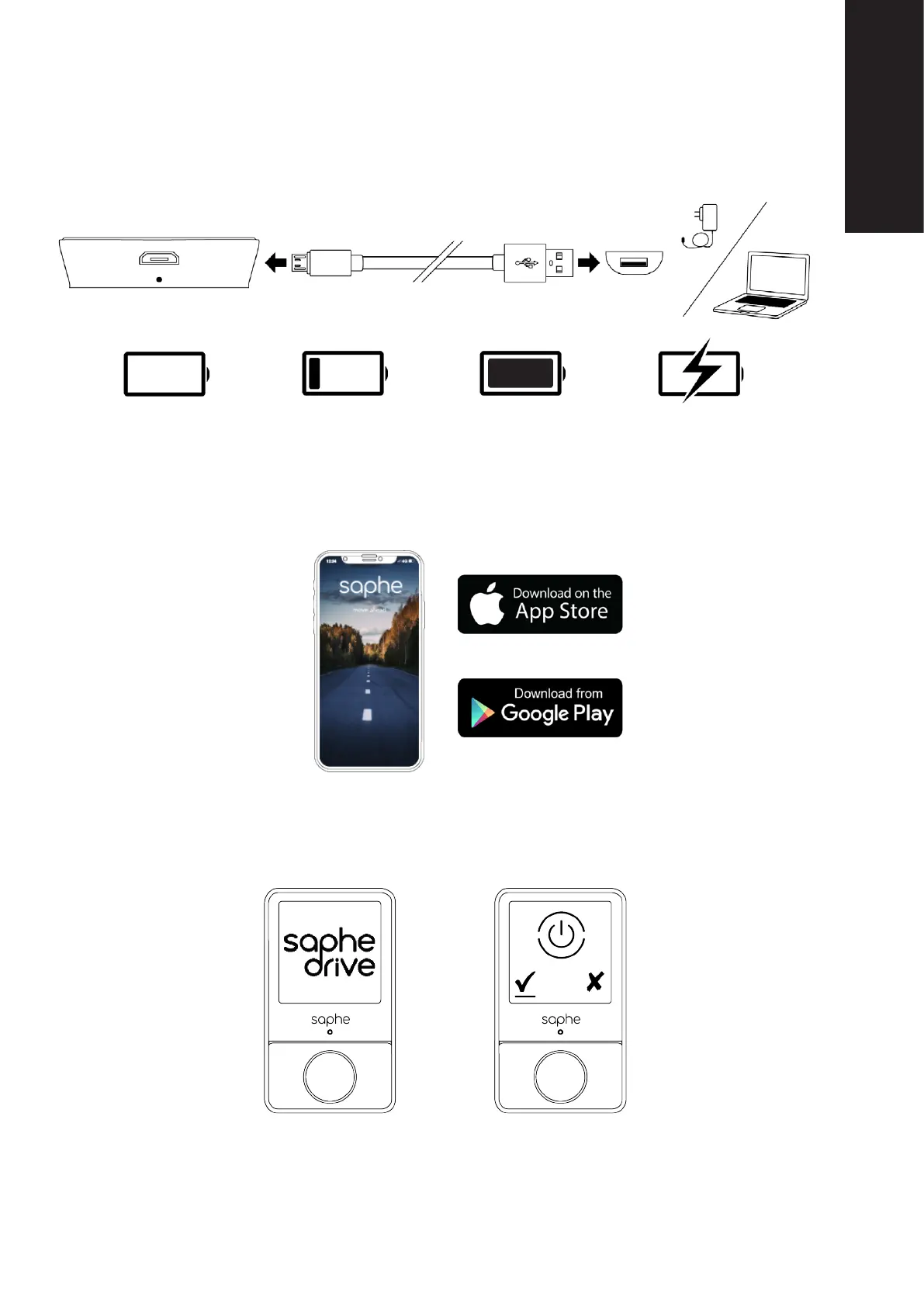
driving. To switch the Saphe Drive device on and o, press the centre button until the power o icon
appears.
Switch on the Saphe Drive
device by pressing the Cen-
tre button.
Switch o the Saphe Drive device
by pressing the Centre button and
conrm on the left button.
Before use
Charging
Charge the Saphe Drive prior to rst use. Use the enclosed Micro-B USB cable to charge the Saphe
Drive. The cable can be connected both with a common USB charger or the USB port on a computer.
Saphe Drive displays the battery status using a battery icon. The icons are shown below.
Download the app
Saphe Drive receives data from your phone to be able to warn you about the dierent alarm types.
You must download the “Saphe Link 2” app. Follow the instructions in the app for user set-up and
settings.
Battery is discharged Low battery level
Battery fully charged Charging



 To Next Page