EasyManua.ls Logo

Sartorius L 610 - User Manual

Sartorius L 610
16 pages
Print Icon
To Next Page IconTo Next Page
Loading...
Sartorius Laboratory.
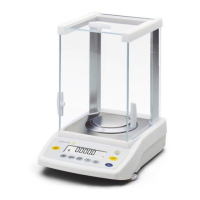
L 610, L2200S, L2200P
Electronic Precision Balances
Installation and Operating Instructions
Advanced Test Equipment Rentals
www.atecorp.com 800-404-ATEC (2832)
®
E
s
t
a
b
l
i
s
h
e
d
1
9
8
1

Questions and Answers

  • S
    Shawn GarzaAug 7, 2025
    Why is the weight readout wrong on my Sartorius L 610 Scales?
    • C
      Cassie MillerAug 7, 2025
      If the weight readout on your Sartorius Scales is obviously wrong, it may be due to a lack of calibration or taring. Try calibrating the balance first. If that doesn't work, ensure you tare the balance before weighing your sample.
  • L
    lindsey64Aug 12, 2025
    What to do if the weight readout changes constantly on Sartorius Scales?
    • K
      Kenneth GrayAug 12, 2025
      If the weight readout on your Sartorius Scales changes constantly or shows “BUSY”, unstable ambient conditions, excessive vibration, drafts, or an unstable sample weight could be the cause. Try setting up the balance in another area to avoid vibration or drafts. You can also access the menu to adjust the code for your weighing environment.
  • A
    Angela MooreAug 17, 2025
    What does CE mean on Sartorius L 610?
    • C
      Curtis SaundersAug 17, 2025
      If your Sartorius Scales displays “CE”, it could mean that the Cal key wasn't pressed when the display read zero, or the balance is overloaded. Try pressing the tare control. If that doesn't work, unload the balance.
  • Z
    zcummingsAug 21, 2025
    What to do if Sartorius L 610 weight display shows H?
    • H
      heathanthonyAug 22, 2025
      If the weight display on your Sartorius Scales shows “H”, it means the load exceeds the balance's capacity. Unload the balance to resolve this issue.
  • D
    Diamond HillAug 27, 2025
    How to fix no segments appearing in the weight display of Sartorius L 610 Scales?
    • J
      John HaynesAug 27, 2025
      If no segments appear in the weight display of your Sartorius Scales, check the power supply and ensure the connecting cable is properly plugged into the balance. If there is no line voltage available, check the power supply. If the connecting cable is not plugged into the balance, plug in the cable.
  • J
    Jeffrey SotoSep 1, 2025
    What to do if weight display shows “L” or “CH 2” on Sartorius L 610?
    • M
      Marc RossSep 1, 2025
      If the weight display on your Sartorius Scales shows “L” or “CH 2”, it indicates that the weighing pan or the pan adapter are not correctly positioned. Make sure to properly position the pan and the pan adapter.

Summary

Equipment Supplied

Installation Instructions

Ambient Conditions for Installation

Guidance on suitable environmental conditions for balance placement, avoiding heat, moisture, and vibrations.

Balance Startup Procedure

Balance Operation and Status

Status Messages and Display Interpretation

Explanation of status messages like BUSY, STANDBY, POWER OFF, and CAL displayed on the weight indicator.

Weight Unit Selection and Tare Function

Instructions for choosing weight units and using the tare control for zeroing the display.

Balance Calibration

Balance Operating Program

Accessing and Modifying Settings

Guide to entering the balance's operating program, unlocking access, and changing menu code settings.

Auto Zero Functionality

Explanation and control of the automatic zero tracking function through menu codes.

Menu Parameter Reference

Reference table detailing various balance operating parameters, their codes, and factory settings.

Troubleshooting Guide

Accessories (Options)

Specifications

Sartorius L 610 Specifications

General IconGeneral
BrandSartorius
ModelL 610
CategoryScales
LanguageEnglish

Related product manuals